INSPECTION MODE
Introduce the 5 digit Master code and press Enter
Close the lock by pressing Enter before 30s.
The User code is not deleted.
Change the User code
3
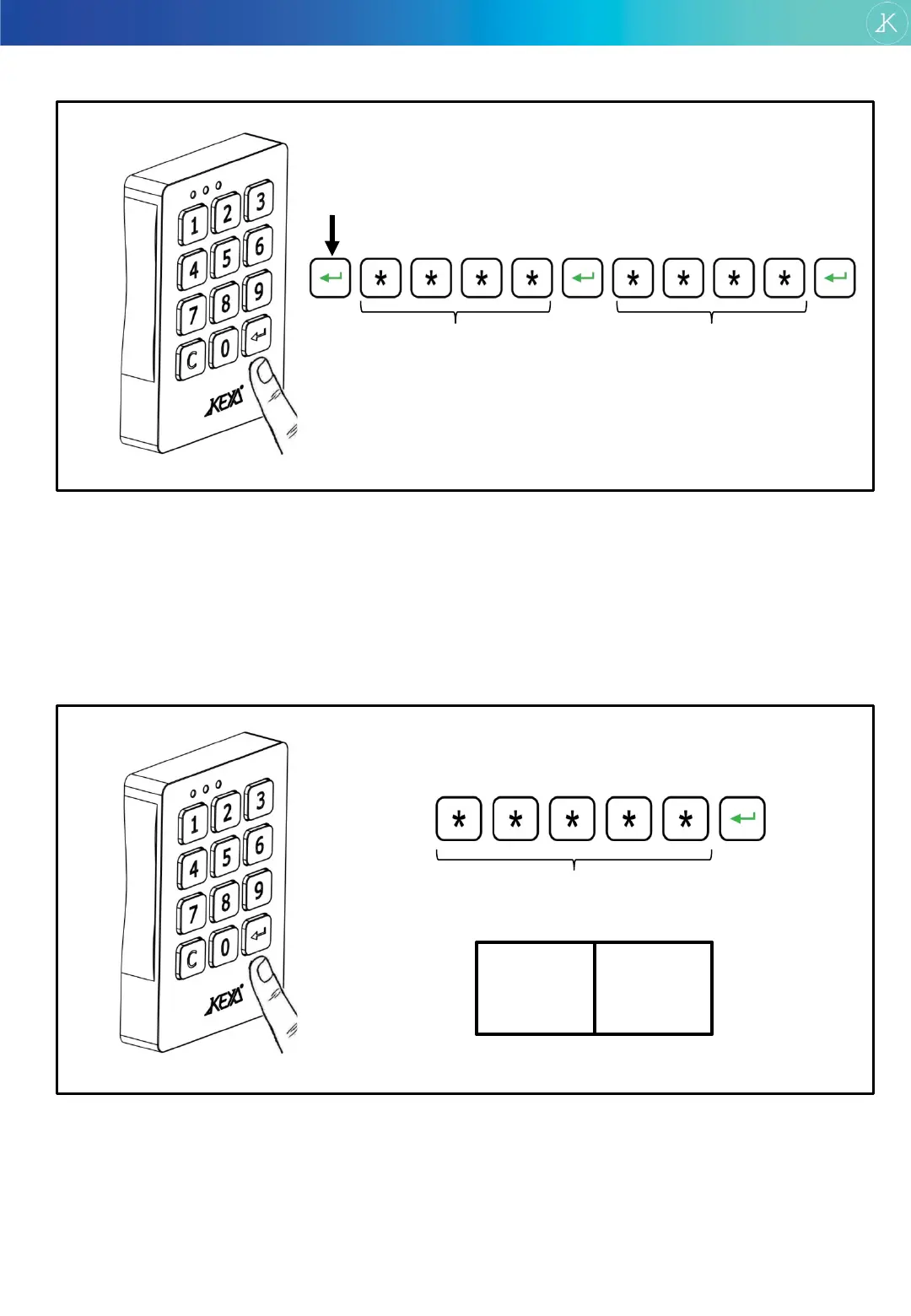
Press Enter during 3 seconds.
Introduce Current code and press Enter.
Introduce New code and press Enter.
CURRENT code NEW code
DELETE USER CODE
Introduce Master code and press Enter.
After 30s the lock remains opened.
The user code has been deleted and a new User
code will be required to close the lock again.
press during 3 seconds
Open using Master cod: Inspection mode / Delete last User code
4
MASTER code
To open:
-30s
INSPECTION
MODE
+30s
USER
ERASED
TRONIC PLUS
www.keya.cat 5


 To Next Page