6
6 6.5
For Mac - Karabiner For Windows - SharpKeys
Karabiner SharpKeys
Remap keys Linux’s Setting
We have a Linux user group on facebook. Please search
“Keychron Linux Group” on facebook. So you can
better experience with our keyboard.
We don’t have an oicial software to remap the keys yet.
But you can use these two software to get the job done.
(Except the light eect key)
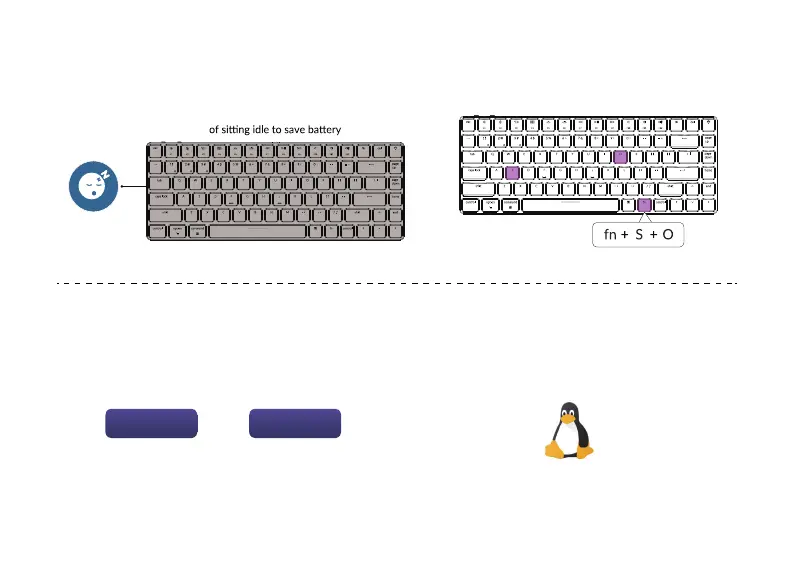
Disable Auto Sleep Mode
5
Press fn + S + O (for 4 seconds) to disable the Auto Sleep Mode.
(If you want to go back to the Auto Sleep mode, press fn + S + O for 4 seconds again)
The keyboard goes to Auto Sleep Mode in 10 minutes



 To Next Page