5 Multimedia KeyandFunctionKey
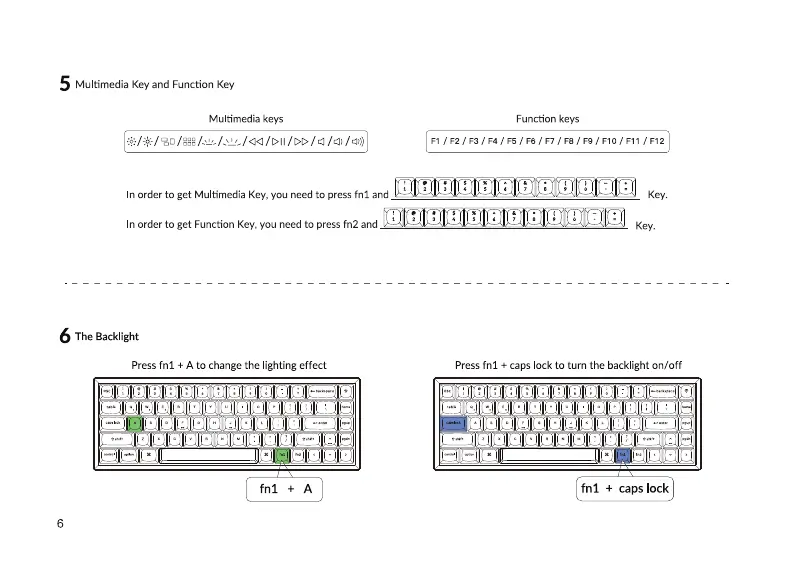
Multimedia keys
Function keys
Fl /F2/ F3/F4/F5/F6/F7/F8/F9/F10/F11 /F12
n order to get Multimedia Key, you need to press fnl and Key.
In order to get Function Key, you need to press fn2 and
Key.
6 TheBacklight
Press fnl + A to change the lighting effect
fn1 + A
6
Press fnl + caps lock to turn the backlight on/off
fnl + caps lock


 To Next Page