11
9. The Layers
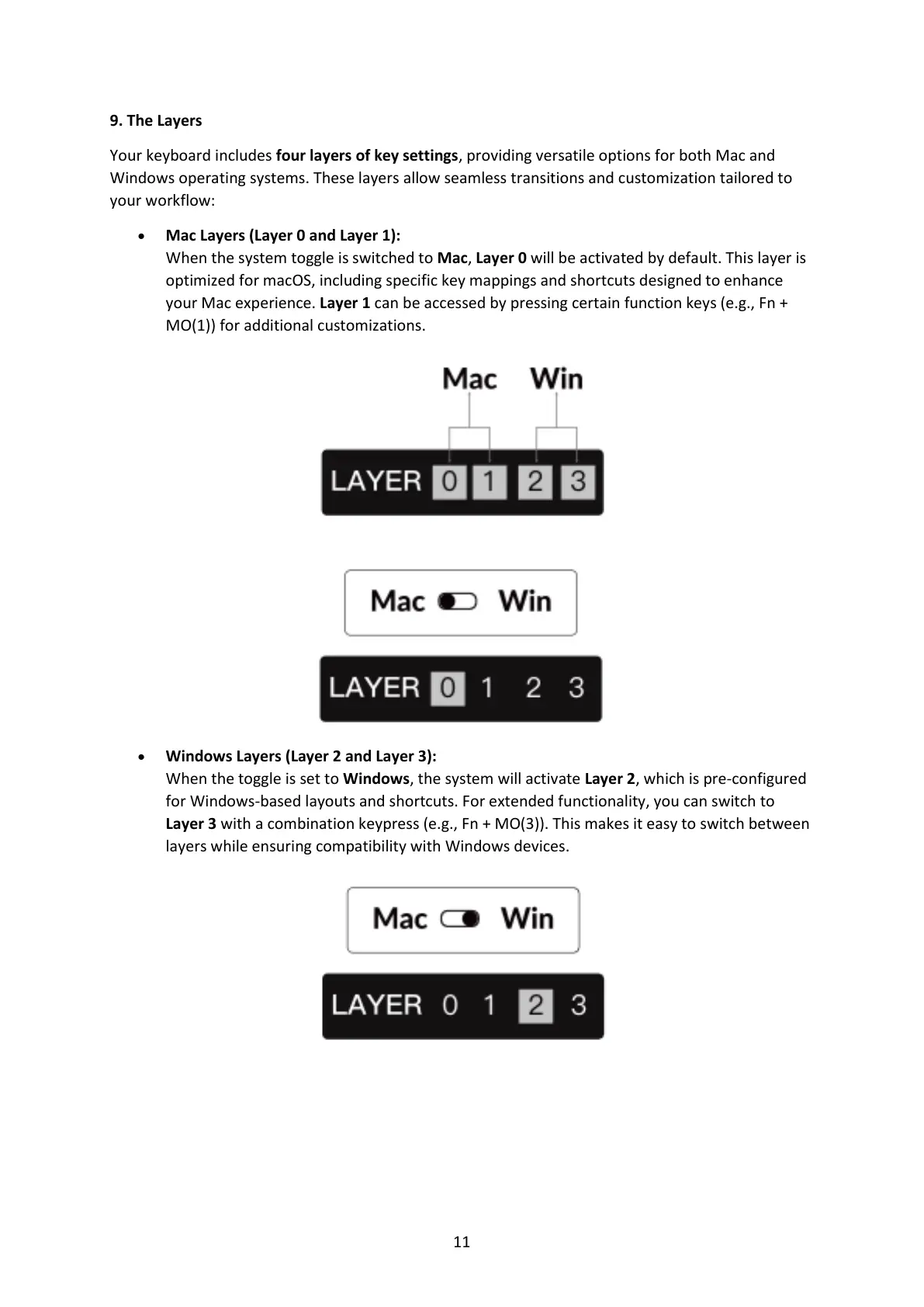
Your keyboard includes four layers of key settings, providing versatile options for both Mac and
Windows operating systems. These layers allow seamless transitions and customization tailored to
your workflow:
• Mac Layers (Layer 0 and Layer 1):
When the system toggle is switched to Mac, Layer 0 will be activated by default. This layer is
optimized for macOS, including specific key mappings and shortcuts designed to enhance
your Mac experience. Layer 1 can be accessed by pressing certain function keys (e.g., Fn +
MO(1)) for additional customizations.
• Windows Layers (Layer 2 and Layer 3):
When the toggle is set to Windows, the system will activate Layer 2, which is pre-configured
for Windows-based layouts and shortcuts. For extended functionality, you can switch to
Layer 3 with a combination keypress (e.g., Fn + MO(3)). This makes it easy to switch between
layers while ensuring compatibility with Windows devices.



 To Next Page