Download Q1 V2 Non-Knob ISO Firmware
Download Q1 V2 Knob Version ANSI Firmware
Download Q1 V2 Knob Version ISO Firmware
Keychron Q1 Japan JIS Version
Download Q1 Knob Version Japan JIS Firmware
QMK Toolbox
Download QMK Toolbox for Mac
Download QMK Toolbox for Win
2. Unplug the power cable from the keyboard.
3. Open the QMK Toolbox.
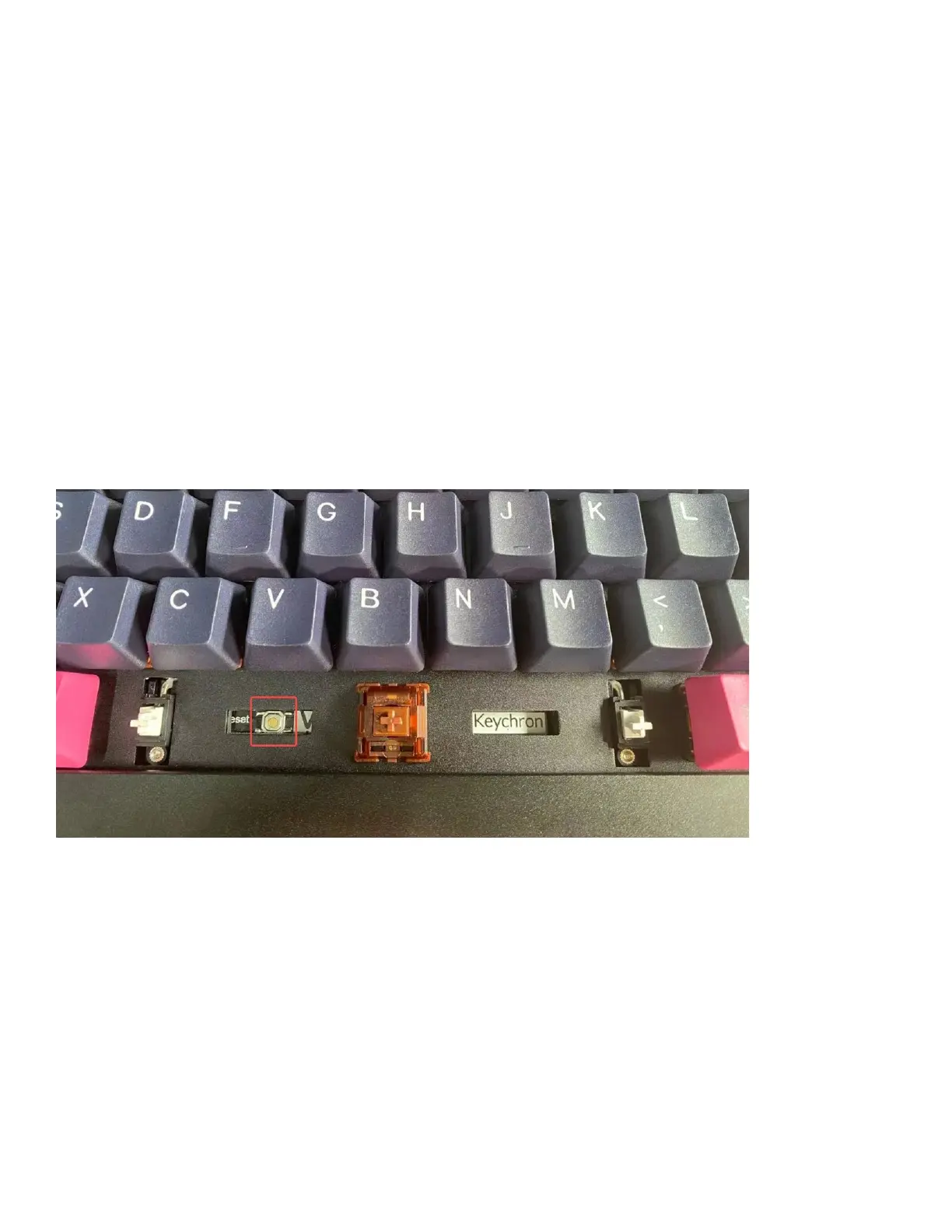
4. Remove the space bar keycap to find the reset button on the left side of the space
bar switch on the PCB.
5. Press down and hold the reset button, then plug in the power cable. The
keyboard will enter into DFU mode. Then, the QMK Toolbox will display in yellow
words “***DFU device connected”.



 To Next Page