Need help?
Do you have a question about the Keychron Q14 Pro and is the answer not in the manual?
Lists components of the fully assembled keyboard, including case, PCB, foam, and gaskets.
Details the included cables, such as Type-C to Type-C and Type-A to Type-C.
Lists the tools provided with the keyboard, like switch and keycap pullers.
Lists components of the barebone kit, excluding keycaps and switches.
Details the included cables, such as Type-C to Type-C and Type-A to Type-C.
Lists the tools provided with the keyboard, like switch and keycap pullers.
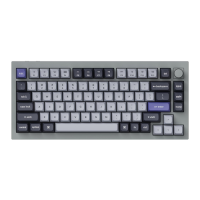
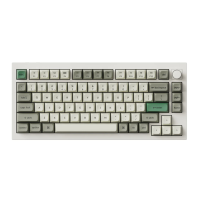
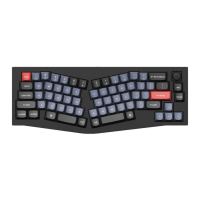
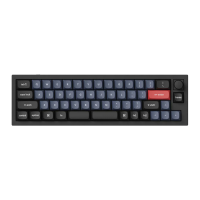
Illustrates the keyboard layout, highlighting differences for Mac and Windows systems.
Step-by-step guide to connect the keyboard via Bluetooth.
Instructions for connecting the keyboard using a USB cable.
Information on downloading and using VIA software for key remapping.
Details the four layers of key settings for Mac and Windows systems.
How to change keyboard backlight lighting effects using key combinations.
Instructions on increasing or decreasing keyboard backlight brightness.
How to adjust the speed of keyboard backlight effects.
Explains the warranty policy, focusing on component replacement.
Recommends watching a tutorial video for keyboard assembly.
Step-by-step guide to reset the keyboard to factory settings.
Lists detailed technical specifications like key count, battery, and connectivity.
Visual overview of keyboard layout for Mac and Windows with numbered indicators.
Explains that Layer 0 is activated when the system toggle is set to Mac.
Explains that Layer 1 is activated for Mac with Fn/MO(1) key.
Explains that Layer 2 is activated when the system toggle is set to Windows.
Explains that Layer 3 is activated for Windows with Fn/MO(3) key.
Provides descriptions for multimedia keys, function keys, and MO keys.
Explains the status indicators for the battery and Bluetooth LEDs.
Details the charging process, indicator lights, and compatibility.
Instructions on switching between Bluetooth and wired connection modes.
How to switch between paired Bluetooth devices using key combinations.
Steps to reconnect the keyboard to a previously paired device.
Simple instruction on how to turn off the keyboard.
How to cycle through backlight effects and modes.
Guide on switching OS compatibility between Mac/iOS and Windows/Android.
How to switch input methods for iOS and Android.
Solutions for common issues when pairing the keyboard with devices.
Steps to resolve issues when the keyboard is not functioning.
Explains potential causes of Bluetooth interruption and solutions.
Addresses compatibility issues with third-party input tools.
Explains why certain multimedia or function keys might not work.
Important safety guidelines regarding product handling, dryness, and temperature exposure.
 General
| Model | Q14 Pro |
|---|---|
| Case Material | Aluminum |
| Keycap Material | PBT |
| Hot-swappable Support | Yes |
| Backlight | RGB |
| Polling Rate | 1000Hz |
| Type | Mechanical |
| Mounting Type | Gasket Mount |
| Switch Support | 5-pin |
| Switch Type | Keychron K Pro |
| Connectivity | Wired (USB-C) |
| Operating System Compatibility | Windows, macOS |
| Battery Life | Not applicable (Wired) |

 To Next Page