09
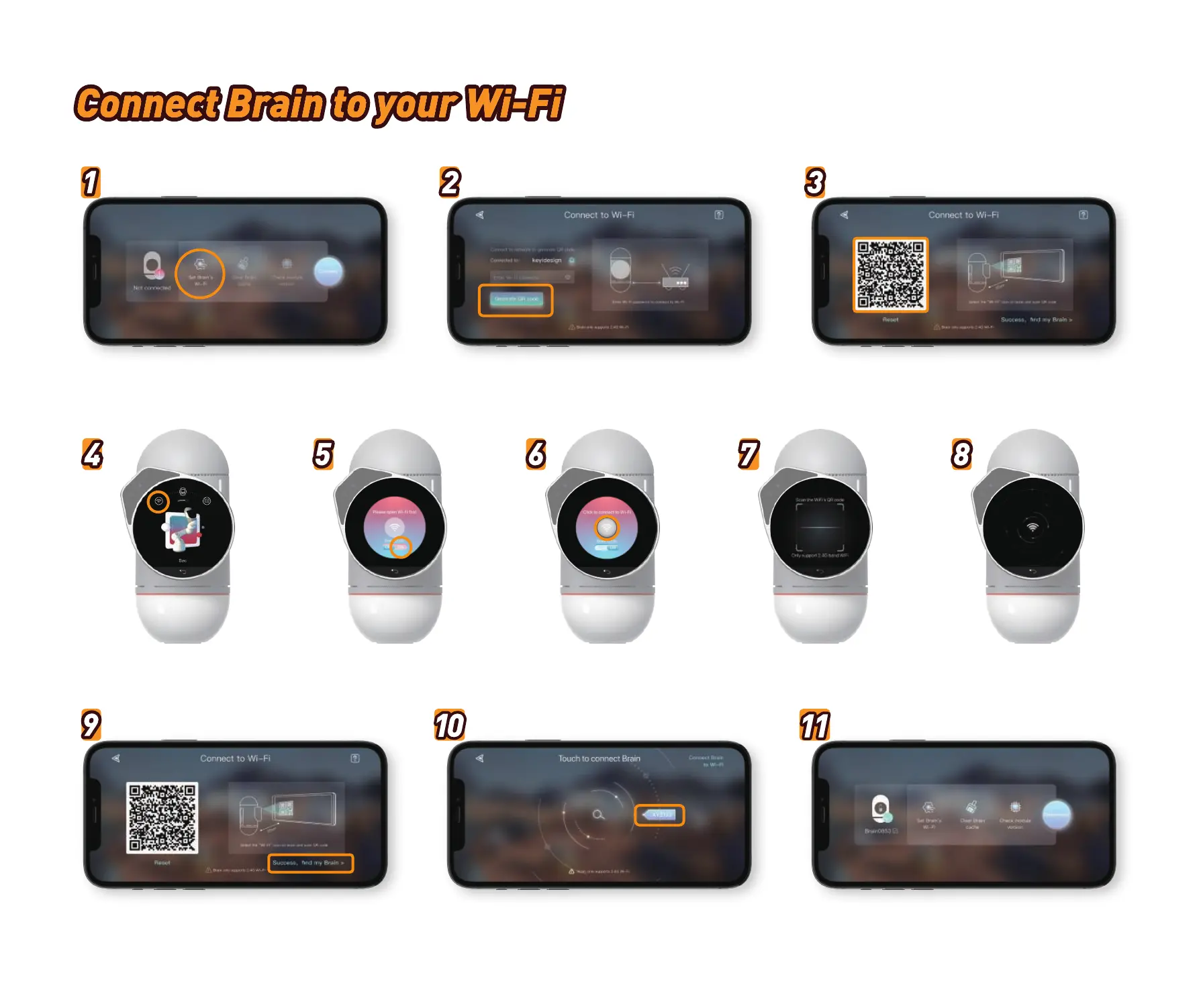
Click this Wi-Fi button to
scan QR code
Open Wi-Fi page in the BrainSelect “internet settings” button. Scan QR code Wait for successful connection
Select “Set up Brain’s Wi-Fi”
Select Brain and connect on this pageClick “Success, find my Brain” Connection successful!
Connect your phone to Wi-Fi, input Wi-Fi password,
and generate a QR code.
Use your Brain to scan the QR code on your
Phone App



 To Next Page