Need help?
Do you have a question about the KEYI ClicBot and is the answer not in the manual?
Steps for initial setup, including powering on, charging, and basic interaction with the ClicBot Brain.
Guide to assembling ClicBot modules, including distinguishing parts and achieving secure connections.
Illustrates different ways to connect modules, such as vertical and parallel configurations.
Instructions for assembling a Bac configuration by following menu guidance and connecting components.
Detailed steps for affixing the Bac's base mount and connecting its initial joint for stability.
How to interact with the Bac configuration, including touch controls and menu-based activities.
Guide to connecting and playing with the Bic robot, covering its online status and behaviors.
Instructions for downloading and installing the ClicBot mobile application from app stores.
Step-by-step process to connect the ClicBot Brain to a Wi-Fi network for online functionality.
Instructions for establishing a connection between the ClicBot Brain and a device using a hotspot.
Procedure for checking and installing software updates for the ClicBot Brain.
Overview of the ClicBot App's main sections: Playground, Laboratory, and Community.
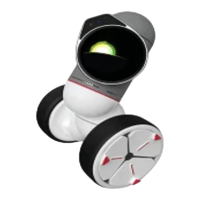
Detailed explanations of various ClicBot modules, including Brain, Joints, Skeletons, Wheel, and Grasper.
Information on ClicBot warranty, community access, and contact details for customer support.
Important warnings about improper usage that can lead to permanent damage, including connection and environmental risks.
 General
| Brand | KEYi |
|---|---|
| Product | ClicBot |
| Type | Modular Robot |
| Age Range | 8+ |
| Control Method | App, Voice |
| Sensors | Infrared, Touch |
| Camera | Yes |
| Connectivity | Bluetooth |
| Programming | Block-based, Python |
| Power Source | Rechargeable battery |
| Modularity | Yes |
| App Compatibility | iOS, Android |
| Voice Control | Yes |

 To Next Page