2
Supra C500 Pro User Guide
• There is no preset combinaon on your Supra C500 Pro. Select your own combinaon.
Each number/leer can only be used once.
• Do not use a combinaon that can be easily guessed
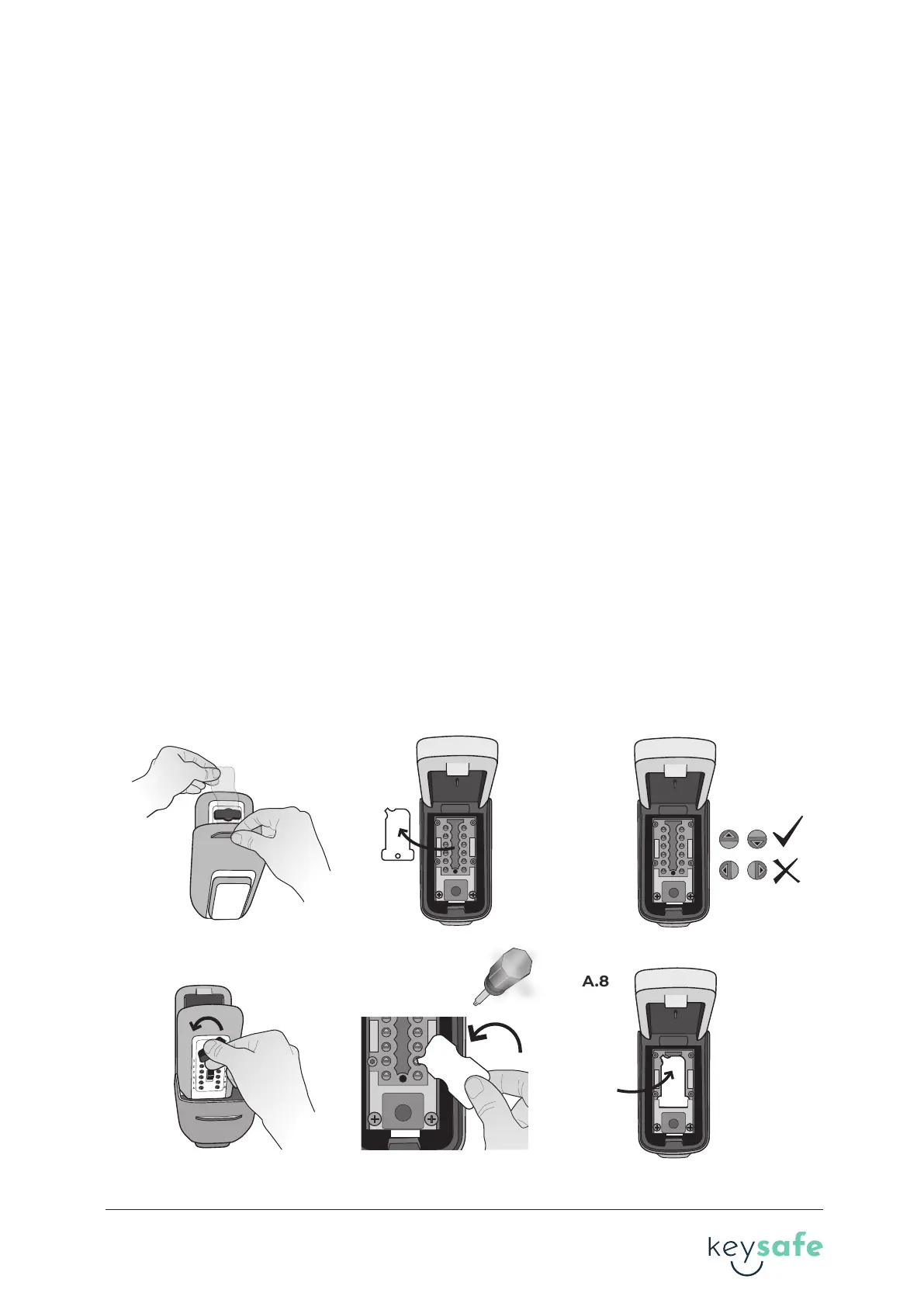
1. Hold the clear plasc tab and pull open the weather cover.
2. Press down on the CLEAR buon.
3. Turn the OPEN handle clockwise 180° to open the lid.
4. Slide the plasc instrucon card on the lid towards the hinge of the KeySafe and remove
the card.
5. There are ten numbered buons and two leered buons with arrows on the back of the
lid. Arrows poinng away from the hinge are OFF and are not part of the combinaon. Arrows
poinng towards the hinge are ON and are part of the combinaon.
6. With the KeySafe open, turn the open handle counter clockwise 180°, back to the locked
posion.
Important! The OPEN handle must be in LOCKED posion before the code can be changed.
Forcing the seng buons when in the OPEN posion may damage the KeySafe and void the
warranty.
7. Use the code change tool on the plasc card provided to set the combinaon.
Note: Do not use a screwdriver!
To add a number or leer to the code, use the code change tool to push in the grooved arrow
by the number/leer you wish to set. Turn 180° unl the arrow pops back up completely and
the arrow points in the ON direcon. To remove a number or leer from the code, use the code
change tool to push in the grooved arrow by the number/leer you wish to set. Turn 180° unl
the arrow pops back up completely and the arrow points in the OFF direcon.
8. Place the plasc card over the back of the lid and slide back into place.
A. Setting your combination
A.1
A.6
A.4
A.7
A.5
A.8
xx
2 brand guideline


 To Next Page
 Loading...