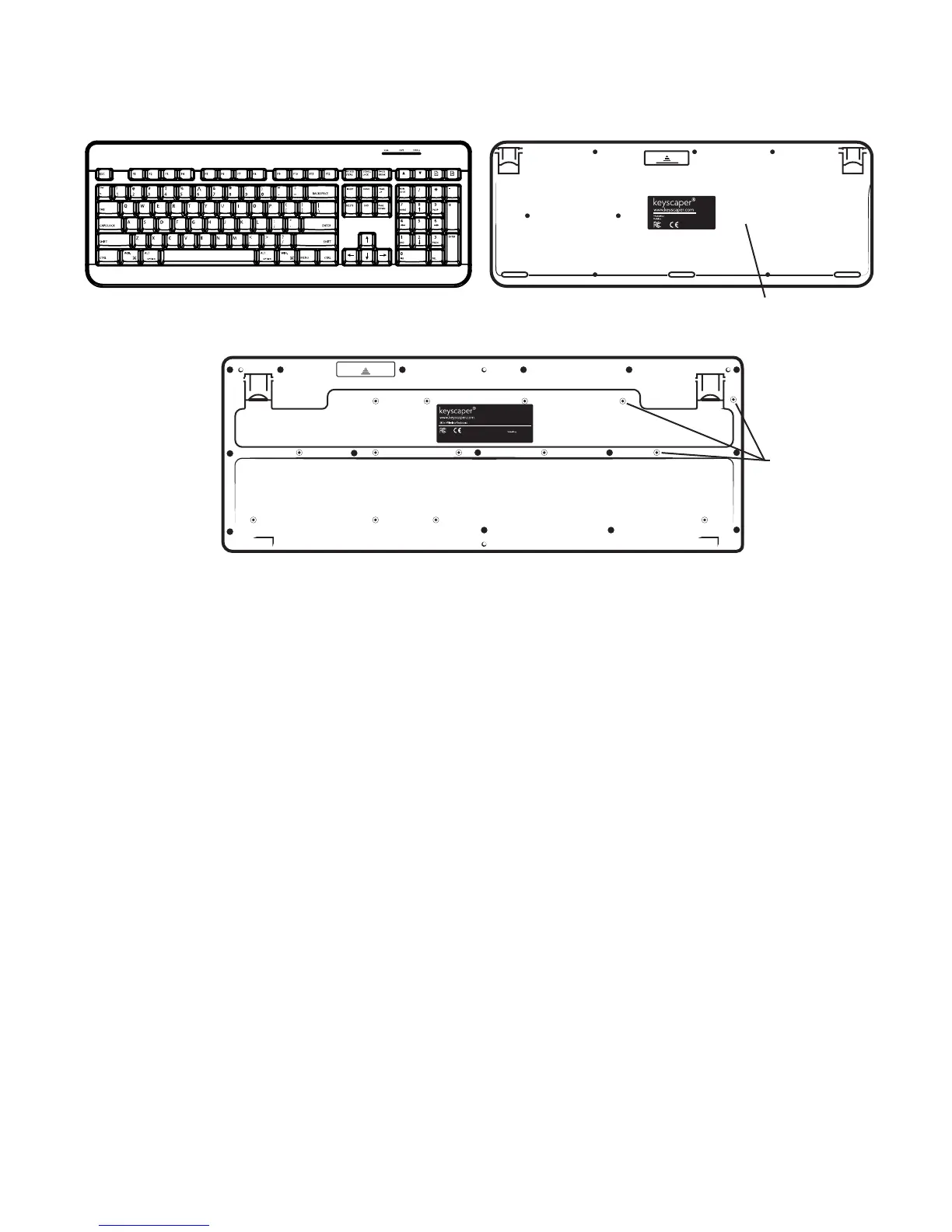
Determining the Generation:
Front
Back
Back
4
th
Generation
2
nd
& 3
rd
Generation
3
rd
Gen: White
2
nd
Gen: Black
No Posts, only screws.
The 4
th
generation keyboard is most different from the 2
nd
and 3
rd
generations of keyboards.
The 4
th
generation does not have additional navigation keys above the F keys. The 4
th
generation does have a set of indicator lights to alert the user about the Number Lock, Captial
Lock, and Low Batteries.
The 2
nd
and 3
rd
generation keyboard must be ipped over to determine which is which. The 3
rd
generation has white posts and the 2
nd
generation has less obvious black posts. Both of these
generations also have additional keys on the front above the F keys for navigational tasks.



 To Next Page