Operation
—
—
—
+
+
+
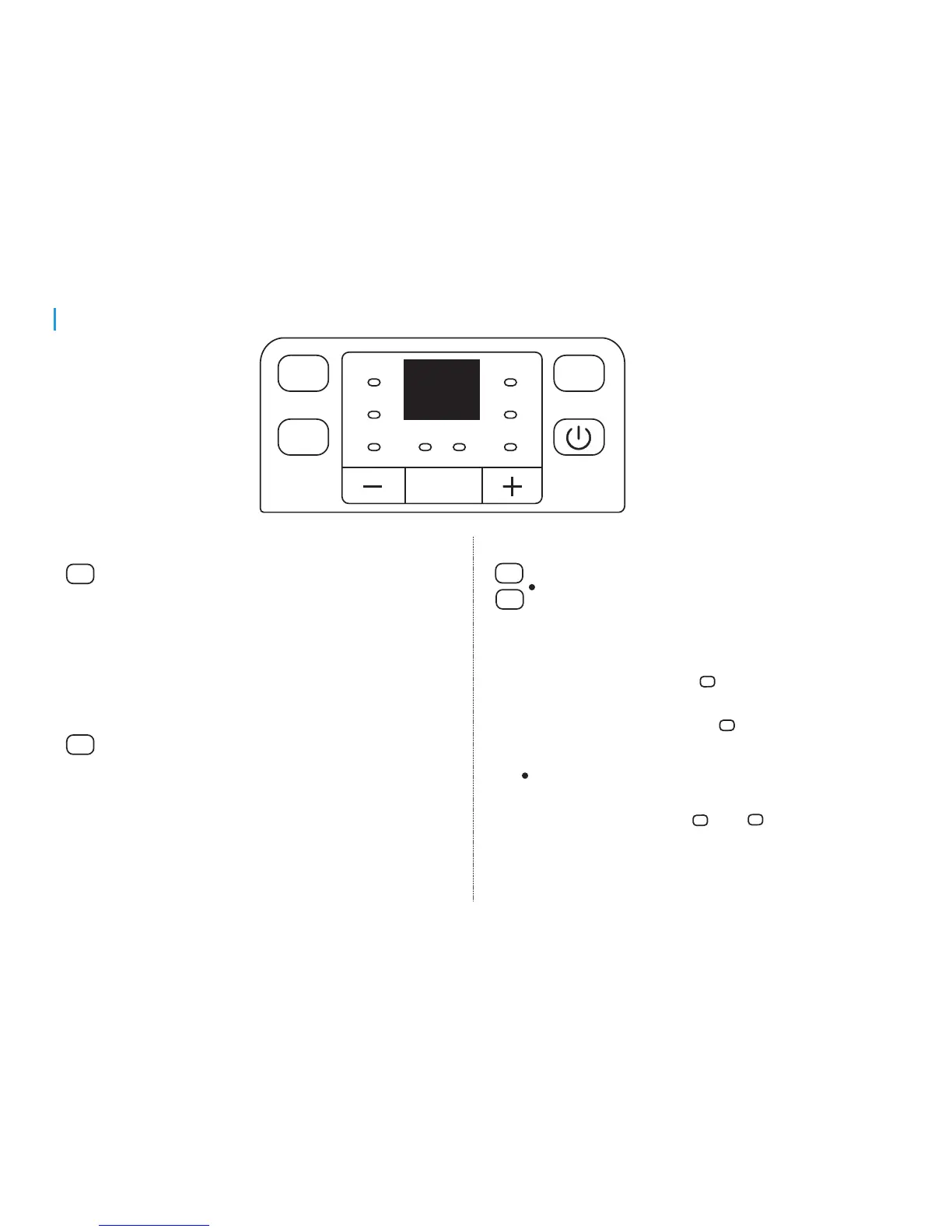
Down/Up buttons
Humidity Set Control Buttons
Timer Set Control Buttons
The humidity level can be set within a range of
35%RH(Relative Humidity) to 85%RH(Relative
Humidity) in 5% increments.
For drier air, press the button and set to a lower
percent value(%).
For damper air, press the button and set a higher
percent value(%).
Press to initiate the Auto start and Auto stop feature,
in conjuction with the and buttons.
Filter
Cont.
Fan
Timer
Filter
Full
Cont.
On Off
Turbo
Normal
Auto defrost
Filter
Cont.
Filter button
The check filter feature is a reminder to clean the
Air Filter for more efficient operation. The Filter
light(Clean filter light) will illuminate after 250 hours
of operation. To reset after cleaning the filter, press
the Filter button and the light will go off.
Continue button
Press to activate the continuous dehumidifying
operation.
7


 To Next Page