

EasyManua.ls Logo

Keystone KSTFA060UAG - User Manual

Keystone KSTFA060UAG
2 pages
Print Icon
To Next Page IconTo Next Page
Loading...
Instruction Manual
6” USB Fan
KSTFA060UAG
IMPORTANT INSTRUCTIONS
READ AND SAVE THESE INSTRUCTIONS
WARNING – To Reduce The Risk Of Fire Or Electric Shock, Do Not Use This
Fan With Any Solid-State Speed Control Device.
WARNING – To Reduce The Risk Of Electric Shock, Do Not Expose to Water
or Rain.
WARNING – This is a fan – not a toy! To reduce the risk of personal injury
and electric shock, it should not be played with or placed where small children
can reach it.
1. Do unplug or disconnect the appliance from the power supply before
servicing.
2. Do not use gasoline, thinners, solvents, ammonias or other chemicals for
cleaning.
3. Do not operate any fan with a damaged cord or plug. Discard fan or return to
an authorized service facility for examination and/or repair.
4. Do not run cord under carpeting. Do not cover cord with throw rugs, runners,
or similar coverings. Do not route cord under furniture or appliances.
Arrange cord away from traffic area and where it will not be tripped over.
5. Do not use this product outdoors.
6. Do not use this product on wet surfaces.
7. Do not use this product in a bathtub or shower.
8. Do not use near furnaces, fireplaces, stove or other high-temperature heat
sources.
9. Do not immerse this product in water or allow water to drip into the motor
housing.
Know Your Fan
Parts and Features
P1-14522
P2-14522
Question and Answer IconNeed help?

Do you have a question about the Keystone KSTFA060UAG and is the answer not in the manual?

Summary

Important Safety Instructions

General Safety Warnings

Critical warnings regarding fire, electric shock, misuse, and child safety.

Usage and Servicing Guidelines

Instructions for unplugging, chemical use, and handling damaged cords.

Know Your Fan

Parts Identification

Identifies key components of the 6" USB Fan, including guards, base, and cords.

How to Use

Connecting Power

Steps for connecting the DC cord and USB plug to power sources.

Adjusting Fan Operation

Instructions on using the switch knob to control fan speed and operation.

Adjusting Fan Tilt

How to safely adjust the fan's airflow direction by tilting.

Disconnecting Power

Steps for safely disconnecting the fan from power sources after use.

Cleaning and Maintenance

General Cleaning Procedures

Guidelines for cleaning the fan in a dry place with a clean cloth.

Removing Front Guard

Instructions on how to unlock and remove the front guard for cleaning.

Summary

Important Safety Instructions

General Safety Warnings

Critical warnings regarding fire, electric shock, misuse, and child safety.

Usage and Servicing Guidelines

Instructions for unplugging, chemical use, and handling damaged cords.

Know Your Fan

Parts Identification

Identifies key components of the 6" USB Fan, including guards, base, and cords.

How to Use

Connecting Power

Steps for connecting the DC cord and USB plug to power sources.

Adjusting Fan Operation

Instructions on using the switch knob to control fan speed and operation.

Adjusting Fan Tilt

How to safely adjust the fan's airflow direction by tilting.

Disconnecting Power

Steps for safely disconnecting the fan from power sources after use.

Cleaning and Maintenance

General Cleaning Procedures

Guidelines for cleaning the fan in a dry place with a clean cloth.

Removing Front Guard

Instructions on how to unlock and remove the front guard for cleaning.

Overview

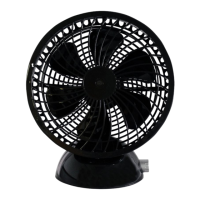
This document describes the KSTFA060UAG 6" USB Fan, a compact and portable fan designed for personal cooling.

Function Description

The KSTFA060UAG is a 6-inch USB fan primarily designed to provide personal airflow. It operates by drawing power either directly from a computer's USB port or from a 120V power outlet via an adapter. The fan features a switch knob that controls both the power and the fan speed. Turning the knob clockwise increases the airflow, while turning it counter-clockwise reduces the airflow and eventually turns the fan off. The fan head can be tilted upward or downward to adjust the direction of the airflow.

Important Technical Specifications

While specific technical specifications like wattage or RPM are not explicitly listed, the manual highlights its power input flexibility:

  • Power Source: Can be powered via a USB plug (from a computer) or an adapter plug (from a 120V power supply).
  • Size: 6 inches (referring to the fan blade diameter).
  • Speed Control: Adjustable via a rotary switch knob, offering variable airflow.

Usage Features

The fan is designed for ease of use and portability, with several key features:

  • Dual Power Option: Users can choose between USB power for convenience with computers or adapter power for use with wall outlets.
  • Adjustable Airflow: A switch knob allows for precise control over the fan speed, from off to maximum airflow.
  • Tilt Adjustment: The fan guard can be manually moved up or down to direct the airflow as needed. Users are advised to switch the fan off before making tilt adjustments.
  • Compact Design: Its small size makes it suitable for desktop use or travel.

Important Safety Warnings for Usage:

  • Indoor Use Only: The fan is not designed for outdoor use and should not be exposed to water or rain.
  • Avoid Wet Surfaces: Do not use the product on wet surfaces, in a bathtub, or shower.
  • No Immersion: Do not immerse the product in water or allow water to drip into the motor housing.
  • Heat Sources: Do not use near furnaces, fireplaces, stoves, or other high-temperature heat sources.
  • Cord Management: Do not run the cord under carpeting, throw rugs, runners, or similar coverings. Do not route the cord under furniture or appliances. Keep the cord away from traffic areas to prevent tripping.
  • Not a Toy: The fan is not a toy and should be kept out of reach of small children.
  • No Solid-State Speed Control Devices: Do not use this fan with any solid-state speed control device to avoid the risk of fire or electric shock.
  • No Forcing Rotation: When the fan is not facing front, do not force the fan to turn; use the swivel function.

Maintenance Features

The manual provides clear instructions for cleaning and maintenance to ensure the longevity and safe operation of the fan:
  • Cleaning:
    • General Cleaning: Keep the fan clean by wiping away dirt with a clean cloth.
    • Front Grid and Blade: Use a vacuum cleaner to clean the front grid and blade. Do not use gasoline or thinner for cleaning.
    • Disassembly for Cleaning: The front guard can be removed for thorough cleaning. This involves using a tool to unlock a screw, turning the guard counter-clockwise to remove it, cleaning, and then reassembling by turning clockwise and locking the screw.
  • Storage: Before storing, clean the fan thoroughly, then cover it with a vinyl bag.
  • Chemical Avoidance: Do not use volatile solvents such as gasoline, thinner, benzene, wax, kerosene, alcohol, polishing powder, or alkaline detergent, as these may discolour or damage the machine.
  • No Oiling: Do not oil plastic parts, as this may cause discoloration or injury.
  • Damaged Cord/Plug: Do not operate any fan with a damaged cord or plug. The fan should be discarded or returned to an authorized service facility for examination and/or repair.
  • Disconnect Before Servicing: Always unplug or disconnect the appliance from the power supply before servicing.
  • Chemical Cleaning Agents: Do not use gasoline, thinners, solvents, ammonias, or other chemicals for cleaning.
  • Damaged Cord/Plug: Do not operate any fan with a damaged cord or plug. Discard the fan or return it to an authorized service facility for examination and/or repair.

Keystone KSTFA060UAG Specifications

General IconGeneral
BrandKeystone
ModelKSTFA060UAG
CategoryFan
LanguageEnglish