Need help?
Do you have a question about the Keywish Hummer-Bot-2.0 and is the answer not in the manual?
Explains the objective of the manual to provide a development learning platform for electronic enthusiasts.
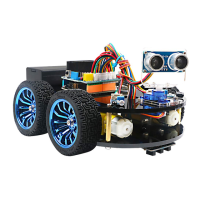
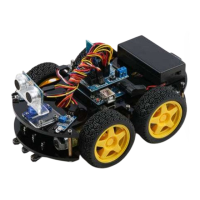
Introduces the Hummer-Bot as a multifunctional car based on Arduino UNO and L298N motor.
Details the Arduino Uno R3 as the main control board, its specifications and connections.
Guides on setting up the Arduino IDE development environment for programming the robot.
Provides step-by-step instructions for assembling the Hummer-Bot car hardware components.
Details the process of installing the motors onto the car chassis.
Explains how to install the wheels and the drive module onto the assembled car.
Guides the installation of the tracking modules onto the robot.
Covers the installation of copper columns and wiring the motors to the chassis.
Details the mounting procedure for the Keywish Uno R3 control board.
Explains how to install the battery box onto the robot's frame.
Provides instructions for installing the servo motor for steering or other movements.
Guides the mounting of infrared sensors for obstacle detection.
Details installing the voltage display and DC power input connector.
Explains the installation of the infrared receiver module for remote control.
Summarizes the overall assembly process, connecting various modules.
Guides the installation of the Bluetooth module for wireless communication.
Illustrates the wiring connections for the expansion board and its modules.
Introduces experiments and functionalities of the Hummer Bot modules.
Explains the working principle of the car's movement using the L298N motor driver.
Covers the functionality and implementation of infrared obstacle avoidance.
Introduces the infrared obstacle avoidance sensor and its working mechanism.
Details the steps for testing and experimenting with the obstacle avoidance sensors.
Presents the software logic and code for implementing obstacle avoidance.
Explains the infrared tracing functionality and its implementation.
Introduces the infrared tracing sensor and its working principle.
Details the steps for testing and experimenting with the line tracing functionality.
Illustrates the wiring connections for the infrared tracing sensors.
Covers the functionality and implementation of ultrasonic obstacle avoidance.
Introduces the ultrasonic sensor and steering gear components.
Lists the technical specifications and parameters for the ultrasonic module and steering gear.
Explains the working principle of the ultrasonic sensor and servo motor.
Details the steps for testing and experimenting with ultrasonic obstacle avoidance.
Covers the functionality and implementation of infrared remote control.
Introduces the infrared remote control suite, including the controller and receiver.
Details the steps for testing and experimenting with the infrared remote control.
Presents the software logic and code for controlling the robot via infrared remote.
Covers the functionality and implementation of mobile phone Bluetooth control.
Introduces the Bluetooth module and its capabilities for mobile control.
Explains the communication protocol used for Bluetooth control between phone and Arduino.
Details the steps for connecting and experimenting with Bluetooth control.
Presents the software logic and code for controlling the robot via Bluetooth.
Covers the functionality and implementation of PS2 controller remote control.
Introduces the PS2 handle and its receiver for robot control.
Details the steps for connecting and experimenting with the PS2 controller.
Presents the software logic and code for controlling the robot via PS2 controller.

 To Next Page
 General