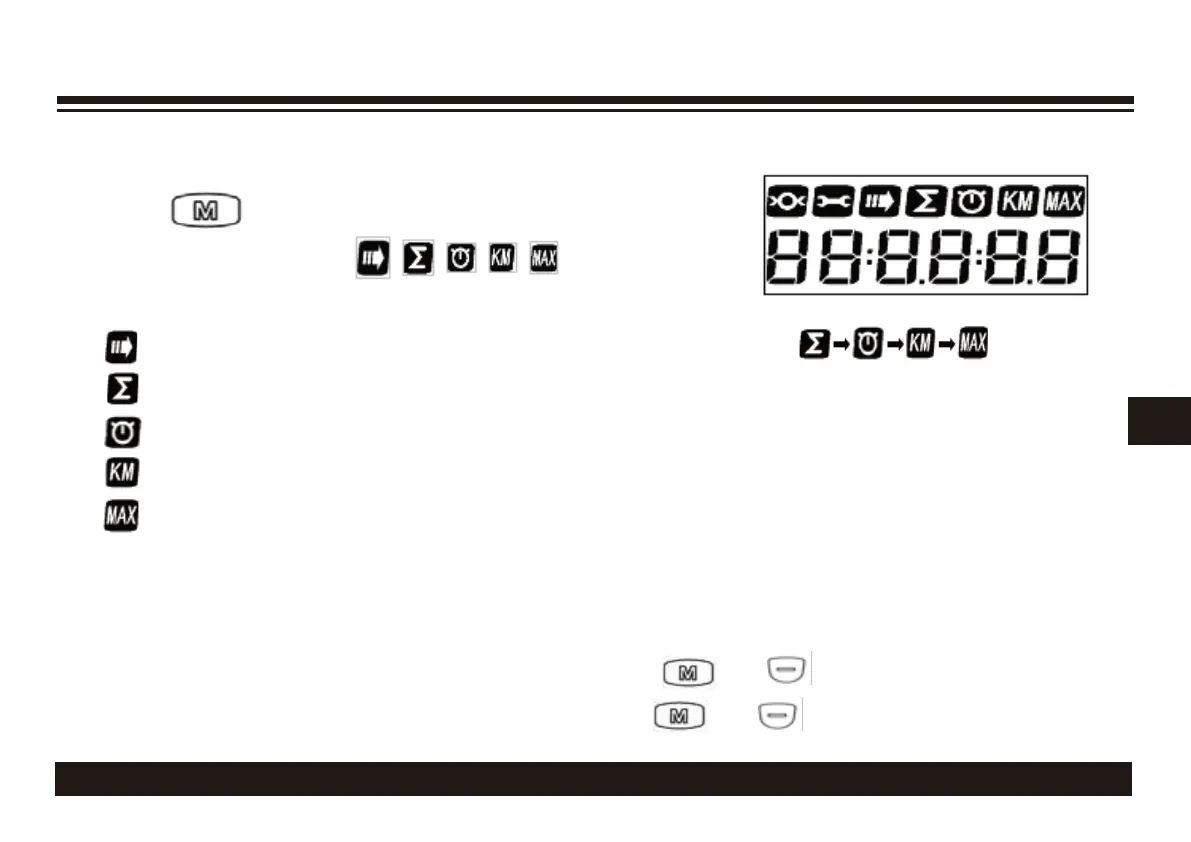
LCD OPERATION
Additional Information Section
Push
button briefly each time will cycle through
the following functions:
* NOTE 1: Distance and speed units will depend on the selected MPH or KM/H unit in the
Speed Indicator section.
* NOTE 2: To clear all info except for odometer, push and together for 2 seconds.
* NOTE 3: To clear all info including odometer, push and together for 10 seconds.
310
Screen cycles through the information modes automatically
Odometer recorded by the system since the manual reset
Time since the system was turned on
Distance traveled since system was turned on
Max S
peed since system was turned on


 To Next Page