Audio system
59
Features of Your Audio
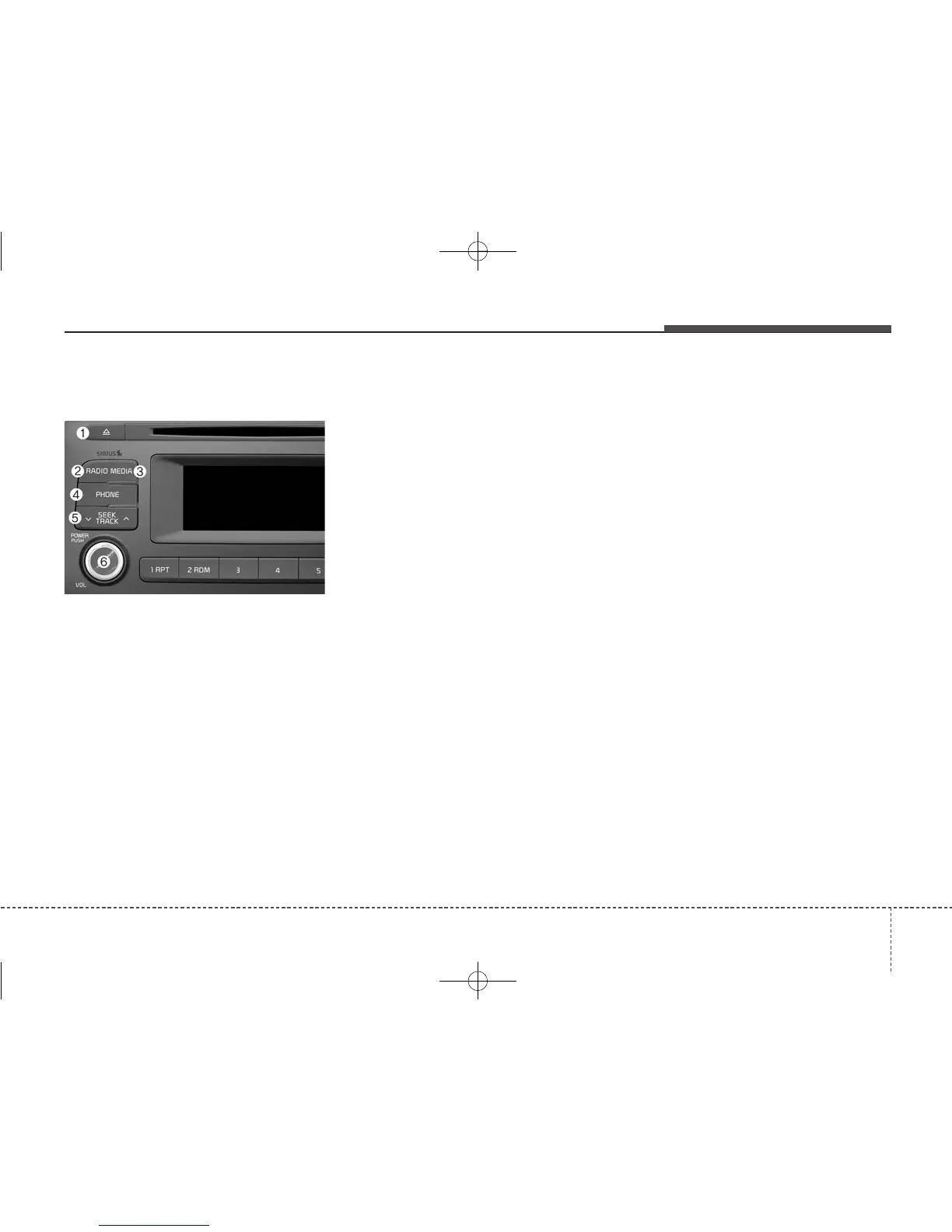
(1) EJECT
• Ejects the disc.
(2) RADIO
• Changes to FM/AM/SiriusXM mode.
• Each time the button is pressed,
the mode is changed in order of
FM1
➟ FM2 ➟ AM ➟ SAT1 ➟ SAT2
➟ SAT3.
• In Setup>Display, the radio pop up
screen will be displayed when
[Mode Pop up] is turned [On].
When the pop up screen is dis-
played, use the TUNE knob or
Preset buttons to select the
desired mode.
(3) MEDIA
• Changes to CD, USB(iPod
®
), AUX,
My Music, BT Audio mode.
• Each time button is pressed, the
mode is changed in order of CD,
USB(iPod
®
), AUX, My Music, BT
(Bluetooth
®
) Audio.
• In Setup>Display, the media pop
up screen will be displayed when
[Mode Pop up] is turned [On].
When the pop up screen is dis-
played, use the TUNE knob or
Preset buttons to select the
desired mode.
(4) PHONE
• Operates Phone Screen.
• When a phone is not connected,
the connection screen is displayed.
(5) SEEK TRACK
• Radio mode : Automatically search-
es for broadcast frequencies.
• CD, USB, iPod
®
, My Music mode
- Shortly press the button : Moves
to next or previous song (file).
- Press and hold the button :
Rewinds or fast-forwards the cur-
rent song.
• Bluetooth
®
Audio mode : Moves to
next or previous song(file).
- The Play/Pause feature may
operate differently depending on
the mobile phone.
(6) POWER/VOL knob
• Power knob : Turns power On/Off
by pressing the knob.
• Volume knob : Sets volume by
turning the knob left/right.



 To Next Page