Audio system
105
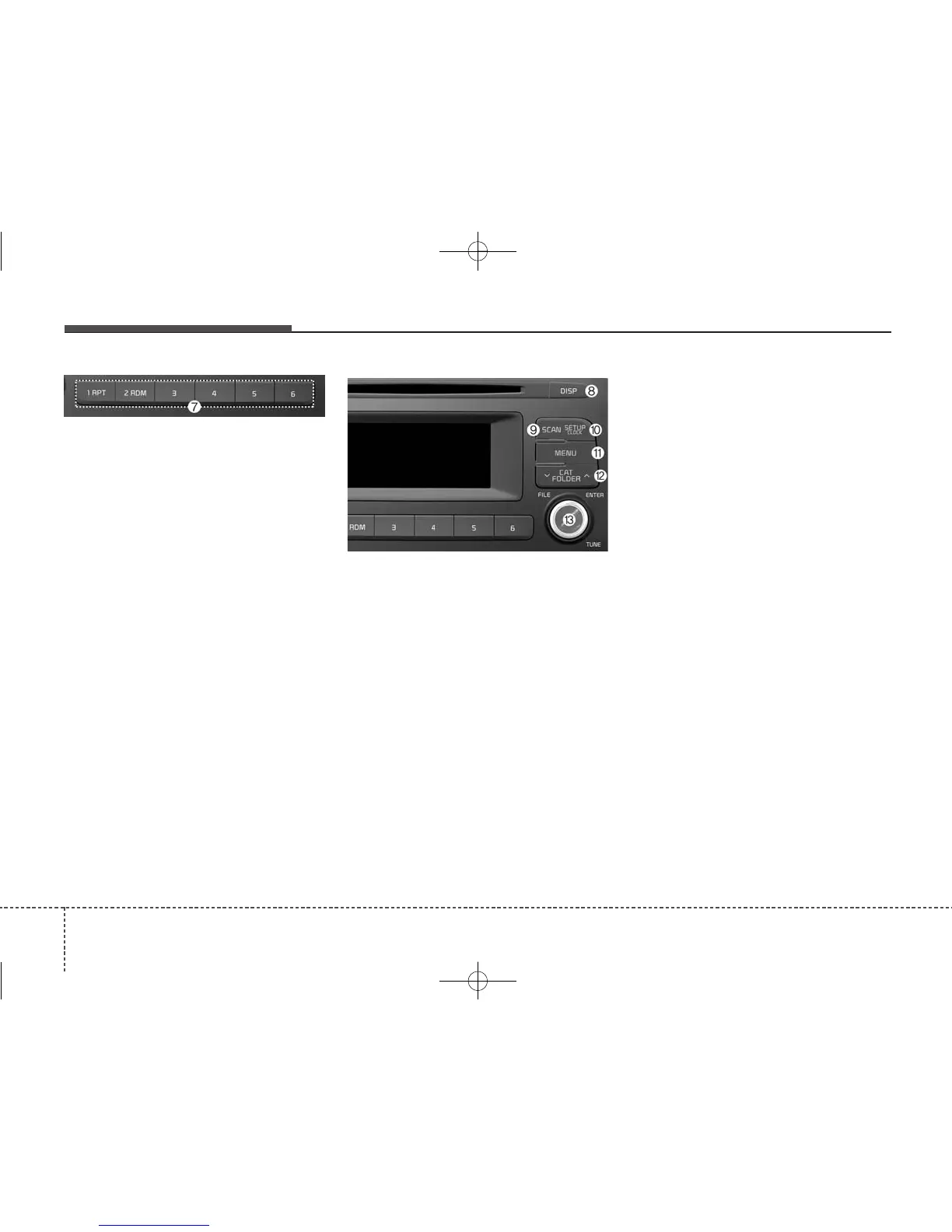
(7) [1] ~ [6] (Preset)
• Radio mode: Saves frequencies
(channels) or receives saved fre-
quencies (channels).
• CD, USB, iPod
®
, My Music mode
- [RPT] : Repeat
- [RDM] : Random
In the Radio, Media, Setup, and
Menu pop up screen, the number
menu is selected.
(8) DISP
• Each time the button is shortly
pressed, sets the Screen Off
➟
Screen On ➟ Screen Off.
• Audio operation is maintained and
only the Screen will be turned Off.
• In the Screen Off state, press any
button to turn the Screen On again.
(9) SCAN
• Radio mode
- Shortly press the button :
Previews each broadcast for 5
seconds each.
- Press and hold the button :
Previews the broadcasts saved
in Preset [1] ~ [6] for 5 seconds
each.
- Press the [SCAN] button again
to continue listening to the cur-
rent frequency.
- SAT Radio does not support the
Preset scan feature.
• CD, USB, My Music mode
- Shortly press the button :
Previews each song (file) for 10
seconds each.
- Press the [SCAN] button again
to continue listening to the cur-
rent song (file).
(10) SETUP/CLOCK
• Moves to the Display, Sound,
Clock, Phone, System setting
modes.



 To Next Page