Audio system
285
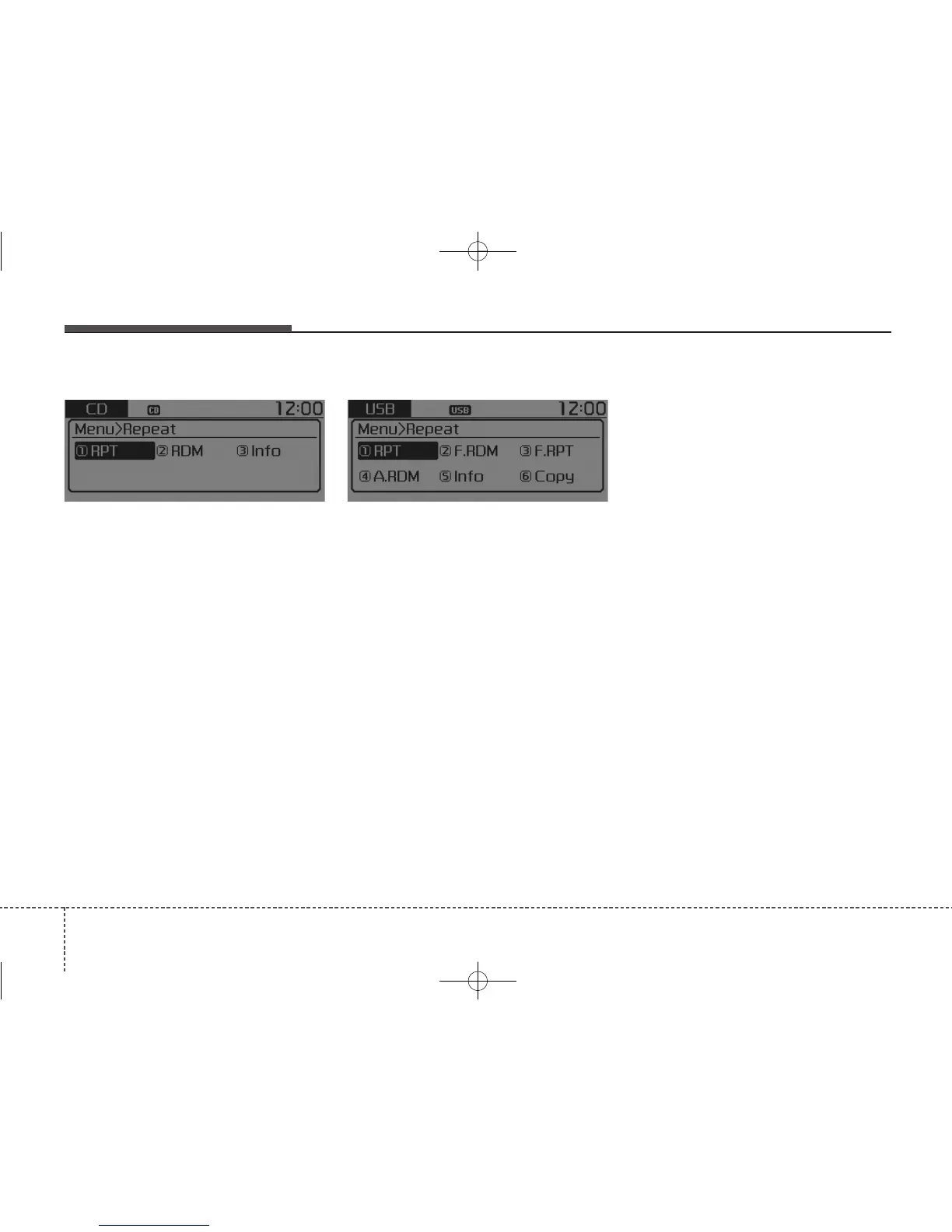
MENU : Audio CD
Press the Audio CD mode [MENU]
button to set the Repeat, Random,
Information features.
Repeat : [1] Button
Repeat the current song.
Press RPT again to turn off.
Random : [2] Button
Randomly play songs within the cur-
rent CD.
Press RDM again to turn off.
Information : [3] Button
Display information of the current
song.
Press the [MENU] button to turn off
info display.
MENU : MP3 CD / USB
Press the MP3 CD / USB mode
[MENU] button to set the Repeat,
Folder Random, Folder Repeat, All
Random, Information, and Copy fea-
tures.
Repeat : [1] Button
Repeat the current song.
Press RPT again to turn off.
Folder Random : [2] Button
Randomly play songs within the cur-
rent folder.
Press F.RDM again to turn off.
Folder Repeat : [3] Button
Repeat songs within the current fold-
er.
Press F.RPT again to turn off.
All Random : [4] Button
Randomly play all songs within the
CD/USB.
Press A.RDM again to turn off.
Information : [5] Button
Display information of the current
song.
Press the [MENU] button to turn off
info display.
Copy : [6] Button
This is used to copy the current song
into My Music. You can play the
copied Music in My Music mode.
If another button is pressed while
copying is in progress, a pop up ask-
ing you whether to cancel copying is
displayed.
If another media is connected or
inserted (USB, CD, iPod
®
, AUX)
while copying is in progress, copying
is canceled.
Music will not be played while copy-
ing is in progress.



 To Next Page