Audio system
305
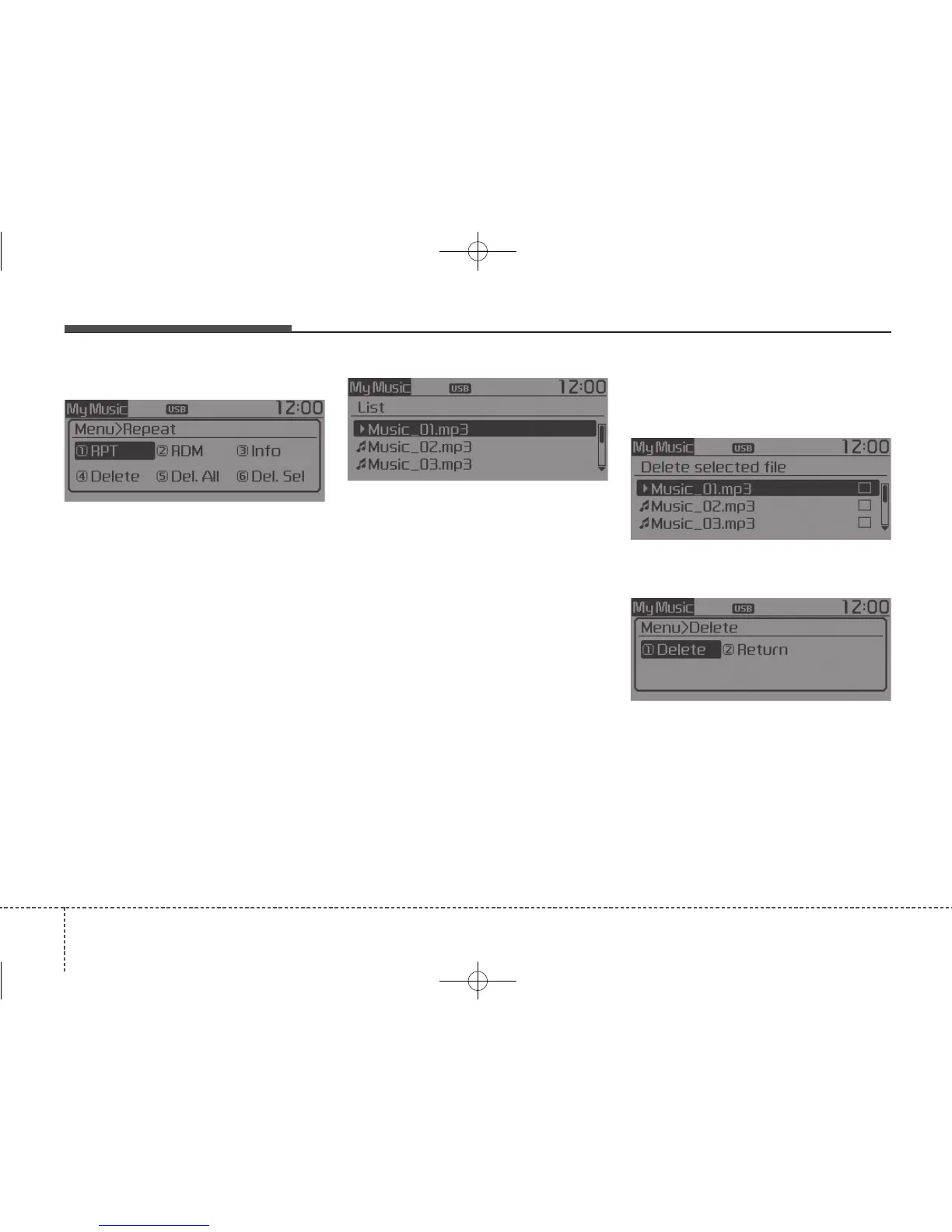
MENU : My Music
In My Music mode, press the
[MENU] button to set the Repeat,
Random, Information, Delete, Delete
All and Delete Selection features.
Repeat : [1] Button
Repeats the currently playing song.
Press RPT again to turn repeat off.
Random : [2] Button
Plays all songs in random order.
Press RDM again to turn random off.
Information : [3] Button
Displays information for the current
song.
Press the [MENU] button to turn off
info display.
Delete : [4] Button
Deletes currently playing file
In the play screen, pressing delete
will delete the currently playing song.
Deletes file from list
➀ Select the file you wish to delete
by using the TUNE knob.
➁ Press the [MENU] button and
select [Delete] from the menu to
delete the selected file.
Delete All : [5] Button
Deletes all songs of My Music.
Delete Selection : [6] Button
Songs within My Music are selected
and deleted.
➀ Select the songs you wish to
delete from the list.
➁ After selecting, press [MENU] but-
ton and select [Delete] from the
menu.



 To Next Page