417
Features of your vehicle
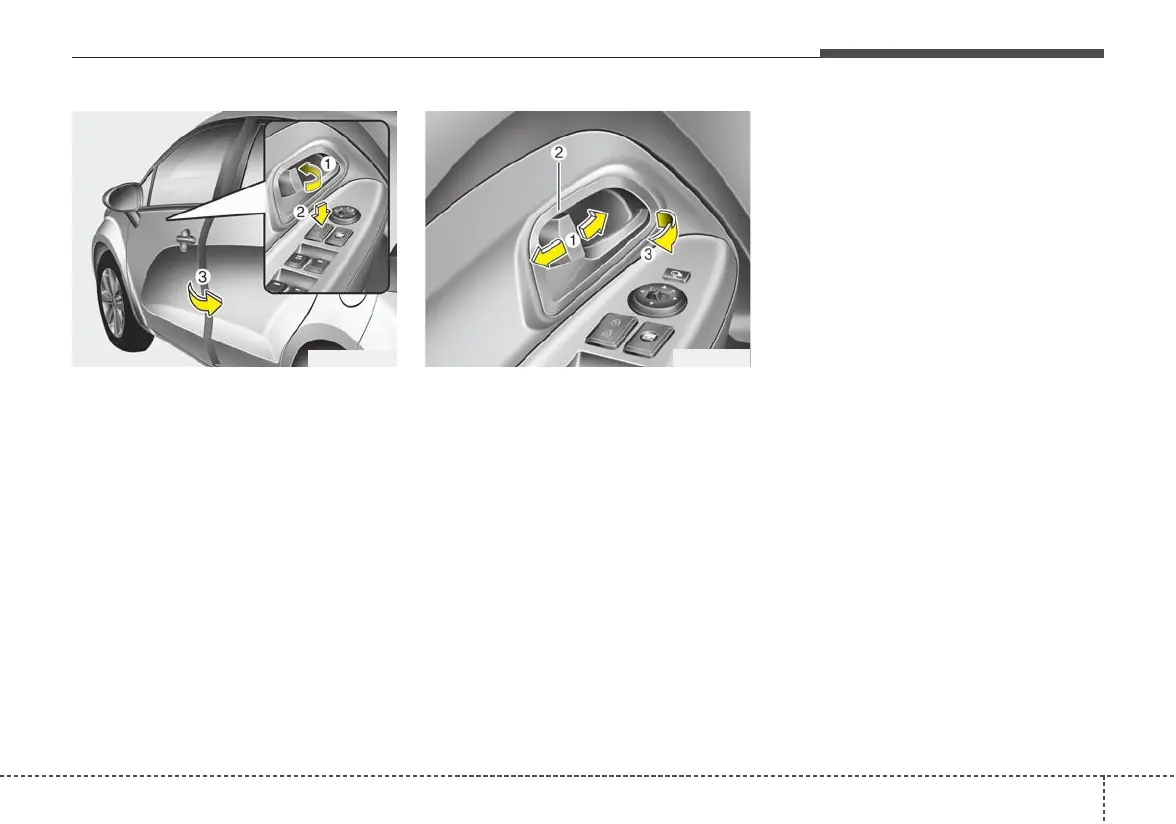
• To lock a door without the key,
push the inside door lock button (1)
or central door lock switch (2, if
equipped) to the “Lock” position
and close the door (3).
• If you lock the door with the central
door lock switch (2), all vehicle
doors will lock automatically. (if
equipped with central door lock
system)
Always remove the ignition key,
engage the parking brake, close all
windows and lock all doors when
leaving your vehicle unattended.
Operating door locks from
inside the vehicle
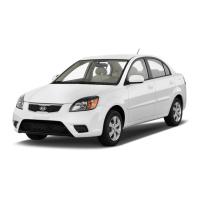
With the door lock button
• To unlock a door, push the door
lock button (1) to the “Unlock” posi-
tion.The red mark (2) on the button
will be visible.
• To lock a door, push the door lock
button (1) to the “Lock” position. If
the door is locked properly, the red
mark (2) on the door lock button
will not show.
• To open a door, pull the door han-
dle (3) outward.
• If the inner door handle of the front
door is pulled when the door lock
button is in the lock position, the
button will unlock and the door will
open. (if equipped)
• Front doors cannot be locked if the
ignition key is in the ignition switch
(or if the smart key is in the vehicle)
and any front door is opened. (if
equipped)
OUB041009
LL
LL
oo
oo
cc
cc
kk
kk
UU
UU
nn
nn
ll
ll
oo
oo
cc
cc
kk
kk
OUB041183N



 To Next Page