EasyManua.ls Logo

KickAss KICKCHARGE 300 - User Manual

KickAss KICKCHARGE 300
8 pages
Print Icon
To Next Page IconTo Next Page
Loading...
POWER HUB
KICKCHARGE 300
KAPHUB-300
V1.0
OWNER’S MANUAL
Question and Answer IconNeed help?

Do you have a question about the KickAss KICKCHARGE 300 and is the answer not in the manual?

Summary

KickCharge 300 Product Specifications

KickCharge 300 Important Safety Information

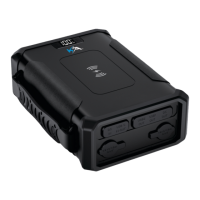
Understanding Your KickCharge 300 Power Hub

Recharging Your KickCharge 300 Power Hub

Charging via USB-C Cable

Steps to charge the power hub using a USB-C cable and a 60W PD wall charger.

Charging via 70 W AC Adapter

Steps to charge the power hub using the included 70W AC adapter and a mains outlet.

Charging via Solar Panel

Instructions for charging via solar panels using a DC 5525 to MC4 cable.

Charging via USB-C PD Car Charger

Steps to charge the power hub using the included USB-C PD car charger while driving.

Checking KickCharge 300 Battery Capacity

Powering Appliances with KickCharge 300

KickCharge 300 USB Output Ports

Details on the two USB-A and one USB-C PD output ports with their specifications.

KickCharge 300 DC Output Ports

Information on the two cigarette lighter sockets and one DC 5525 socket.

KickCharge 300 Wireless Charging

Specifications for the wireless charging output for compatible devices.
Cleaning Instructions

KickAss KICKCHARGE 300 Specifications

General IconGeneral
BrandKickAss
ModelKICKCHARGE 300
CategorySwitch
LanguageEnglish

Related product manuals