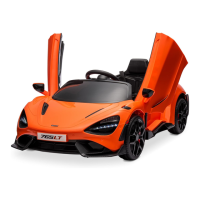
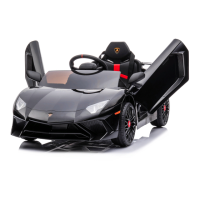
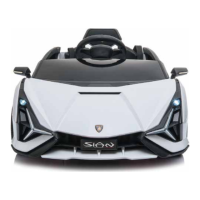
This document is an owner's manual for a Kidzone Licensed Bentley Bacalar Ride On (12V), model number 060-ROT-21L. It provides comprehensive information regarding safety, product specifications, assembly, usage, maintenance, troubleshooting, and warranty.
Function Description
The Kidzone Licensed Bentley Bacalar Ride On (12V) is a children's electric ride-on toy designed to provide a fun and adventurous experience for young children. It allows children to drive the vehicle using a foot pedal and steering wheel, or it can be controlled by an adult using a remote control. The vehicle features pre-programmed sounds, a media player with USB and AUX connectivity, Bluetooth, and an FM radio. It is designed for use on flat and smooth surfaces, both indoors and outdoors, such as at home, in parks, or on sidewalks.
Important Technical Specifications
- Model No.: 060-ROT-21L
- Battery: 12V 4.5 Ah
- Charger Output: 12V 500 mA
- Battery Charge Time: 8 - 12 hours (Do not charge for more than 20 hours)
- Speed: 1.86 - 3.11 mph (3 - 5 km/h)
- Suitable Age: 37 - 72 months
- Maximum User Weight: 66 lb / 30 kg
- Remote Control Battery: 2 x AAA 1.5V batteries (not included)
- Steering Wheel Battery: 2 x AA 1.5V batteries (not included)
- Media Player: Supports MP3 format files from flash drives (up to 64 GB), 3.5mm AUX port, Bluetooth, FM radio, digital voltmeter.
- Safety Standards: Conforms to CPSIA and ASTM-F963 toy safety standards.
- FCC Compliance: The controller (Model: TX20, FCC ID: 2AJ2H-TX10) and vehicle (Model: 060-ROT-21L) comply with Part 15 of FCC rules, ensuring it does not cause harmful interference and accepts received interference.
Usage Features
Control:
The ride-on toy can be operated in two modes:
- Child-operated: The child uses the foot pedal for acceleration and the steering wheel for direction.
- Remote Control (Adult-operated): An adult can control the vehicle's movement (forward, reverse, left, right), speed (high/low), and activate an emergency brake using the provided remote control. A switch on the vehicle allows selection between R/C and pedal input.
Driving Controls:
- Power Button: Turns the vehicle ON/OFF.
- Speed Button: Switches between high and low speed.
- Forward / Reverse Lever: Pushes up for forward, pulls down for reverse.
- Foot Pedal: Press to move, release to slow down and stop.
- Sound Buttons: Activates pre-programmed sounds.
Media Player:
- Player Power Button: Turns the media player ON/OFF.
- Flash Driver Port: Plays MP3 files from a USB flash drive (up to 64 GB).
- 3.5mm AUX Port: Plays MP3 files from external devices via an AUX cable.
- Bluetooth: Connects to Bluetooth-enabled devices.
- FM Button: Plays FM radio.
- Volume Control: Buttons for increasing (V+) and decreasing (V-) volume.
- Track Navigation: Buttons for previous track (I) and next track (K).
- Play/Pause: Button (J) for media playback control.
- Horn Button: Activates the horn sound.
- Digital Voltmeter (L): Displays battery power; recharge when value is under 12.5V.
Remote Control (Adult):
- Connection Button: Used for pairing the remote control with the vehicle.
- Directional Buttons: Forward, Reverse, Left Turn, Right Turn.
- "P" Button (Emergency Brake): Disables all running functions when pressed; press again to re-enable.
- "S" Button (Speed Selection): Switches between high and low speed.
- Power Saving Mode: The remote control enters power saving mode after 10 seconds of inactivity.
Maintenance Features
Battery Handling and Charging:
- Charging: The battery needs to be charged for 8-12 hours, but not more than 20 hours. Charging can be done via the charging port (Option 1) or by directly connecting the charger to the battery after removal from the vehicle (Option 2).
- Charging Indicator: The charger shows a red light during charging and a green light when charging is complete.
- Vehicle OFF during Charging: The vehicle must be turned OFF while charging.
- Charging Protection: All vehicle functions are cut off during charging.
- Battery Life: Charge the battery at least once a month, even if not in use, to maximize its life.
- Storage: Do not charge or store the battery upside down. Keep the charger and battery away from flames, sparks, or flammables.
- Disposal: Old batteries or battery waste must be taken to a hazardous waste disposal facility or authorized recycling facility; do not dispose of as regular household waste.
General Care:
- Regular Checks: Periodically check for missing or loose parts and re-tighten them.
- Plastic Parts: Ensure there are no cracked or broken plastic parts.
- Cleaning: Clean the vehicle with a cloth. Use a non-wax furniture polish for plastic parts. Do not wash with a hose or immerse in water.
- Lubrication: Occasionally use lightweight oil to lubricate moving parts.
- Storage: Store the product away from heat sources and cover it with a tarp to protect from wet weather when not in use for long periods. Disconnect the battery during long storage.
- Fuse: The battery features a thermal fuse that trips and cuts off power if the motor, electric system, or battery is overloaded. It resets automatically after 5-15 seconds when the product is turned OFF and then ON again. If the fuse trips repeatedly, the vehicle may need repair. Do not bypass the fuse.
Troubleshooting:
The manual provides a troubleshooting guide for common issues such as:
- Vehicle not moving (low battery, fuse protection, disconnected battery, failed motor).
- Vehicle not running long (low battery, old/damaged battery).
- Vehicle running slow (low battery, old battery, overloaded, harsh environment).
- Vehicle needing a push to start (poor wire connection, "dead spot" on motor).
- Loud grinding sound from motor/gearbox (damaged motor/gearbox).
- Battery not charging (disconnected battery/charger, faulty charger).
- Vehicle not stopping (damaged equipment).
- Charger feeling warm (normal).



 To Next Page
 General