29
Introduction
Daily use
KIMAX2
Menu
Configuration
Calibration
Protecting
calibration
Electrical
installation
Sensor
installation
Additional
information
Serial outputs
OBC serial output
The Kimax 2 Radio panel offers you an RS-232 serial output, which is transmitting the
measured weight values. The string of data is broadcasted every 3 second and can be picked
up by a GPRS unit e.g. a FM 300 unit.
The OBC serial output can be tested by setting up a ”HyperTerminal” on your laptop with the
below parameters and you can read the broadcasted values as numeric characters.
Baudrate 9.600
Data bits 8
Parity N
Stopbit 1
Flowcontrol N
You need to set up your GPRS or FM300 to receive the above parameters too.
In order to retransmit the Kimax 2 values through your GPRS unit, or receive the data in an
FM300, you can set up a mask: “UUUUww ..... SSS” framing 12 x 5 characters.
When you want to retransmit the total weight of the truck and the trailer, you need to pick up
the characters 51, 52, 53 and 54 for the truck and digit 56, 57, 58 and 59 for the trailer.
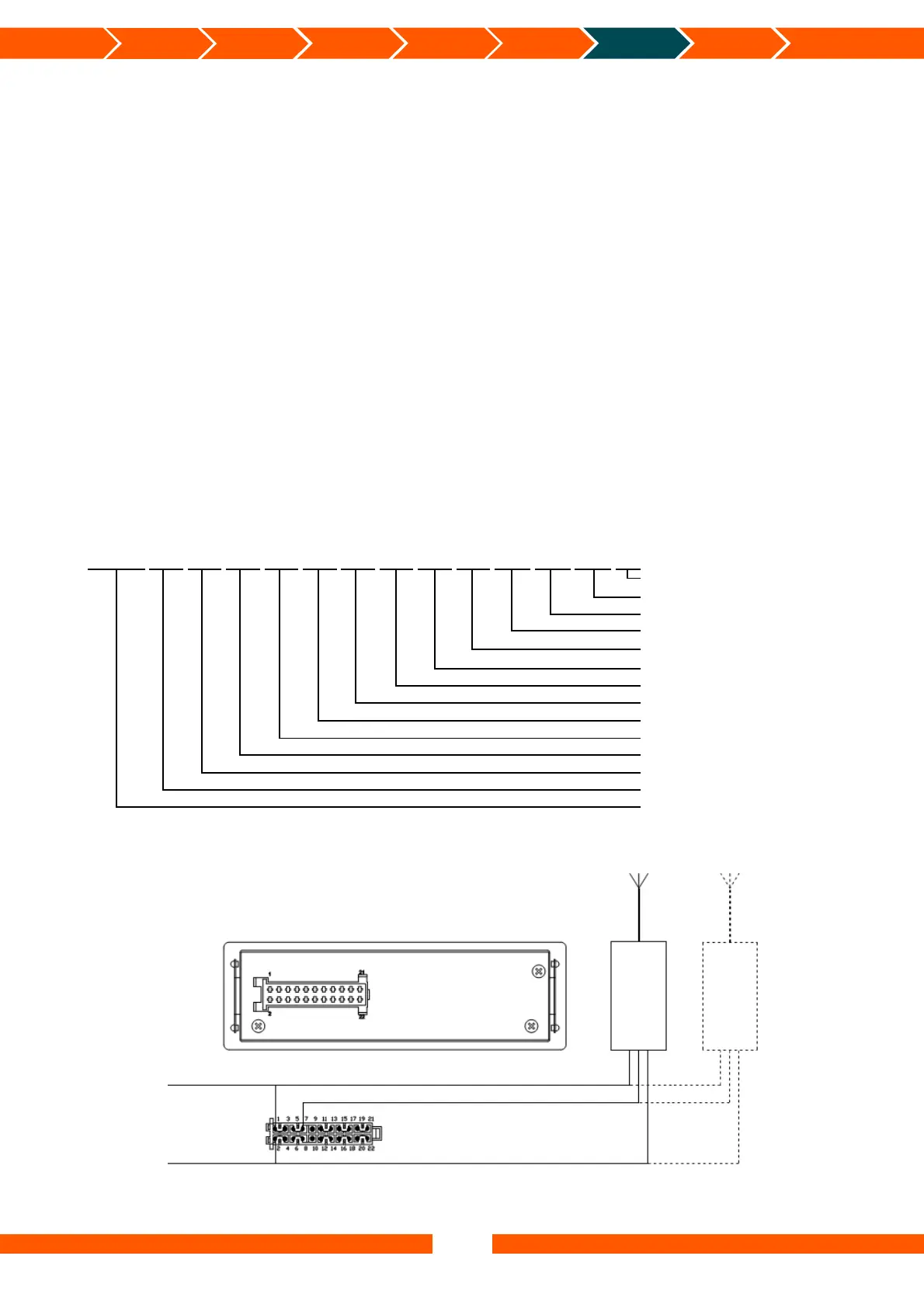
Protocol:
UUUUww
11.1;
22.2;
33.3;
44.4;
55.5;
66.6;
77.7;
88.8;
99.9;
AA.A;
BB.B;
CC.C;
SSS
SSS
End of message
CC.C;
Total Trailer
BB.B;
Total Truck
AA.A;
Load Trailer
99.9;
Load Truck
88.8;
Axle #8
77.7;
Axle #7
66.6;
Axle #6
55.5;
Axle #5
44.4;
Axle #4
33.3;
Axle #3
22.2;
Axle #2
11.1;
Axle #1
UUUUww
Start of message
Connection diagram for On Board Computer signals:
Rearside
GPRS
FM300
Orange – OBC (RS-232)
-Battery Brown
Battery Black


 To Next Page
 Loading...