EasyManua.ls Logo

Kimax U35WF - User Manual

Kimax U35WF
2 pages
Print Icon
To Next Page IconTo Next Page
Loading...
U35WF Product User Manual
2. Product Features:
USB3.0 high speed HDD enclosure
WIFI storage device, private cloud
Wireless router
NAS function
Through USB port to read the data from U-disk, mobile
hard disk drive and some other external storage device
Can support multi devices simultaneously
Can support samba and FTP share server perfectly
Supports FAT32/NTFS/EXT4 3types disk form
at to read
and write data through wireless
( WiFi storage only can support this four formats, please must
check and confirm the hard disk format is correct)
1. Product Description
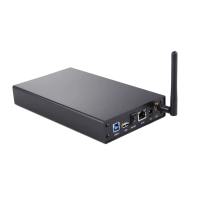
This product is WiFi mobile HDD enclosure also is
wireless router. It 's a mobile device which can exchange
data high-speed via USB port or WiFi network and
computer, at the same time, this device has added WiFi
transimi
ssion function and it has their own APP software
for LAN and WAN ( remote) management, at the same
time it can support the third party APP to bring more
easy usage experience to customers. It can support
3. Structure
Description
USB2.0 expansion port:
USB2.0 peripheral data
transmission port
RJ45 WAN port:
Insert the RJ45 network
USB3.0 interface:
USB3.0 peripheral data
transmission port
Master Switch:
Open / close the
Reset switch:
Wifi long after the start of
this switch to release more
than 5 seconds to restore
the factory settings
DC power port:
Insert the 12V / 2ADC
power supply
Built-in WIFI
indicator:
Blinks when a
device is
connected
Built-in power
indicator: Box
On The lamp
lights up
Step 2: Wired storage
Access to power, and then use the USB cable to connect the
computer, you can store the files within the disk management.
New hard drive for the first time needs to be used for hard disk
initialization, or not out disk, only Disk Manager can be seen. Specific
steps can Baidu look at the "disk initialization." Disk initialization is
recommended to format into EXFAT form
at, or FAT32 / NTFS / EXT4 three
formats are also the other format will result in wireless storage, or can
only read can not write. Unplug the USB cable after initialization is
complete)
Note: Wired USB storage and wireless storage can not be used at the
Step 1: Install hard disk drive
First, unscrew the two captive
screws on the box and remove
1
Then, insert the housing and
tighten the two captive screws.
3
And then insert the hard disk
into the corresponding interface,
2
And finally put himself on the
box can be used normally.
4
4. Operate Steps
Step 3: Turn on the WiFi
1.Access the power, press switch to turn on
2.Wait about 2 minutes to open WIFI, and then use your computer or phone connection to KIMAX - *****
named network;
3.Use your computer or mobile phone to open the browser, enter 192.168.169.1 Enter, enter the
password in the interface kimax login.
2
1
Question and Answer IconNeed help?

Do you have a question about the Kimax U35WF and is the answer not in the manual?

Summary

Product Description and Features

Product Description

Overview of the WiFi mobile HDD enclosure's capabilities and third-party app support.

Product Features

Key functionalities including USB 3.0, private cloud, wireless router, and NAS support.

Hardware Structure and Ports

Component Identification

Details on indicators (WiFi, Power) and connection ports (DC Power, Reset, RJ45, USB 3.0, USB 2.0).

Operating Procedures

Install Hard Disk Drive

Step-by-step guide for physically installing a hard disk into the enclosure.

Wired Storage Setup

Instructions for connecting the device via USB for wired data access and initialization.

Enable WiFi Connectivity

Steps to power on the device and connect to its WiFi network.

Wireless Storage and Management

How to access and manage files stored on the device over a LAN network.

Mobile Application Usage

Guide for downloading and using the dedicated 'KI DISK' mobile application.

Disk Software Features and FAQ

DISK Software Features

Overview of features for accessing and managing disk files through the LAN APP.

Troubleshooting Disk Read Issues

Solutions for PC not reading disk via USB or wireless connections.

Wireless Relay Configuration

Guidance and troubleshooting for setting up the wireless relay function.

Overview

This document describes the U35WF, a versatile device that functions as both a WiFi mobile HDD enclosure and a wireless router. It's designed for high-speed data exchange via USB or WiFi networks and offers a range of features for data management and connectivity.

Function Description:

The U35WF serves as a portable device for high-speed data transfer between a hard disk drive (HDD) and computers or other devices. Its primary function as a WiFi mobile HDD enclosure allows users to access and manage data stored on an internal HDD wirelessly. This capability effectively creates a personal "private cloud" for data storage and retrieval.

Beyond its storage capabilities, the U35WF also acts as a wireless router. This means it can establish a WiFi network, enabling multiple devices to connect and share internet access or access the stored data. The device supports both Local Area Network (LAN) and Wide Area Network (WAN) management, allowing for remote access and control of its functions.

A key feature is its support for various third-party applications (APPs), which enhance the user experience by providing more intuitive and convenient ways to manage data and network settings. The device also incorporates Network Attached Storage (NAS) functionality, facilitating shared file access over a network. It supports Samba and FTP share servers, making it easy to share files across different operating systems and devices.

The U35WF can read data from external storage devices like U-disks and mobile hard disk drives via its USB ports, further expanding its data access capabilities. It supports simultaneous connections from multiple devices, making it suitable for shared environments.

Important Technical Specifications:

  • USB Interface: Features a USB 3.0 high-speed interface for peripheral data transmission, ensuring fast data transfer rates. It also includes a USB 2.0 expansion port for additional connectivity.
  • Disk Format Support: Compatible with FAT32, NTFS, and EXT4 disk formats. It's crucial to ensure the hard disk is formatted correctly, as wireless storage functionality is limited to these four formats. Incorrect formatting may prevent wireless read/write operations.
  • Power Supply: Requires a 12V/2ADC power input.
  • Network Ports: Equipped with an RJ45 WAN port for connecting to an external network (e.g., a modem or existing router).
  • Indicators: Includes a built-in WiFi indicator that blinks when a device is connected and a power indicator that lights up when the device is on.
  • Reset Functionality: Features a reset switch that, when pressed for more than 5 seconds after the device starts, restores the factory settings.
  • APP Software: Utilizes the "KI routing" APP for mobile management, available for both Android and iOS systems. The APP is lightweight (approx. 19.7MB) and designed for simplified operation.

Usage Features:

  • Hard Disk Installation: The installation process is straightforward. Users need to unscrew two captive screws, insert the hard disk into the corresponding interface, and then re-tighten the screws.
  • Wired Storage: After installing the HDD, users can connect the device to a computer via a USB cable. For new hard drives, initialization is required using disk management tools. It's recommended to format the disk to EXFAT, FAT32, NTFS, or EXT4 for full wireless functionality. Wired and wireless storage cannot be used simultaneously.
  • WiFi Activation: To enable WiFi, power on the device and wait approximately 2 minutes for the WiFi network (named KIMAX - *****) to become available. Users can then connect their computer or phone to this network.
  • Web Interface Access: The device's web interface can be accessed by opening a browser and entering 192.168.169.1. The default administrator username is "admin" and the password is "kimax" (which can be modified). The guest login uses "guest" for both username and password.
  • Wireless Storage and Management:
    • LAN Network: For PC users, files can be saved to the disk management by entering \\192.168.169.1 in "My Computer."
    • NAS: When connected to a parent router, the device can be accessed via the "KI routing" APP. The APP allows users to manage files, access the disk, and view network information.
  • Mobile APP: The "KIDISK" APP simplifies management, offering a user-friendly interface for file viewing, management, and network settings. It can be downloaded from major app stores or via a QR code.
  • Wireless Relay: The device supports wireless relay functionality, allowing it to extend an existing WiFi network. However, specific conditions must be met for successful relay, such as ensuring the upstream router has no speed limits, IP/MAC binding restrictions, and a WiFi password of at least eight characters without spaces, Chinese characters, or special symbols. Certain router types (e.g., TP-LINK with fixed wireless settings) or public WiFi networks (e.g., 360 free WiFi) may not be compatible. Wireless and wired internet connections cannot be used simultaneously in relay mode.

Maintenance Features:

  • Disk Initialization: New hard disks require initialization before they can be used. This process is typically performed via a computer's disk management tools.
  • Troubleshooting Wireless Disk Identification: If the hard disk cannot be identified wirelessly, users should connect the device to a computer via USB to check the disk's attributes (initialized, formatted to NTFS/FAT32/EXT4). Excessive disk fragmentation or issues with multiple partitions from previous use can cause mounting failures, requiring repartitioning or reformatting.
  • Factory Reset: The reset switch allows users to restore the device to its factory default settings, which can be useful for resolving configuration issues.
  • Firmware Updates: While not explicitly detailed in the provided text, devices of this nature often support firmware updates to improve performance, add features, or fix bugs.
  • Password Management: The administrator password for the web interface can be modified, enhancing security.

Kimax U35WF Specifications

General IconGeneral
BrandKimax
ModelU35WF
CategoryEnclosure
LanguageEnglish