EasyManua.ls Logo

Kimberly-Clark PROFESSIONAL ICON - User Manual

Kimberly-Clark PROFESSIONAL ICON
21 pages
Print Icon
To Next Page IconTo Next Page
Loading...
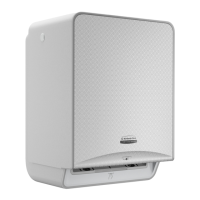
Automatic Towel
Module User Guide
Use of this Dispenser
Not recommended for outdoor installation or in wet
environments. Do not attempt to clean the dispenser
with a water jet or by spraying the dispenser directly.
Follow the installation and usage instructions. Only
use genuine Kimberly-Clark Professional product
refills intended for the specific model. The dispenser
can be cleaned using a damp cloth and detergent,
do not use abrasive cleaning products.
* Not Included
** For additional faceplates, contact
your sales representative.
General Safety Information
This dispenser can be used by children over the age
of 8 years old and persons with reduced physical,
sensory or mental capabilities, or lack of experience
and knowledge, provided they have been given
supervision or instruction concerning use of the
dispenser by a person responsible for their safety.
Access to the service area is restricted to persons
who have knowledge and practical experience of the
dispenser, in particular as far as safety and hygiene
are concerned.
This dispenser is not a toy and shall not be used by
children as such. Children shall not perform cleaning
or user maintenance of this dispenser. High-risk
individuals are not expected to use this dispenser
safely unless continuous supervision is given.
Need more information?
These instructions and additional resources are
available at www.kcprofessional.com.
Use Caution, Edges may be sharp
when dispenser is open or during
faceplate installation.
Stub Roll Arm Battery Cover
Paper Feed Arm
Service Panel
Stub Roll Holders
Cover

Other manuals for Kimberly-Clark PROFESSIONAL ICON

Question and Answer IconNeed help?

Do you have a question about the Kimberly-Clark PROFESSIONAL ICON and is the answer not in the manual?

Summary

Use of this Dispenser

General Safety Information

Module Installation for Recessed Dispensers

Dispenser Access

Load Batteries

Battery Information

Details on battery type, replacement, and disposal guidelines.

Load New Roll

Load Stub Roll

Load Stub Roll (continued)

Settings

Menu Lock

Procedure to unlock the dispenser and activate additional settings.

Sheet Length

How to set the dispensed sheet length to 10", 12", or 14".

Operating Modes

Explanation of 'Hidden' and 'Hanging' modes for dispenser operation.

Activation Range

Adjusting sensitivity for sensing distances in Hidden Mode.

Notifications

Roll Addition & Transfer Alerts

Indicator light and icon signals for adding new rolls or transferring stub rolls.

Feed and Battery Issues

Signals for towel feed issues (jams) and low battery power.

Alerts

Critical Error Notification

External lighting in red indicates critical errors like out of product or jam.

Low Paper Notification

External lighting in blue indicates low paper requiring stub roll transfer.

Power Adapter Installation

Legal Information

Kimberly-Clark PROFESSIONAL ICON Specifications

General IconGeneral
BrandKimberly-Clark PROFESSIONAL
Product LineICON
CategoryDispenser
Product TypePaper Towel Dispenser
Power SourceBattery
Mounting StyleWall Mount
Mounting TypeWall Mount
Dispenser TypeRoll Towel

Related product manuals