EasyManua.ls Logo

Kimo Direct Hometrainer - Page 18

Default Icon
Print Icon
To Next Page IconTo Next Page
To Previous Page IconTo Previous Page
Loading...
6
6
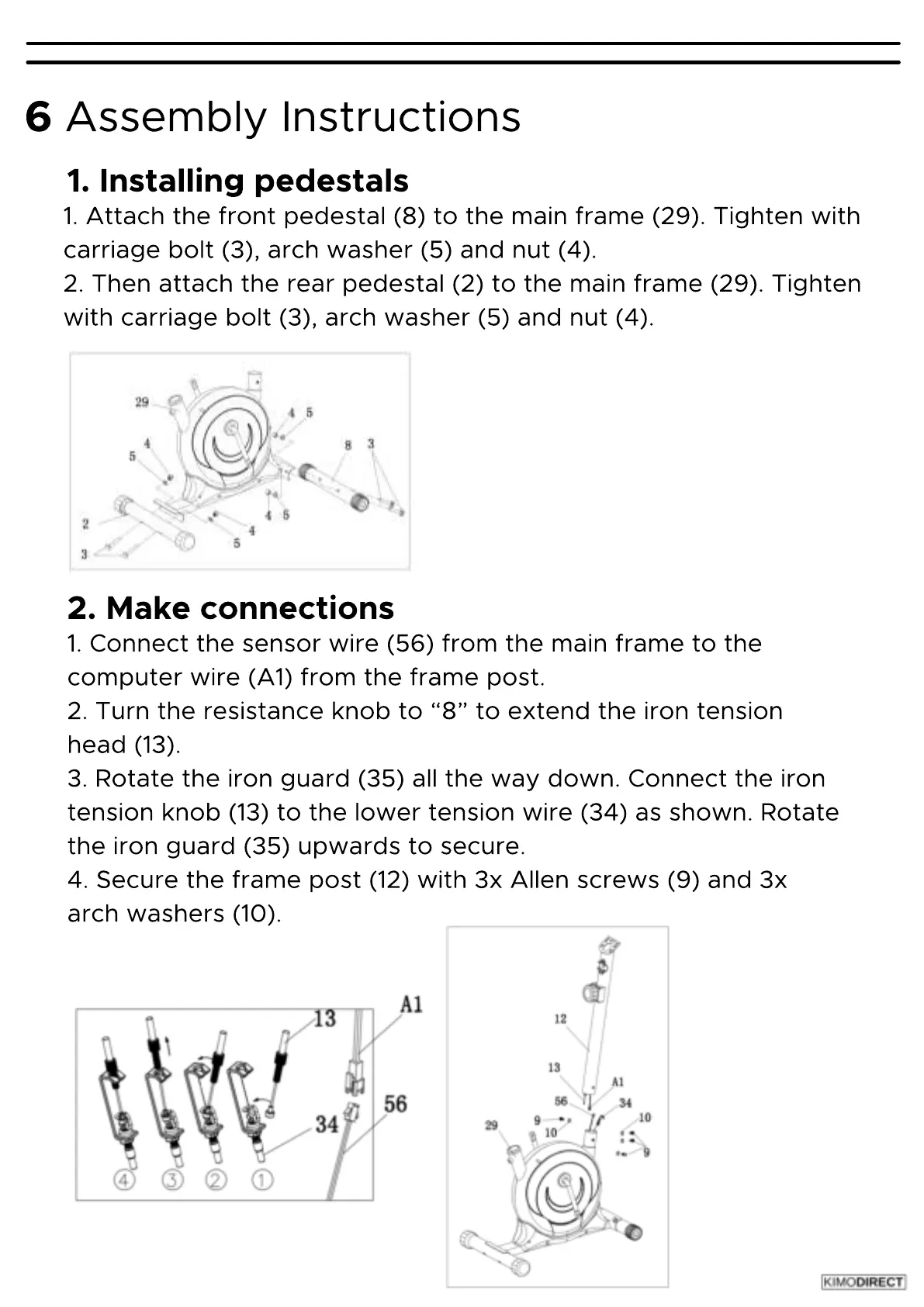
1.
Attach
the
front
pedestal
(8
)
to
the
main
frame
(29
)
.
Tighten
with
carriage
bolt
(3
)
,
arch
washer
(5
)
and
nut
(4
)
.
2.
Then
attach
the
rear
pedestal
(2
)
to
the
main
frame
(29
)
.
Tighten
with
carriage
bolt
(3
)
,
arch
washer
(5
)
and
nut
(4
)
.
1.
Installing
pedestals
Assembly
Instructions
1.
Connect
the
sensor
wire
(56
)
from
the
main
frame
to
the
computer
wire
(A1
)
from
the
frame
post.
2.
Turn
the
resistance
knob
to
ā€œ
8
ā€
to
extend
the
iron
tension
head
(13
)
.
3.
Rotate
the
iron
guard
(35
)
all
the
way
down.
Connect
the
iron
tension
knob
(13
)
to
the
lower
tension
wire
(34
)
as
shown.
Rotate
the
iron
guard
(35
)
upwards
to
secure.
4.
Secure
the
frame
post
(12
)
with
3x
Allen
screws
(9
)
and
3x
arch
washers
(10
)
.
2.
Make
connections