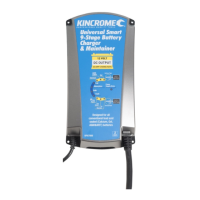
The Kincrome KP87006 is a Universal Smart 9-Stage Battery Charger & Maintainer designed for 12V lead-acid batteries, offering a 25 AMP charge rate. It is a 100% automatic, microprocessor-controlled device that requires no technical experience to operate.
Function Description
The KP87006 serves as a smart battery charger, maintainer, and rejuvenator. It features a 9-stage charging process that includes:
- Qualification: Battery condition check.
- Battery Rejuvenation (Recondition Mode): Repairs sulfated batteries.
- Soft Start Charging: Gently charges the battery.
- Bulk Charging: Delivers maximum charge current.
- Absorption Charging: Ensures full charge without overcharging.
- Equalisation Charging: Restores full capacity by removing acid stratification.
- Battery Analysis: Checks battery condition after charging.
- Float Mode: Maintains the battery at 100% charge.
- Long Term Maintenance Pulse Charge: Keeps the battery in optimal condition.
The charger automatically diagnoses battery condition upon power-up, determining if rejuvenation or a standard charge cycle is needed. It also includes a Power Supply Mode, activated by pressing and holding the Charge Rate button for 3 seconds, which allows the unit to function as a constant voltage power source.
Important Technical Specifications
- Part No: KP87006
- Output: 25A @ 12VDC
- Input Voltage: 220-240AC/3.0A (380W)
- Input Frequency: 50Hz
- Boost Charge Voltage:
- Gel: 14.1VDC
- AGM & WET: 14.4VDC
- Calcium: 14.7VDC
- Equalising Voltage:
- Gel: 14.3VDC
- AGM & WET: 14.6VDC
- Calcium: 15.5VDC
- Float Trickle Charge Voltage: 13.6VDC
- Start Voltage: 2VDC
- Operating Temperature: -15 to 50°C
- Storage Temperature: -25 to 85°C
- Operating Humidity: 90% RH Max
- Temperature Compensation: -25mV/C °C
- Dimensions: 279 x 141 x 67mm
- Weight: 2kg
- Approvals: CE, AS/NZS, EMC
- AC Power Cord: 1.8m with SAA 3 Pin AU Plug
- DC Output Lead: 1.8m with Crocodile Clips, Ring Terminals & Temp. Compensation
Usage Features
- Battery Type Selection: The device supports AGM & WET, Calcium, and Gel battery types. Users can select the appropriate type using the "Battery Type Selection Button" (1).
- Charge Rate Selection: Three charge rates are available: 25A Rapid, 15A Silent (Night Mode), and 2A Maintenance. These can be selected via the "Charge Rate Selection Button" (2).
- Rapid Charge Mode: Uses maximum current for fastest charging. The fan may turn on.
- Silent Charge Mode (Night Mode): Charges at a reduced rate, typically without fan operation.
- Maintenance Mode: Recommended for long-term maintenance or charging smaller batteries.
- Patented Battery Rejuvenation Technology: This unique feature uses high voltage equalizing and peak pulse reconditioning to repair sulfated batteries, extending battery life. It can be activated automatically or manually by holding the Battery Type button for 3 seconds until the BLUE Bulk LED flashes rapidly.
- Power Supply Mode: Provides a constant voltage output. Activated by holding the Charge Rate button for 3 seconds. The 25A LED will also be ON in this mode.
- Temperature Compensation: A sensor attached to the Negative battery clamp ensures optimal charging voltage based on ambient temperature.
- ECO Mode: Features ultra-low power consumption. If AC power is connected but the battery is disconnected, the charger enters ECO mode after 10 seconds, indicated by flashing GREEN Battery Type and Charge Rate LEDs. Power consumption is less than 0.5W in this mode.
- Output Connectors: Comes with heavy-duty, corrosion-resistant crocodile clips and ring terminals. Ring terminals can be detached from crocodile clips using an Alan key.
- LED Status Indicators:
- GREEN Battery Type LEDs (8): Indicate selected battery type.
- GREEN Charge Rate LEDs (3): Indicate selected charge rate/mode.
- RED Fault LED (4): Indicates short circuit, reverse polarity, rejuvenation failure, over-temperature, or soft start/bulk charging timeout.
- BLUE Bulk LED (5): Fast flash for rejuvenation, slow flash for soft start, ON for bulk charging.
- GREEN Absorption LED (6): Flashes during equalisation, ON during absorption.
- GREEN Full LED (7): Flashes if analysis failed, ON if fully charged (float/maintenance mode).
- Power Supply LED: ON when in Power Supply Mode (25A LED also ON).
- Safety Timers: Each charging stage has safety timers to prevent overcharging or damage to severely discharged/sulfated batteries.
- Reverse Polarity Protection: Disables charging and illuminates the fault LED if leads are connected incorrectly.
- Short Circuit Protection: Automatically turns OFF and illuminates the fault LED if output leads are short-circuited.
Maintenance Features
- Long-Term Maintenance: The charger can be left connected 24/7 to maintain batteries at peak performance with a special pulse charge.
- Battery Condition Analysis: The charger performs an analysis after the charge cycle to check battery health. If the battery voltage drops too quickly, it indicates a faulty battery.
- Electrolyte Level Check (Pre-Charge): For non-sealed batteries, users should check and top up electrolyte levels with distilled water if necessary.
- Ventilation: Always ensure the battery is charged in a well-ventilated area due to the potential escape of explosive gases.
- Troubleshooting Guide: The manual provides a comprehensive troubleshooting table for common issues like no indicator lights, no DC output, no charging current, or full/float light not coming on, with possible causes and solutions.
- Internal Overheat Protection: Automatically decreases charging current if the unit overheats or overloads, resuming normal charging once the temperature drops.
The Kincrome KP87006 is designed for all conventional lead-acid sealed batteries (Calcium, Gel, AGM & WET) and is not suitable for lithium-type batteries. It comes with a 24-month warranty.


 To Next Page
 General