Your Advantage2™ keyboard combines Kinesis’ time-tested Contoured™ design with low-force Cherry mechanical key
switches and the powerful new SmartSet™ Programming Engine™. The fully programmable Advantage2 sets a new
standard for comfort and productivity. With the driverless SmartSet Programming Engine, you can quickly remap keys,
record macros, build custom layouts, and access all the
Onboard Programming Tools using the Program Key.
However, Power User Mode allows backup and sharing of the
configuration text files and easy firmware updates, via the
integrated v-drive™ (virtual removable drive).
No special software or drivers are needed. The Advantage2 is
plug-and-play with the Japanese version of recent Windows
operating systems that support full-featured USB keyboards.*
This Quick Start Guide covers the installation and basic setup
of the Advantage2. For detailed instructions on customizing
your Advantage2, Advanced Features, and Warranty Information please download the full User’s Manual at kinesis.com/
support/advantage2-non-us-versions.
Installation
1. Plug Advantage2 into your computer’s USB port. A device installation notice will appear on your screen.
2. When the auto-installation is completed, you should see a “device is ready to use” notice on your screen.
3. For maximum comfort, install the self-adhesive palm pads onto the keyboard’s integrated palm rests.
4. OPTIONAL: If you are connecting an Advantage foot pedal (FS007RJ11, FS007TAF) to the keyboard, plug it into the
telephone-style connector at the back of the keyboard using the coupler provided with the pedal.
Important Note
The SmartSet Programming Engine provides powerful tools for customizing the keyboard’s layout and settings. Because
of the risk of inadvertent reprogramming, Kinesis recommends that ALL USERS read this Quick Start Guide before using
the keyboard. Even users familiar with the original Advantage keyboard are advised to read this guide since some
programming commands have changed and new commands have been added.
Warning
The Advantage2 keyboard is not a medical treatment. Please consult the User’s Manual for basic Safety & Health Tips.
*Certain KVM and specialized telephony devices do not support programmable keyboards like the Advantage2. If you
experience compatibility problems please visit the Advantage2 Resources page (link above) or contact Kinesis Technical
Support by submitting a ticket at kinesis.com/support/contact-a-technician.
QUICK START GUIDE
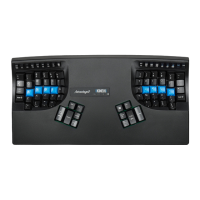
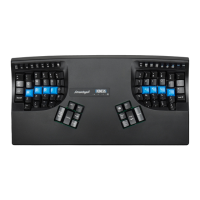
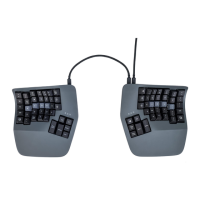
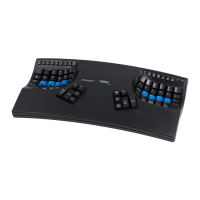
Fig 1. KB600-JP, Japanese layout
© 2021 by Kinesis Corporation, all rights reserved. Printed in USA on recycled paper. SmartSet Programming Engine is protected by
U.S. patent 9,535,581. KINESIS is a registered trademark of Kinesis Corporation. ADVANTAGE2, CONTOURED KEYBOARD,
SMARTSET and V-DRIVE are trademarks of Kinesis Corporation. Other trademarks are property of their respective owners.

 Need help?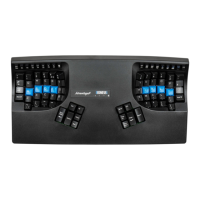

 To Next Page
 General