EasyManua.ls Logo

Kinetik TMB-1970 - User Manual

Kinetik TMB-1970
16 pages
Print Icon
To Next Page IconTo Next Page
Loading...
User Manual
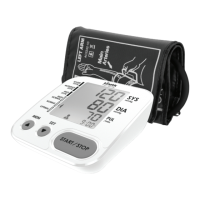
Blood Pressure Monitor
Thank you so much for selecting the Kinetik Wellbeing Blood Pressure
Monitor
Please read the user manual carefully and thoroughtly so as to ensure
the safe usage of this product. Keep the manual safe for future reference
in case you have problems.
Arm Type
TMB-1970
Guangdong Transtek Medical Electronics Co., Ltd.
Zone A, No.105, Dongli Road, Torch Development
District, 528437 Zhongshan, Guangdong, China
EC REP
Medical Device Safety Service GmbH
Schiffgraben 41, 30175 Hannover, Germany
Kinetik TMB-1970 UK IB 20221130
Question and Answer IconNeed help?

Do you have a question about the Kinetik TMB-1970 and is the answer not in the manual?

Summary

Introduction to the Kinetik Blood Pressure Monitor

Support and Contact Information

Details for customer assistance and inquiries regarding the product.

General Product Description

Overview of the Kinetik arm type blood pressure monitor features and benefits.

Usage Guidelines and Contraindications

Intended use, target users, and situations where the device should not be used.

Measurement Principle

Explains how the device measures blood pressure using the oscillometric method.

Safety Information and Precautions

Symbol Meanings and Booklet Reference

Explanation of symbols found on the device and manual for user guidance.

General Usage Cautions

Warnings and precautions for safe operation of the blood pressure monitor.

Operational Safety and Display Information

Environmental and Usage Warnings

Precautions regarding device environment, handling, and potential risks.

LCD Display Symbols Explained

Interpretation of various icons and readings on the device's screen.

Monitor Components and Package Contents

Blood Pressure Monitor Parts Identification

Diagram and list of the monitor's physical components and their functions.

Included Items in the Package

List of accessories and the user manual provided with the device.

Getting Started with Your Monitor

Battery Installation and Replacement

Step-by-step guide for managing batteries in the device.

Setting Date and Time

Instructions for configuring the device's clock and date for accurate records.

User Settings and Data Management

Configuring Date and Time Settings

Continuation of date/time setup for accurate measurement timestamps.

User ID and Memory Overview

Information on single-user functionality and memory capacity.

Performing a Blood Pressure Measurement

Proper Cuff Application Technique

Detailed steps for correctly fitting the arm cuff for accurate readings.

Measurement Procedure and Completion

How to start, conduct, and end a blood pressure reading.

Managing Stored Measurement Data

Accessing Previous Records

How to retrieve past blood pressure measurements from memory.

Deleting Individual Records

Steps for removing specific stored readings from the device.

Data Management and Measurement Tips

Deleting All Stored Data

Instructions for clearing the entire memory of all readings.

Factors Affecting Measurement Accuracy

Common conditions that can lead to inaccurate readings.

Understanding Blood Pressure and Device Maintenance

Device Care and Maintenance

Instructions for keeping the monitor in good working order.

Blood Pressure Definitions and Classification

Explanation of systolic/diastolic pressure and WHO/ISH categories.

Irregular Heartbeat Detection

Information on the IHB symbol and its meaning during measurement.

Blood Pressure Fluctuations and Arm Differences

Daily Blood Pressure Variability

Factors influencing blood pressure changes throughout the day.

Home vs. Hospital Reading Differences

Reasons for variations between measurements taken at home and in a clinic.

Measuring on the Right Arm

Guidance on using the right arm for measurements and potential differences.

Product Support and Information

Contacting Kinetik for Information

Website and contact details for product inquiries and further information.

Electromagnetic Compatibility (EMC) Guidance

General EMC Precautions

Warnings and advice regarding electromagnetic interference and safe use.

Electromagnetic Immunity Standards

Details on immunity test levels and compliance with IEC standards.

Electromagnetic Compatibility (EMC) Details

Radiated RF Immunity Testing

Specific test specifications for radiated RF immunity in the device.

Overview

This document describes the Kinetik Wellbeing Blood Pressure Monitor (Model TMB-1970), an arm-type digital monitor designed for home use.

Function Description

The Kinetik Wellbeing Blood Pressure Monitor is intended for measuring blood pressure and heartbeat rate in adults. It utilizes the Oscillometric Measuring method, which detects pressure oscillations generated by beat-to-beat pulsatile to determine systolic and diastolic pressure, as well as pulse rate. Before each measurement, the unit establishes a "zero pressure" equivalent to atmospheric pressure. The device is designed to provide reliable service for two years.

Indications for Use: The monitor is suitable for measuring blood pressure and heartbeat rate with arm circumferences ranging from 22cm to 32cm (approximately 8¾"-12½") or 22cm to 42cm (approximately 8¾"-16½"). It is intended for adult indoor use only.

Contraindications:

  • Should not be used by individuals suspected of being pregnant.
  • Not suitable for patients with implanted electrical devices, such as cardiac pacemakers or defibrillators.

Important Technical Specifications

  • Display: 52 mm x 58 mm Digital LCD display.
  • Measurement Principle: Oscillometric Measuring method.
  • Memory: Maximum 90 records for one user ID.
  • Measurement Range:
    • Rated cuff pressure: 0 mmHg ~ 299 mmHg.
    • Measurement pressure: SYS: 60 mmHg ~ 230 mmHg; DIA: 40 mmHg ~ 130 mmHg.
    • Pulse value: (40-199) beat/minute.
  • Accuracy:
    • Pressure: ± 3 mmHg (at 5°C-40°C).
    • Pulse value: ±5%.
  • Power Supply: Battery powered mode: 6V DC (4x AAA batteries).
  • Normal Working Conditions:
    • Temperature: +5°C to +40°C.
    • Relative humidity: 15% to 90% (non-condensing, but not requiring a water vapour partial pressure greater than 50 hPa).
    • Atmospheric pressure: 700 hPa to 1060 hPa.
  • Storage & Transportation Conditions:
    • Temperature: -20°C to +60°C.
    • Relative humidity: ≤ 93% (non-condensing, at a water vapour pressure up to 50 hPa).
  • Cuff Size: Approximately 22~42 cm.
  • Net Weight: Approximately 198 g (excluding batteries).
  • External Dimensions: Approximately 102 mm × 107 mm × 40 mm.
  • Mode of Operation: Continuous operation.
  • Degree of Protection: Type BF applied part.
  • Ingress Protection: IP21 (protected against solid foreign objects of 12.5 mm Ø and greater, and against vertically falling water drops).
  • Device Classification: Battery Powered Mode: Internally Powered ME Equipment.
  • Software Version: A01.
  • EMC Guidance: The device is suitable for home healthcare environments and complies with IEC 60601-1-2 standards for electromagnetic immunity and emissions (Group 1, Class B).

Usage Features

Before You Start:

  • Battery Installation: Requires four AAA-size batteries. Ensure correct polarity. Replace batteries when "Lo" icon appears, display is dim, or display does not light up. Do not mix new and used batteries or different types. Remove batteries if not used for a long time.
  • Date and Time Setting: Essential for accurate record timestamps.
    1. When off, press "SET" to display date format, then use "SET" or "MEM" to switch format.
    2. Press "START/STOP" to confirm format, then year flashes. Use "MEM" or "SET" to change year (hold for quick advance/reverse).
    3. Repeat for month, day, time format, hour, and minute.
    4. After confirming minute, "do nE" displays, and monitor shuts off.
  • User ID: The monitor has one user ID with 90 memory spaces, designed for a single person.

Measurement:

  1. Tie the Cuff:
    • Remove jewelry from the left arm (or right arm if poor circulation in left).
    • Roll up sleeve to expose skin; ensure it's not too tight.
    • Position cuff on upper arm with tube off-center toward inner side, aligned with little finger or artery mark over main artery (2cm above elbow bend, where pulse is strongest).
    • Cuff should be snug, allowing one finger to fit underneath.
  2. Positioning: Sit comfortably with tested arm resting on a flat surface, elbow at heart level, palm upwards. Sit upright, take 5-6 deep breaths.
  3. Helpful Tips (especially for Hypertension):
    • Rest 5 minutes before first measurement.
    • Wait at least 3 minutes between measurements for blood circulation recovery.
    • Measure in a silent room, relaxed, without moving or talking.
    • Cuff should be at the same level as the right atrium of the heart.
    • Sit comfortably, feet flat on the ground, back against chair backrest.
    • Measure under similar conditions (e.g., same time, same arm) for meaningful comparison.
  4. Start Measurement:
    • When off, press "START/STOP". LCD displays briefly.
    • Remain still and silent until complete.
    • Monitor adjusts zero point, inflates, measures, and displays result (SYS, DIA, PUL, time).
  5. Turn Off: Press "START/STOP" or it will turn off automatically after about 1 minute.

Data Management:

  • Recall Records:
    1. When off, press "MEM" to display the latest record.
    2. Press "SET" or "MEM" to scroll through records.
    • The most recent record (1) is shown first. New measurements push older records back.
  • Delete Records:
    • Delete One Record:
      1. Press "MEM" to enter memory mode, then "MEM" or "SET" to find record.
      2. Hold "START/STOP" for ~3 seconds; "dEL YES" flashes.
      3. Press "SET" or "MEM" to toggle between "dEL YES" (delete) and "dEL no" (do not delete).
      4. Press "START/STOP" to confirm deletion; "dEL donE" displays.
    • Delete All Records:
      1. Press "MEM" to enter memory mode, then hold "SET"; "dEL ALL" flashes.
      2. Press "SET" or "MEM" to toggle between "dEL ALL" (delete) and "dEL no" (do not delete).
      3. Press "START/STOP" to confirm deletion; "dEL donE" displays.
      • Replacing batteries deletes all records.

LCD Display Signals:

  • SYS: Systolic blood pressure (mmHg).
  • DIA: Diastolic blood pressure (mmHg).
  • PUL: Pulse display (beats per minute).
  • Deflation symbol: Cuff is deflating.
  • Memory symbol: Indicates memory mode and group.
  • Low battery icon: Batteries are low.
  • Irregular heartbeat symbol: Detected during measurement.
  • Blood pressure level indicator: Indicates blood pressure level (Optimal, Normal, High-normal, Mild, Moderate, Severe).
  • Current Time: Year/Month/Day, Hour/Minute.
  • Heartbeat symbol: Detected during measurement.
  • User 1: Start measurement for User 1.

Blood Pressure Information:

  • Systolic/Diastolic Pressure: Systolic is maximum pressure during heart contraction; diastolic is minimum pressure during relaxation.
  • Standard Classification: Based on WHO/ISH 1999 guidelines (Optimal, Normal, High-normal, Grade 1/2/3 hypertension).
  • Irregular Heartbeat Detector: Appears if heartbeat rhythm varies significantly during measurement. Consult a physician if it appears often.
  • Fluctuations: Blood pressure varies daily due to cuff placement, measurement position, medication, weather, emotion, and exercise.
  • Home vs. Hospital Readings: Hospital readings may be higher due to "white coat" effect.
  • Right Arm vs. Left Arm: Results may differ between arms; consistently use the same arm.

Maintenance Features

To ensure optimal performance and longevity:

  • Storage: Store in a dry place, away from direct sunlight, extreme moisture, heat, lint, and dust. Avoid heavy objects on top.
  • Handling: Avoid intense shaking and collisions.
  • Cuff Care: Ensure the rubber tube is not squeezed, stretched, or kinked during storage. Do not attempt to clean the reusable cuff with water or immerse it.
  • Cleaning: Clean the device and cuff with a soft, dry cloth. If necessary, use a dampened cloth and natural detergent. Do not use alcohol, benzene, or harsh chemicals.
  • Service Life: Typical cuff service life is 10,000 times.
  • Disposal: Dispose of accessories, detachable parts, and the device according to local guidelines.
  • Calibration: No calibration is required within two years of reliable service. Performance checks are recommended after repair, maintenance, and every two years of use.
  • Repairs: Do not attempt to repair the unit yourself; only authorized service centers should perform repairs.
  • Safety: Keep device, cuff, and batteries away from children to prevent choking or strangulation.

Kinetik TMB-1970 Specifications

General IconGeneral
BrandKinetik
ModelTMB-1970
CategoryBlood Pressure Monitor
LanguageEnglish