EN
NMHT18-Li
Before you start
Getting started...
16
Setup
Front safeguard
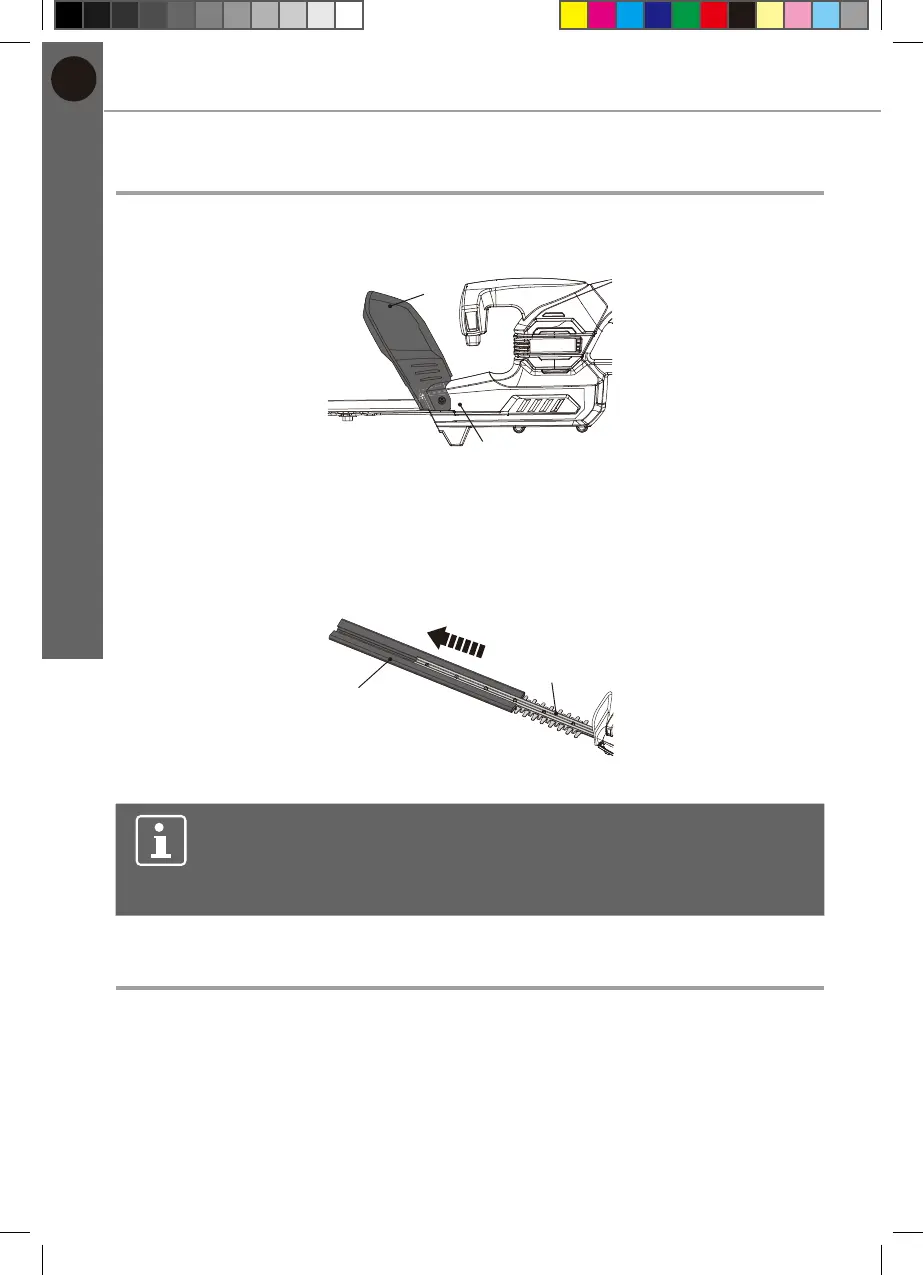
The front safeguard (2) is already pre-installed on the housing (10) (Fig. 1).
2
10
Fig. 1
Blade cover
1. Remove the blade cover (11) from the cutting device (blade) (1) before
operation (Fig. 2).
2. Keep the blade cover (11) safely.
11
1
Fig. 2
NOTE: Always attach the blade cover (11) when the product is not
in use, for storage and transportation.
To attach the blade cover (11), align and push the blade cover onto
the cutting device (blade) (1).
Battery pack
Attaching / releasing the battery pack
1. Align the battery pack (12) with the sliding slots of the battery docking port
(9) under the rear safeguard (8) and slide the battery pack (12) in to attach it.
Ensure it clicks in place (Fig. 3).
2. Press the release button (12c) and remove the battery pack (12) from the
battery docking port (9) (Fig. 4).
MNL_NMHT18-Li_18V 50cm Hedge Trimmer_V1_210913.indd 16 9/13/21 1:09 PM


 To Next Page