EasyManua.ls Logo

Kingspan BioDisc BAx - User Manual

Kingspan BioDisc BAx
13 pages
Print Icon
To Next Page IconTo Next Page
Loading...
012696
Installation Guidelines for
BioDisc Units BA, BAx, BB and NB
Kingspan Environmental Service Contact Numbers:
GB: 0844 846 0500
NI: 028 3025 4077
IRL: 048 3025 4077
Important
Once installed, the motor should be left on and running.
If there is delayed electrical connection or if there is no power
available to operate the unit, then the motor with gearbox
must be removed and stored in a dry environment.
The motor keeps dry by generating its own heat when
operating. In a non-functioning situation, water vapour can
enter the motor and cause corrosion.
The motor must not be left non-operational for a period of 7
days or more.
010086
SCP Wiring Diagram
Issue
Description
Date
07
CC1074
January 2013
Enclosed Document
Question and Answer IconNeed help?

Do you have a question about the Kingspan BioDisc BAx and is the answer not in the manual?

Summary

Service Contact Numbers

Enclosed Document

Important Operational Notes

Motor Protection and Downtime Procedures

Ensure continuous motor operation. Protect from water and corrosion during downtime; avoid extended non-operational periods.

HEALTH AND SAFETY

Introduction

General Installation Guidelines

These guidelines represent best practice for installation; verify appropriateness for specific site conditions.

Handling and Storage Procedures

Handle units carefully to prevent damage. Ensure stability when lifting and use suitable webbing slings; avoid chains.

Site Planning Considerations

Consider discharge consent, planning approval, ground conditions, water table, soakaway tests, and access for servicing.

Installation - General

Pipework and Excavation Stability

Design pipework to minimize damage from differential movement. Support excavation side walls if they won't maintain a vertical wall.

Excavation Dewatering and Protection

Dewater excavations where water table is high or flooding is likely. Use polythene sheeting to prevent cement wash-out.

Unit Support and Backfilling

Ensure uniform support to avoid point loads. Use water for ballasting during back-filling; maintain water level during concrete pour.

Electrical Supply Requirements

Provide adequate electrical supply complying with regulations. Select cable and overload protection based on table data.

BioDisc Installation

Excavation and Bed Preparation

Excavate for unit, surround, and bed. Lay concrete bed appropriate for site conditions, possibly with hard-core sub-base.

Unit Placement and Levelling

Place unit on bed, ensuring no voids. Check and ensure unit is level end-to-end and side-to-side within tolerances.

Concrete Haunching and Chamber Filling

Haunch concrete around the base. Pour water into chambers to specified depth for back-filling.

Concrete Backfilling for Invert Depth

Back-fill according to site conditions. 1250mm invert depth units require concrete back-fill to within 500mm of ground level.

Wet Site Installation

Anchor Bars and Concrete Back-fill

Assemble anchor bars. Place concrete back-fill in 200mm increments, ensuring compaction and avoiding voids.

Water Ballasting During Backfilling

Fill tank with water simultaneously with backfill material to prevent flotation. Maintain water level within 200mm of concrete level.

Dry Site Installation

Backfilling Material for Dry Sites

Use pea shingle, sand, or other free-flowing granular material for back-filling up to outlet level.

Installation of the Capacitor

Control Panel Installation

General Control Panel Installation

Position control panel safely, not reachable from the unit. Installation by qualified electrician according to IEE regulations.

Mounting Frame Installation

Set frame legs in concrete base, ensuring stability. Maintain clearance from finished ground level to the panel bottom.

Control Panel Component Installation

Remove covers carefully. Feed power supply cables through glands and wire to terminal blocks as per guides.

Integral Discharge Pump Wiring

Feed discharge pump power cable through gland hole and terminate to specified connections (TB1) following Table 2.

Sludge Return Pump Wiring and Settings

Feed sludge return pump cable through gland hole and terminate. Set run and pause times for the pump using Table 3.

Chemical Dosing System Wiring

Feed dosing pump and probe cables through glands and terminate to specified connections (TB4, TB7) following Table 2.

Chemical Dosing Pump Settings

Set run and pause times for the chemical dosing pump using the switches as detailed in Table 4.

Loss of Rotation Alarm Installation

Feed alarm cable through gland hole and terminate to connections (TB5). Activate the alarm using switch 10.

High Level Alarm Installation

Remove link, feed float cable through gland hole and terminate to connections (TB6). Fix float bracket correctly.

Beacon Installation

Mount beacon up to 30m from panel. Feed beacon cable through gland hole and terminate to connections (TB8).

Completing the Installation and Power Up

Connect battery, check display for 'F1', turn on mains supply. Press reset button to clear display.

Control Panel Fault Codes & Fuses

Ancillary Equipment

Start Up Procedures

Pre-Service Inspection and Owners Handbook

Recommend Pre-Service Agreement Inspection. Refer to Owner's Handbook for detailed start-up procedure.

Initial Unit Operation

Leave unit filled with water. Switch on motor and leave running, even without sewage feed.

Unit Operation Without Power

If no power, remove and store motor/gearbox unit in a dry environment until ready for operation.

Integral Pump Unit Connection Warning

Do not connect integral pump units to sewage supply without ensuring electricity is connected and unit is operational.

Summary

Service Contact Numbers

Enclosed Document

Important Operational Notes

Motor Protection and Downtime Procedures

Ensure continuous motor operation. Protect from water and corrosion during downtime; avoid extended non-operational periods.

HEALTH AND SAFETY

Introduction

General Installation Guidelines

These guidelines represent best practice for installation; verify appropriateness for specific site conditions.

Handling and Storage Procedures

Handle units carefully to prevent damage. Ensure stability when lifting and use suitable webbing slings; avoid chains.

Site Planning Considerations

Consider discharge consent, planning approval, ground conditions, water table, soakaway tests, and access for servicing.

Installation - General

Pipework and Excavation Stability

Design pipework to minimize damage from differential movement. Support excavation side walls if they won't maintain a vertical wall.

Excavation Dewatering and Protection

Dewater excavations where water table is high or flooding is likely. Use polythene sheeting to prevent cement wash-out.

Unit Support and Backfilling

Ensure uniform support to avoid point loads. Use water for ballasting during back-filling; maintain water level during concrete pour.

Electrical Supply Requirements

Provide adequate electrical supply complying with regulations. Select cable and overload protection based on table data.

BioDisc Installation

Excavation and Bed Preparation

Excavate for unit, surround, and bed. Lay concrete bed appropriate for site conditions, possibly with hard-core sub-base.

Unit Placement and Levelling

Place unit on bed, ensuring no voids. Check and ensure unit is level end-to-end and side-to-side within tolerances.

Concrete Haunching and Chamber Filling

Haunch concrete around the base. Pour water into chambers to specified depth for back-filling.

Concrete Backfilling for Invert Depth

Back-fill according to site conditions. 1250mm invert depth units require concrete back-fill to within 500mm of ground level.

Wet Site Installation

Anchor Bars and Concrete Back-fill

Assemble anchor bars. Place concrete back-fill in 200mm increments, ensuring compaction and avoiding voids.

Water Ballasting During Backfilling

Fill tank with water simultaneously with backfill material to prevent flotation. Maintain water level within 200mm of concrete level.

Dry Site Installation

Backfilling Material for Dry Sites

Use pea shingle, sand, or other free-flowing granular material for back-filling up to outlet level.

Installation of the Capacitor

Control Panel Installation

General Control Panel Installation

Position control panel safely, not reachable from the unit. Installation by qualified electrician according to IEE regulations.

Mounting Frame Installation

Set frame legs in concrete base, ensuring stability. Maintain clearance from finished ground level to the panel bottom.

Control Panel Component Installation

Remove covers carefully. Feed power supply cables through glands and wire to terminal blocks as per guides.

Integral Discharge Pump Wiring

Feed discharge pump power cable through gland hole and terminate to specified connections (TB1) following Table 2.

Sludge Return Pump Wiring and Settings

Feed sludge return pump cable through gland hole and terminate. Set run and pause times for the pump using Table 3.

Chemical Dosing System Wiring

Feed dosing pump and probe cables through glands and terminate to specified connections (TB4, TB7) following Table 2.

Chemical Dosing Pump Settings

Set run and pause times for the chemical dosing pump using the switches as detailed in Table 4.

Loss of Rotation Alarm Installation

Feed alarm cable through gland hole and terminate to connections (TB5). Activate the alarm using switch 10.

High Level Alarm Installation

Remove link, feed float cable through gland hole and terminate to connections (TB6). Fix float bracket correctly.

Beacon Installation

Mount beacon up to 30m from panel. Feed beacon cable through gland hole and terminate to connections (TB8).

Completing the Installation and Power Up

Connect battery, check display for 'F1', turn on mains supply. Press reset button to clear display.

Control Panel Fault Codes & Fuses

Ancillary Equipment

Start Up Procedures

Pre-Service Inspection and Owners Handbook

Recommend Pre-Service Agreement Inspection. Refer to Owner's Handbook for detailed start-up procedure.

Initial Unit Operation

Leave unit filled with water. Switch on motor and leave running, even without sewage feed.

Unit Operation Without Power

If no power, remove and store motor/gearbox unit in a dry environment until ready for operation.

Integral Pump Unit Connection Warning

Do not connect integral pump units to sewage supply without ensuring electricity is connected and unit is operational.

Overview

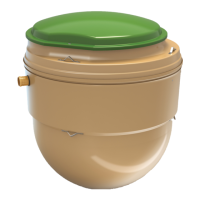
The Kingspan BioDisc Unit is a wastewater treatment plant designed for domestic and commercial applications. It processes sewage effluent to a high standard, making it suitable for discharge into soakaways, ditches, or streams. The unit is available in BA, BAx, BB, and NB models, with varying hydraulic daily loads and electrical consumption specifications.

Function Description

The BioDisc unit utilizes a biological treatment process to purify wastewater. It consists of several chambers where sewage undergoes different stages of treatment, including primary settlement, biological treatment via rotating biological contactors (RBCs), and final settlement. The rotating biological contactors are driven by a motor with a gearbox, which ensures continuous aeration and biological activity. Some models may include an integral discharge pump for lifting effluent to higher levels or remote discharge points, and a sludge return pump for recirculating settled sludge. Chemical dosing systems can also be integrated for enhanced treatment.

Important Technical Specifications

The BioDisc units are designed to comply with EN 12566-3 standards. Key specifications include:

  • Hydraulic Daily Load: Ranges from 1.2 m³/day to 10 m³/day, depending on the model.
  • Material: Constructed from GRP (Glass Reinforced Plastic), ensuring durability and resistance to corrosion.
  • Watertightness: Passed (water test).
  • Structural Calculation: Passed.
  • Treatment Efficiency:
    • COD (Chemical Oxygen Demand): 89%
    • BOD₅ (Biochemical Oxygen Demand): 96%
    • SS (Suspended Solids): 95%
    • Total P (Total Phosphorus): 48%
    • NH₄ (Ammonia): 89%
    • Total N (Total Nitrogen): 46%
  • Electrical Consumption: Ranges from 1.3 kWh/d to 3.1 kWh/d.
  • Sludge Production: 0.21 litres per person per day.
  • Motor Specifications:
    • 240 volt single phase: 0.52 Amps (for BA, BAx, BB, NB models).
    • 415 volt three phase: 0.22 Amps (for BA, BAx, BB, NB models).
  • Integral Discharge Pump (240 volt single phase only): 2.2 Amps (for BA, BAx, BB models).
  • Sludge Return Pump (240 volt single phase only): 2.2 Amps (for NB models).
  • Capacitor: Required for all new BA and BB BioDisc units and must be wired into the motor.
  • Control Panel: Can be wall-mounted or fixed to a mounting frame, positioned to prevent access from the BioDisc unit.
  • Fuses: Time Lag HBC 20mm type, with specific amperage ratings for blower/motor (3.15A), discharge pump (5.0A), chemical dosing pump (0.25A), and recirculation pump (5.0A).

Usage Features

The BioDisc unit is designed for ease of installation and operation, with several features to ensure reliable performance:

  • Installation Flexibility: Can be installed in both wet and dry site conditions, with specific guidelines for concrete back-fill and water ballasting to prevent flotation.
  • Electrical Connections: Requires an adequate electrical supply complying with current regulations. Steel wire armoured (SWA) cable, minimum 1.5 sq mm, is typically suitable. RCD protection is required for units with integral discharge pumps and recommended as an extra precaution for others.
  • Control Panel: Features a user-friendly interface with fault codes (F1-F8) to indicate issues such as no power, blower pressure failure, high level alarm activation, or fuse failures. It includes switches for setting run and pause times for sludge return pumps and chemical dosing pumps.
  • Alarms: Optional Loss of Rotation Alarm and High Level Alarm can be fitted to alert users to operational issues. A beacon can also be installed to provide visual alerts.
  • Motor Operation: Once installed, the motor should be left on and running continuously. The motor generates its own heat to keep dry and prevent corrosion from water vapour.
  • Delayed Electrical Connection: If there is a delay in electrical connection or no power, the motor with gearbox must be removed and stored in a dry environment to prevent corrosion. The motor must not be left non-operational for 7 days or more.
  • Pipework: Inlet and outlet pipework should use short lengths of "rocker" pipe with flexible joints to accommodate minor differential movement.
  • Access: Requires at least 1 meter of clear, level ground around the unit for routine servicing and maintenance. Adequate access for de-sludging by a vacuum tanker is also necessary, typically within 30 meters of a hard standing area.
  • Ventilation: The drainage system connecting to the BioDisc must be adequately vented in accordance with Building Regulations, with a stack pipe open at high level.

Maintenance Features

Regular maintenance is crucial for the proper operation and longevity of the BioDisc unit:

  • Pre-Service Agreement Inspection: Recommended by an approved engineer after installation.
  • Routine Servicing: Requires clear access around the unit.
  • De-sludging: Should be carried out by a licensed waste disposal contractor. Instructions are provided in the Operating Handbook.
  • Protective Clothing: Any person carrying out maintenance must wear suitable protective clothing, including gloves, due to the presence of micro-organisms harmful to human health.
  • Safety Precautions:
    • Covers must be kept locked.
    • Power supply to the equipment must be isolated at the control panel(s) before lifting covers.
    • Drive guards must be replaced and secured if removed during maintenance.
    • Do not walk on covers or deep well safety meshes.
    • Maintain correct posture when lifting and use appropriate lifting equipment.
    • Avoid sharp edges.
  • Motor Protection: If the unit is non-operational for an extended period (7 days or more) without power, the motor/gearbox unit must be removed and stored in a dry or heated environment to prevent corrosion.
  • Water Supply: Proximity to a mains water hose pipe connection point is recommended for maintenance purposes, connected in accordance with water bylaws and regulations. Never leave a hose connected and immersed in sewage.
  • Fault Code Diagnostics: The control panel displays fault codes (F1-F8) to assist in diagnosing and troubleshooting issues, indicating specific component failures or alarm activations.

Kingspan BioDisc BAx Specifications

General IconGeneral
BrandKingspan
ModelBioDisc BAx
CategoryWater System
LanguageEnglish

Related product manuals