EasyManua.ls Logo

Kingspan SENSiT - User Manual

Kingspan SENSiT
12 pages
Print Icon
To Next Page IconTo Next Page
Loading...
V1
ENG

Other manuals for Kingspan SENSiT

Question and Answer IconNeed help?

Do you have a question about the Kingspan SENSiT and is the answer not in the manual?

Summary

Introduction to Kingspan SENSIT

Getting Started with SENSIT

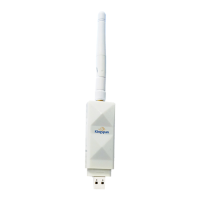
Transmitter Installation and Serial Number

Install transmitter, note serial numbers for setup.

Wi-Fi and App Setup

Identify Wi-Fi details, download app, follow instructions.

LED Light Sequence Guide

Understanding device status indicators: flashing, solid, error states.

Support and Specifications

FAQ and Support Information

Links to further help, FAQs, and Kingspan support.

Warranty Registration

Details on how to register your product warranty.

Minimum System Requirements

Minimum hardware and software requirements for operation.

Product Technical Specifications

Technical details including model, wireless, and usage limits.

Summary

Introduction to Kingspan SENSIT

Getting Started with SENSIT

Transmitter Installation and Serial Number

Install transmitter, note serial numbers for setup.

Wi-Fi and App Setup

Identify Wi-Fi details, download app, follow instructions.

LED Light Sequence Guide

Understanding device status indicators: flashing, solid, error states.

Support and Specifications

FAQ and Support Information

Links to further help, FAQs, and Kingspan support.

Warranty Registration

Details on how to register your product warranty.

Minimum System Requirements

Minimum hardware and software requirements for operation.

Product Technical Specifications

Technical details including model, wireless, and usage limits.

Kingspan SENSiT Specifications

General IconGeneral
Operating Frequency868 MHz
Battery LifeUp to 10 years
Communication ProtocolLoRaWAN
Measurement Range0 to 100% RH
Power SupplyInternal battery
Sensor TypeTemperature and Humidity