Uniform & Accessories Warehouse • 20701 Nordhoff St, Chatsworth, CA 91311 • Tel: (877)643-1100
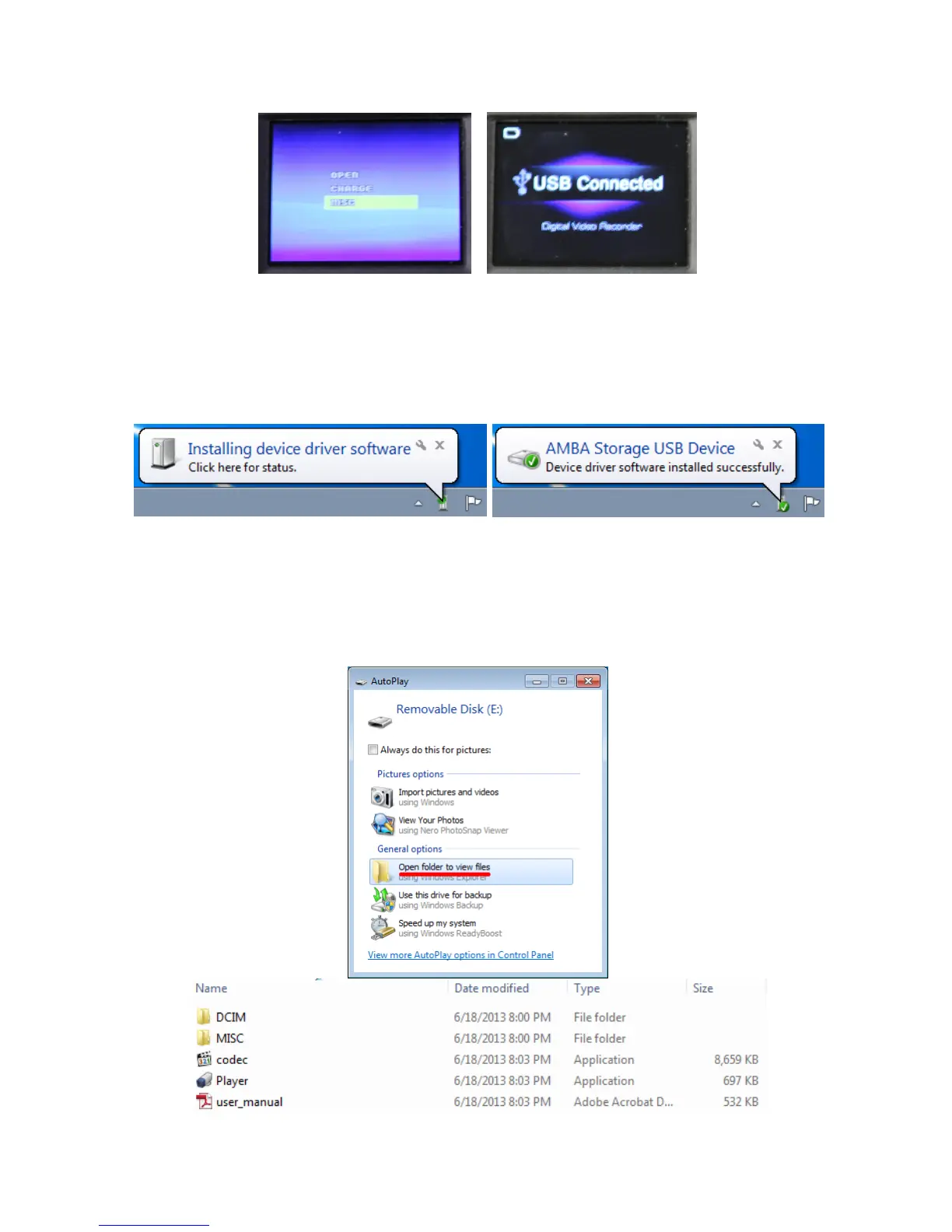
The first time you are connecting the device to your computer, you will see a message
appear on your screen informing you that your computer is installing drivers needed for
the device to work properly. Please wait for a message telling you that they are
successfully installed before doing anything else.
While the device is connected to your computer you should see USB Connected on the
screen of the device. An autoplay message should popup on your computer screen, and
you can click Open folder to view files. You should see the following: DCIM, MISC,
codec, Player, user_manual.


 To Next Page