5. Control – Con’t
Input Source Selection
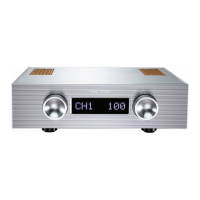
By turning the left knob (SELECT) to switch between Input CH1, CH2, CH3, CH4.
Volume adjustment
Rotate the front panel right knob (VOLUME) to adjust the volume, to reduce volume, turn left; to
increase volume, turn right. Each step is 0.5db, there are total 256 steps.
Mute
Under normal working conditions, press the Remote Control Mute button, the display will show
MUTE, the input source number and volume display will disappear, the amplifier will be in the Mute
state. To un-mute, press the Remote Control Mute button again to return the amplifier to the
Operational state.
KINKI STUDIO
05



 To Next Page