4. OPERATING PROCEDURES
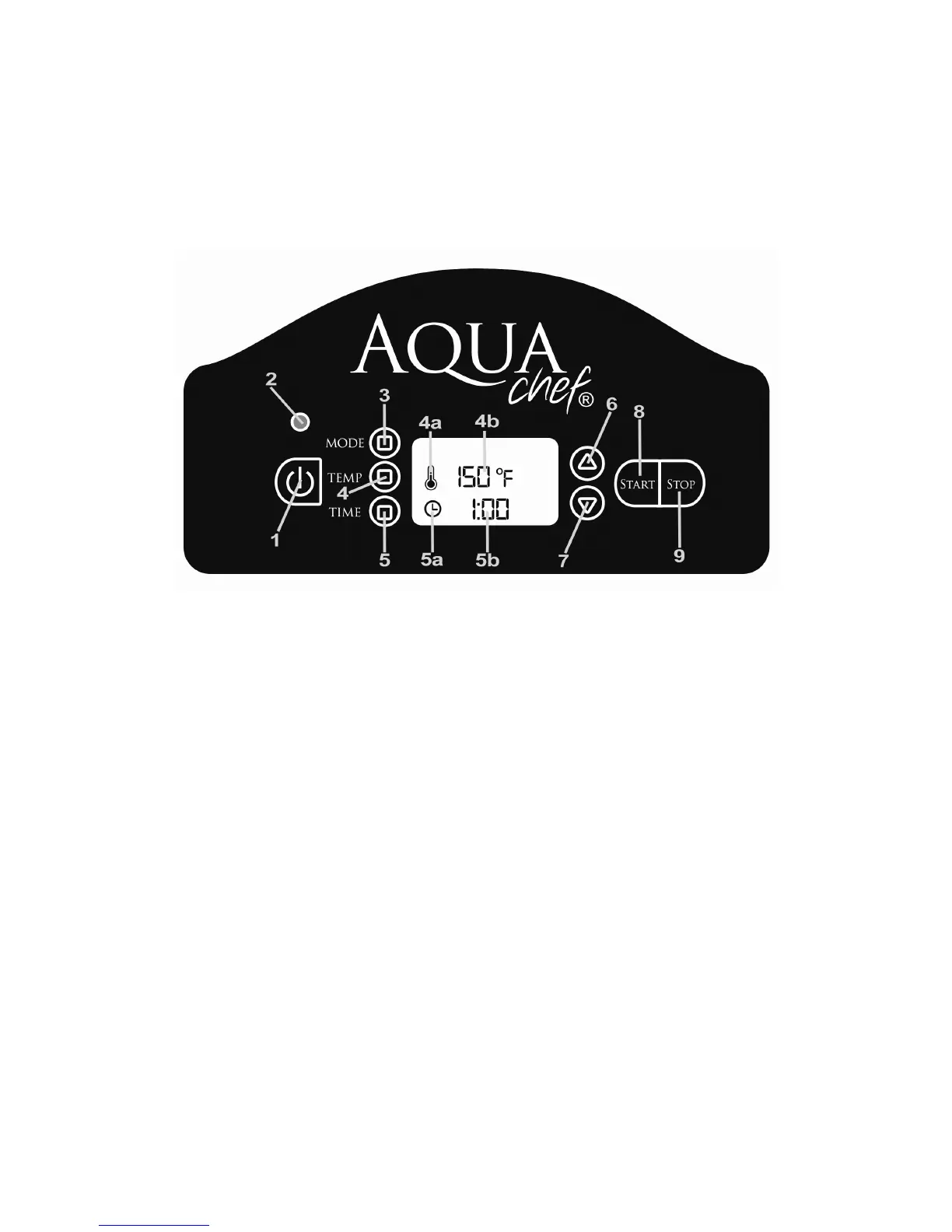
AquaChef® LCD Display Panel Fig 4.
1. Power Button
2. Indicator Light
• Off – AquaChef® unit is off.
• Red – AquaChef® unit is on.
• Blue – AquaChef® unit is on, timer started, heater is off.
3. Mode Button
4. Temperature Button
4a. Temperature Icon
4b. Temperature Display
5. Time Button
5a. Time Icon
5b. Time Display
6. Plus Button
7. Minus Button
8. Start Button
9. Stop Button
1. Take the basket out and set a side.
2. Fill water to the required level. Please make sure that water level is
above the Minimum Level marking.



 To Next Page