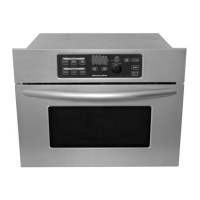
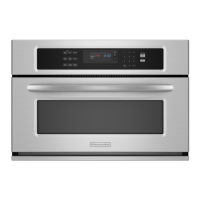
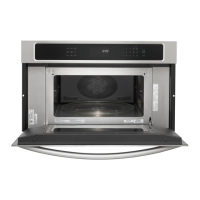
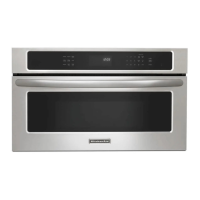
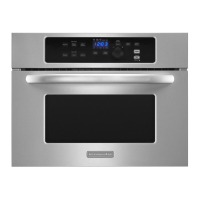
This document describes the KitchenAid Built-In Microwave Oven, a kitchen appliance designed for heating, cooking, and drying food using microwave energy. It is not intended for industrial or laboratory use, canning, sterilizing, or deep frying. The oven features a turntable that rotates in either direction to ensure even cooking.
Function Description
The microwave oven operates by generating microwaves that reflect off the metal interior surfaces and pass through the turntable and cookware to the food. These microwaves are absorbed by fat, sugar, and water molecules in the food, causing them to heat up and cook.
The control panel includes several key functions:
- Display: Shows cooking power, quantities, weights, prompts, and the time of day when not in use. During sensing, a "racetrack" animation is active. A blinking ":" indicates a power failure.
- Start: Initiates any function. If non-sensor cooking is interrupted, touching Start resumes the cycle. For sensor cooking, it resumes only if the sensor has estimated the cook time. A cooking function cannot be started if the door has been closed for over a minute; "DOOR" will appear until the door is opened and closed.
- Cancel/Off: Clears incorrect commands and cancels most functions, except for Control Lock and Demo Mode. It also turns off the oven when the door is opened.
- Add a Minute: Automatically starts the oven at 100% power for 1 minute. Each additional touch adds 1 minute, up to a total of 10 minutes. It can also add time to an ongoing cooking cycle at the current power level.
- Dial: Used to select options, set the clock, set cook time and power, select food type and amount/weight, and adjust doneness. The dial can be pushed in to sit flush.
- Select: Used to select settings or food types, set/cancel the clock, and set weight or amount measurements (oz/lbs, pieces/cups/servings).
Cooking Features
The microwave oven offers various cooking and reheating functions, many with preset times and power levels:
- Cook Time Set: Allows manual setting of cook time in increments from 5 seconds to 90 minutes. Users can adjust cook power from 100% down to 10%.
- Doneness: For most automatic cooking functions, doneness can be adjusted by turning the dial within 20 seconds of starting. There are five settings: default, "+2," "+1," "-1," and "-2." Doneness cannot be adjusted for Defrost or Popcorn, and cannot be decreased for Boneless Chicken Breasts.
- Meal Prep Cook: Features preset times and cooking power for specific foods like canned vegetables, cereal, boneless chicken breasts, fresh vegetables, frozen entrées, frozen vegetables, and rice. Users select the food type and then the amount/weight.
- Meal Prep Reheat: Offers preset times and power for reheating baked goods, beverages, casseroles, pizza, sauces, and soups. Users select the food type and amount/weight.
- Meal Prep Defrost: Provides automatic defrosting for bread, fish/seafood, meat, and poultry. Food should be 0°F (-18°C) or colder. Users select the food type and weight. Small pieces of aluminum foil can be used for shielding.
- One Touch Sensor Cooking: Detects humidity released from food to automatically set cooking time for popcorn, baked potatoes, and meal reheat. The sensor animation appears during sensing.
- Keep Warm: Keeps hot cooked food warm at 10% cook power. It can be used as a standalone function or programmed to follow a cooking cycle. The default warming time is 60 minutes, adjustable by the user.
Usage Features
- Clock: A 12-hour clock that can be set by touching and holding the SELECT pad, then using the dial to set hours and minutes.
- Tones: Audible signals for valid entries (short tone), reminders (two tones), invalid entries (three tones), end of cycle (four tones), and errors (fifteen tones). Tones cannot be turned off, and volume cannot be changed.
- Demo Mode: Allows users to learn how to use the oven without actually turning on the magnetron. The oven light, fan, and turntable will operate. To activate/deactivate, open the door, then touch and hold COOK for 5 seconds.
- Control Lock: Shuts down the control panel to prevent unintended use. "LOC" appears in the display when locked. To lock/unlock, touch and hold CANCEL/OFF for 5 seconds.
- Cooling Fan: May continue to run after a cooking cycle to eliminate moisture. "COOL" appears in the display while running.
- Food Characteristics: Cooking results are affected by food amount, size, shape, starting temperature, composition, and density.
- Cooking Guidelines:
- Covering: Helps retain moisture, shorten cook time, and reduce spattering. Wax paper, paper towels, or microwave-approved plastic wrap can be used.
- Stirring and Turning: Redistributes heat evenly.
- Arranging: Place thinner parts and smaller items toward the center; use a ring pattern for multiple items of the same size.
- Piercing: Pierce foods with skin or membrane to allow steam to vent.
- Shielding: Use small aluminum foil pieces for thin or bony parts of food.
- Standing Time: Allows food to continue cooking after the cycle ends.
- Cookware and Dinnerware: Must fit on the turntable. Use oven mitts. Avoid gold or silver trim. Acceptable materials include ceramic glass, glass, china, earthenware, melamine, paper products, plastic wraps/bags/covers/dinnerware/containers, pottery, clay, and silicone bakeware. Aluminum foil and some metal can be used for shielding, but should not touch cavity walls. Do not use straw, wicker, wooden containers, or Styrofoam. To test, place 1 cup of water with the item in the oven and cook at 100% power for 1 minute; if the item gets hot and the water stays cool, do not use it.
Maintenance Features
- General Cleaning: Always ensure controls are off and the oven is cool before cleaning. Follow cleaning product instructions.
- Microwave Oven Cavity: Do not use soap-filled scouring pads, abrasive cleaners, steel-wool pads, or gritty washcloths. For stainless steel models, rub in the direction of the grain.
- Average soil: Use mild, nonabrasive soaps and detergents, rinse with clean water, and dry with a soft, lint-free cloth.
- Heavy soil: Heat 1 cup (250 mL) of water for 2-5 minutes to soften soil, then clean as for average soil.
- Odors: Heat 1 cup (250 mL) of water with 1 tbsp (15 mL) of lemon juice or vinegar for 2-5 minutes.
- Microwave Inlet Cover: Wipe with a wet cloth to keep it clean and prevent arcing.
- Control Panel: Do not use abrasive cleaners, steel-wool pads, gritty washcloths, or paper towels. Use glass cleaner applied to a soft cloth or sponge. Ensure the dial is pushed into its flush position.
- Microwave Oven Door and Exterior: Clean areas where the door and frame touch with mild, nonabrasive soaps and detergents, rinsing with clean water and drying with a soft, lint-free cloth. Glass cleaner can be used on the door. For stainless steel models, use Stainless Steel Cleaner & Polish. Liquid detergent or all-purpose cleaner can be used, and vinegar for hard water spots.
- Turntable: Replace immediately after cleaning. Do not operate the oven without it. Clean with mild cleanser and a scouring pad, or in the dishwasher.

 Need help?
 General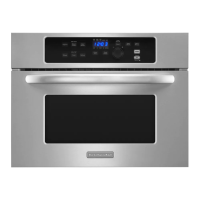


 To Next Page
