12
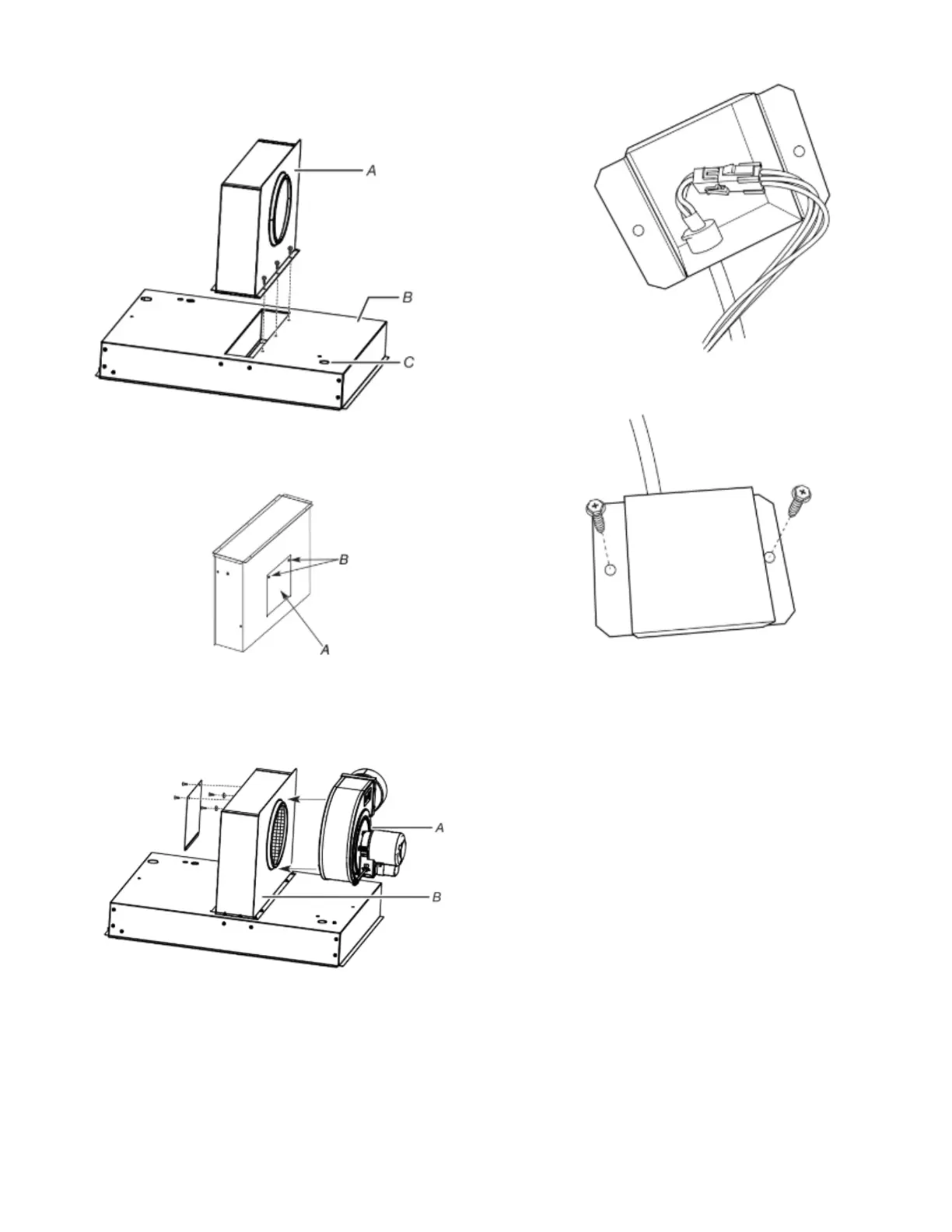
6. Place plenum on bottom of cooktop with round opening to the
motor wire harness.
NOTE: All holes are pre-drilled. If all 6 holes do not line up,
reverse plenum.
7. Using a 1/4" (6.4 mm) nut driver, screw in the 6 screws from
the literature pack to attach plenum.
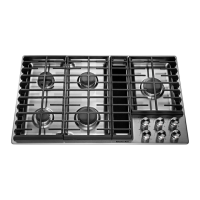
8. Remove access panel from plenum using a 1/4" (6.4 mm) nut
driver and set aside.
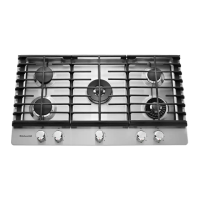
9. Remove four locking nuts and four washers from literature
bag.
NOTE: Remove the four protective caps from the motor
mounting posts.
10. Place blower motor on plenum.
11. Install and finger-tighten the four washers and locking nuts
that were removed through the opening of the motor access
panel. Do not over-tighten to allow for motor to rotate.
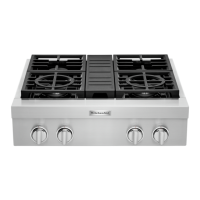
12. Connect blower electrical connector to cooktop.
13. Using a 1/4" (6.4 mm) nut driver, screw the electrical junction
cover to the burner box with 2 screws.
14. Remove the two screws located in each side of the cooktop
burner box.



 To Next Page