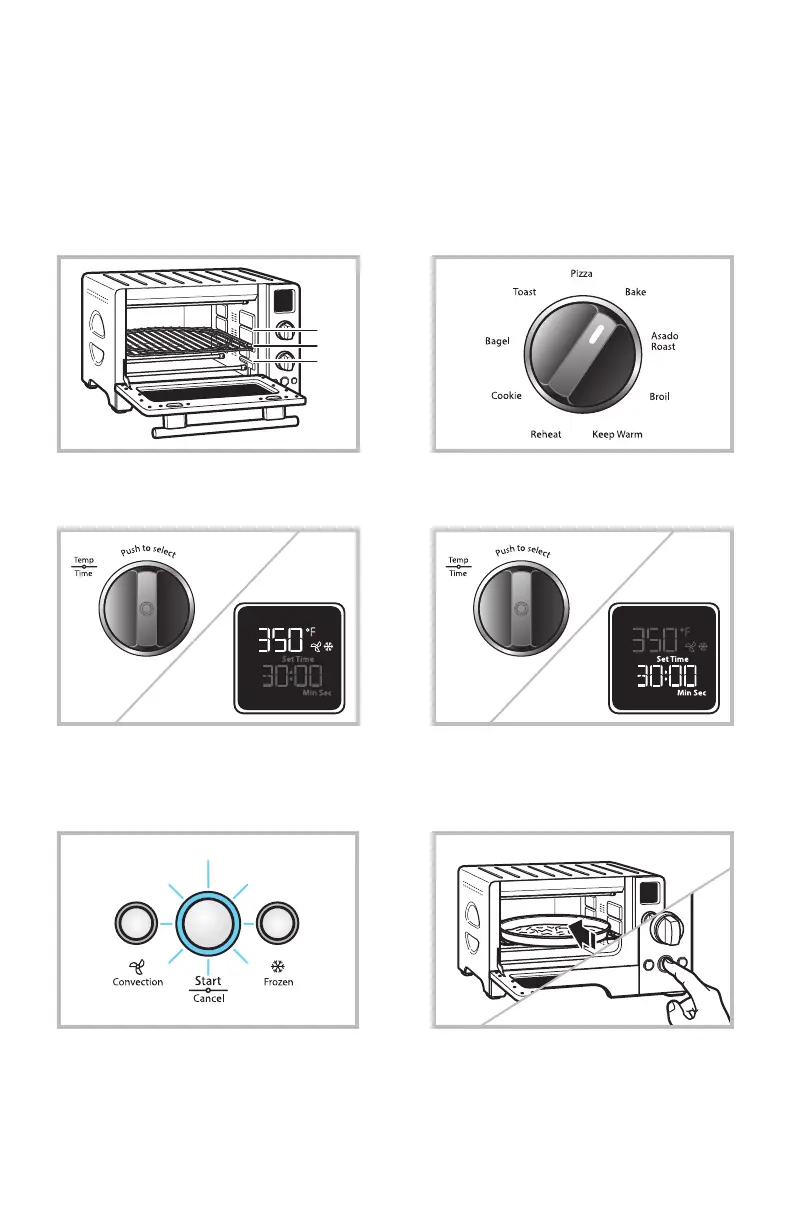
1. Adjust rack position, if needed.
1
2
3
2. Select cooking mode.
3. Turn Temperature / Time knob to
adjust temperature, if desired.
4. Press Temperature / Time knob to
change between temperature and time.
Adjust time, if desired.
6. Once preheating is done, place the
food to be cooked in the oven and
close the door. Press START / CANCEL
again to start.
5. To preheat, press START / CANCEL.
NOTE: Preheating is not available on
Broil, Keep Warm, Reheat, Toast, or
Bagel modes. Skip to Step 6.
In 6 quick steps you’ll be on your way to enjoying something delicious!
For complete instructions refer to the User Instruct Guide.
GET COOKING
QUICK START GUIDE
®/™ © 2013 KitchenAid. All rights reserved. Used under license in Canada.



 To Next Page