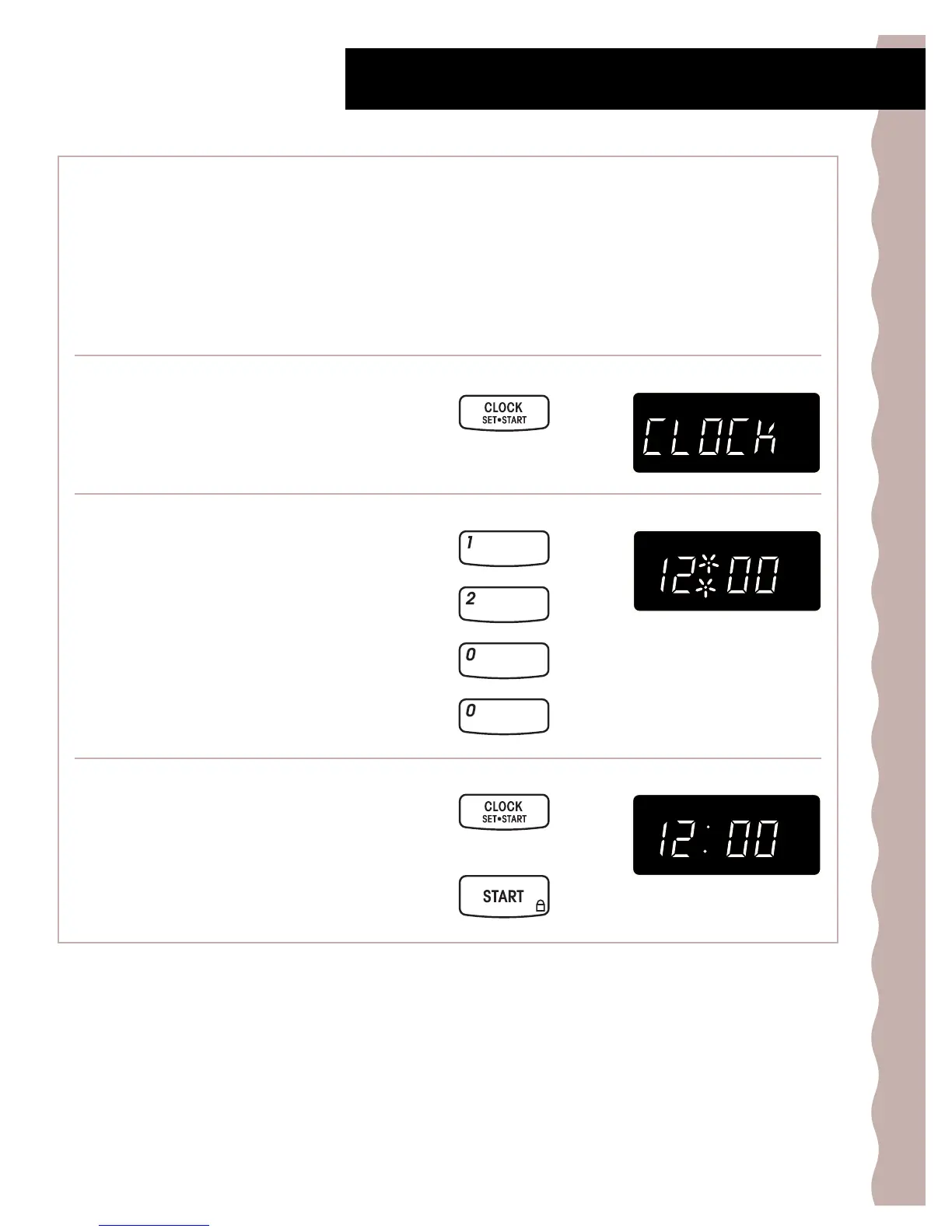
When your microwave oven is first plugged in, or
after a power failure, the display will flash “:”. If a
time of day is not set, “:” will flash until you touch
any pad.
13
Getting to Know Your Microwave Oven
Setting the clock
1. Touch CLOCK SET/START.
2. Enter the time of day.
Example for 12:00:
3. Touch START pad or CLOCK SET/START pad.
TOUCH YOU SEE
TOUCH YOU SEE
TOUCH YOU SEE
OR
NOTES:
• If you touch in an invalid time and touch CLOCK,
3 tones will sound. Enter the correct time.
• If you touch CANCEL/OFF while setting the clock,
the display will show the last time of day set.
• To turn off the clock, touch CLOCK SET/START,
Number pad 0, and CLOCK SET/START again, the
set time will disappear and “:” will show on the
display.



 To Next Page