17
Replacing Microwave Oven Light
The microwave oven light is a 10W low-voltage halogen capsule
bulb. It will automatically come on when the door is opened and
when the microwave oven is operating. See “Assistance or
Service” section for replacement ordering instructions.
To Replace:
1. Unplug microwave or disconnect power.
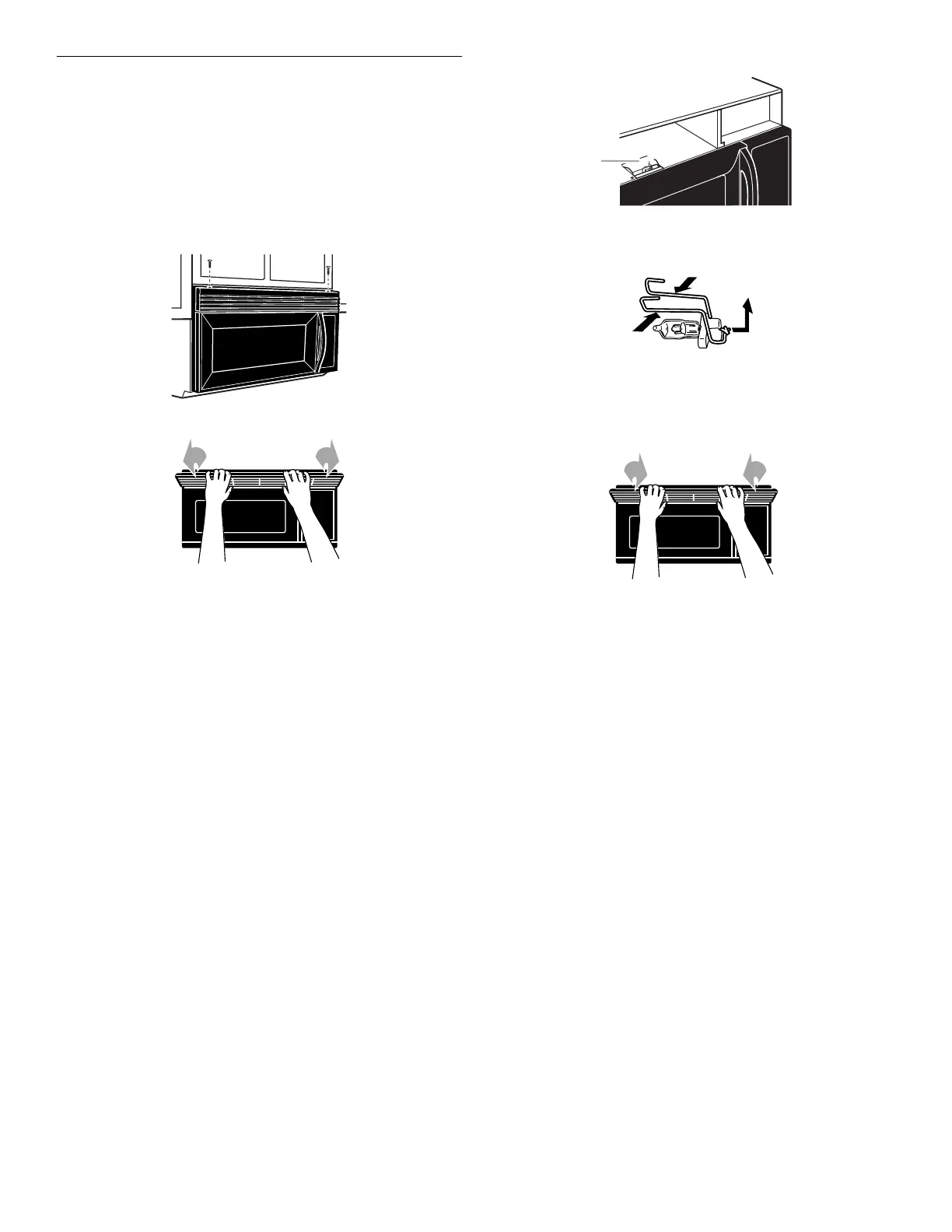
2. Remove the two outer vent grille mounting screws located
above the cover.
3. Tip the grille forward, then lift out to remove.
4. Lift up the bulb cover.
A. Bulb cover
5. Remove the old bulb by squeezing the wire clip together,
pulling to the right and lifting.
6. Replace bulb, using tissue or wearing cotton gloves to handle
bulb. Do not touch bulb with bare fingers.
7. Close bulb cover.
8. Slide the top of the vent grille into place. Push the bottom
until it snaps into place. Replace the mounting screws.
9. Plug in microwave oven or reconnect power.
A



 To Next Page