38
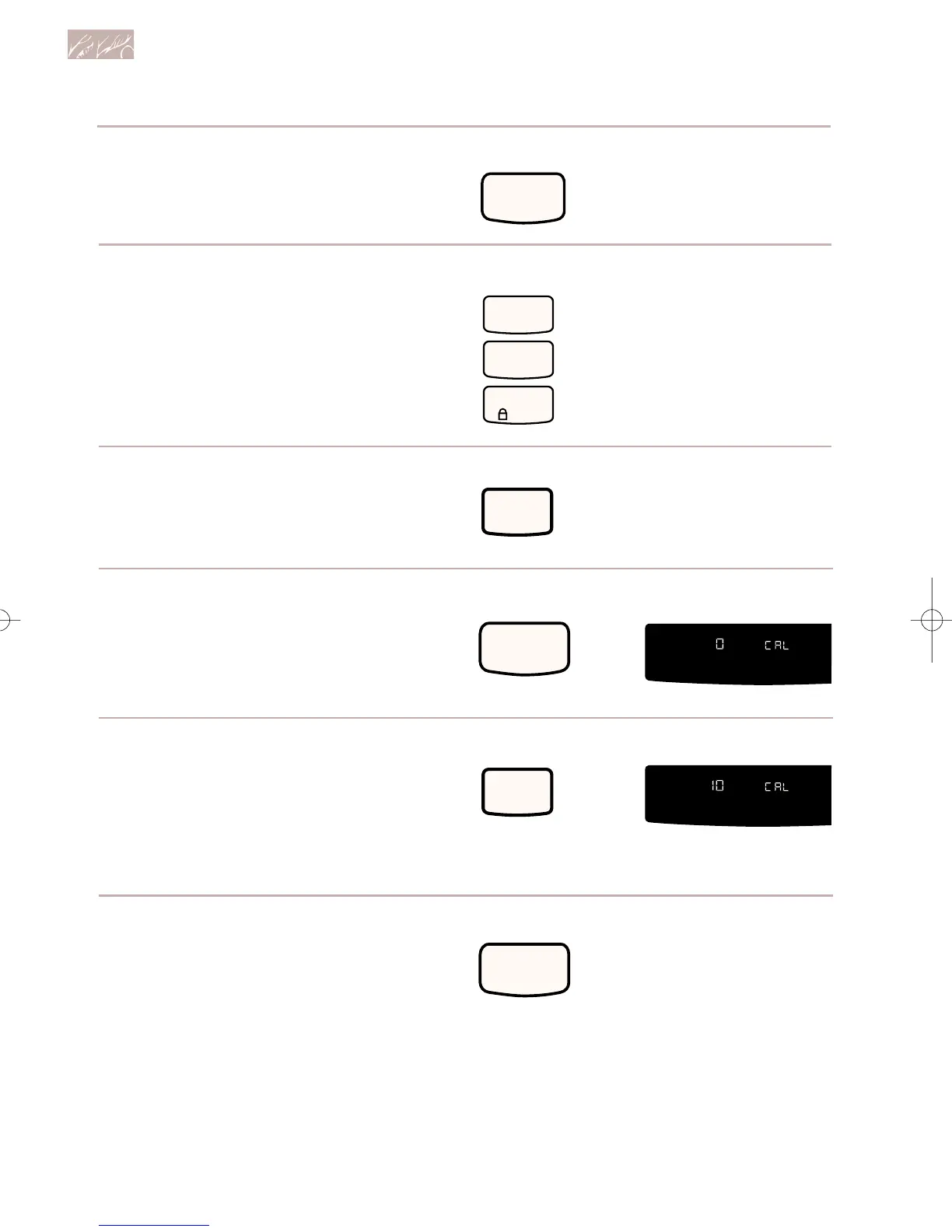
2. Press CANCEL/OFF.
3. Press the Number Pads 1, 2,
and 3, in that order.
4. Press BAKE.
Using and Caring for Your Oven
PRESS
PRESS
PRESS
5. Start oven.
The display shows 0°F (-18°C) and
“COOK TEMP.”
6. Set the new offset temperature.
Press BAKE to increase the setting.
Press BROIL to decrease the setting.
7. Press START to enter the
adjustment.
NOTE: The offset temperature will
remain the same if you press
CANCEL/OFF.
PRESS YOU SEE
PRESS YOU SEE
PRESS
(example when making
oven 10°F [or 6°C] hotter)
(or -18°C)
9753620Av03c72 7/1/99 11:42 AM Page 38



 To Next Page