16 17
Listening in aux-in mode
• Click Mode (9) until you reach AUX on the LCD display (1)
• Plug one end of the aux cable into the aux-in port (14) and the other end into the aux-in port on your device
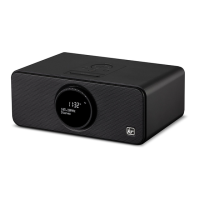
• Play music through your device, and the sound should play through the Boom DAB
Listening in Bluetooth mode
• Click Mode (9) until you reach Bluetooth mode on the LCD display (1)
• The LCD display (1) will ash ‘Bluetooth Disconnected’ while looking for a device to pair with
• Activate Bluetooth on your device, and select the speaker name ‘KS BOOMDAB’ from the list of found devices
• If your device asks for a passkey then enter the digits ‘0000’ and press OK
• When pairing is successful the LCD display (1) will ash ‘Bluetooth Connected’
Note: If there is an existing Bluetooth connection, press and hold Preset (6) for 3 seconds and it will break the current
connection. To reconnect refer back to ‘Listening in Bluetooth mode’.
When connected via Bluetooth or aux-in, you can either control the music through your device or using the Boom DAB.
If using the Boom DAB:
• Use Next Track (11) or Previous Track (5) to change song
• Press the MFB (7) to play/pause your song
• Turn the Volume dial (3) right to increase volume or left to decrease the volume
DAB Menu
1. Auto Scan
• Press the Menu button (10) ) and use Next Track (11) or Previous Track (5) until you reach Auto scan
• Press the MFB (7) to select Auto scan and the Boom DAB will automatically scan all DAB stations
2. System
• Press the Menu button (10) and use Next Track (11) or Previous Track (5) until you reach System
• Press the MFB (7) to select System and this will take you to the System menu
3. DRC
• Press the Menu button (10) and use Next Track (11) or Previous Track (5) until you reach DRC
• Press the MFB (7) to select DRC
• Press Next Track (11) until you nd your desired setting
• Press the MFB (7) to select desired option
• Press the Menu button (10) to go back to the Boom DAB screen
[continued...]
[...continued]
Menu


 To Next Page
 Loading...