14 15
Specifications
Troubleshooting
Factory reset
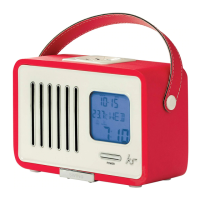
If for some reason the Revive is not working correctly or you want to reset all the settings, you can reset
the Revive back to factory defaults. To do this:
1. In FM or DAB mode, press and hold the ‘Mode’ button
2. Press the ‘Enter’ button and the Revive will reset itself then restart
We hope you’ve now got all the information you need to get started, but if you’re having problems
with anything, please feel free to contact us at: support
@
kitsound.co.uk
Audio output 2 W
Frequency response 125 Hz – 8 kHz
Frequency 87.5 – 108 MHz
Jack plug 3.5 mm
Media FM & DAB
Clock 24 hour
Power supply Batteries: 4 x 1.5 V AA
Mains: DC 5 V / 800 mA
We apologise for any inconvenience caused by minor inconsistencies in these instructions, which may occur as a result of
product improvement and development.
Care for your Revive
Please DON’T
• Get the Revive wet
• Drop the Revive as this will invalidate your warranty
• Open up the Revive (except the battery cover). There are no user serviceable parts inside
• Use any other mains adaptor than the one supplied
• Expose the Revive to extreme temperatures or rapid changes of hot to cold or vice versa
Please DO
• Clean the Revive with a soft dry cloth and no detergents



 To Previous Page