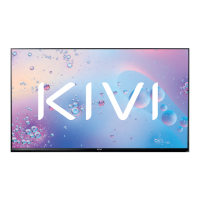
Need help?
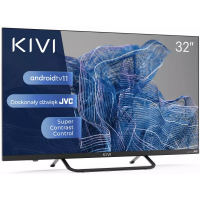
Do you have a question about the Kivi 24H740LW and is the answer not in the manual?
Guidelines for safe and effective TV operation, including precautions and responsibilities.
Proper methods for cleaning the TV screen and casing to prevent damage and scratches.
Step-by-step guide for safely mounting the TV onto its stand using provided hardware.
Instructions for securely mounting the TV on a wall bracket, noting screw requirements.
Guidance on connecting an antenna for signal reception, including impedance and type.
Identification of key components on the TV's front panel, including IR sensor and LED indicator.
Information on remote control usage, battery installation, and IR sensor operation.
Explanation of each button's function on the RC18 remote for TV operation.
Overview of devices connectable to the TV and general connection guidelines.
Visual guide to input/output ports on HD and FHD TV models.
Procedure for installing a Conditional Access (CI) card module for digital TV services.
Steps for initial TV setup: language, region, network, accounts, and TV mode selection.
Guidance on navigating the TV's main screen and accessing its features and menus.
Instructions for configuring network connections, including Wi-Fi and wired internet.
Steps for setting up TV channels, including antenna/cable options and favorites.
Configuring TV channels using an antenna, including scan modes and manual tuning.
Setting up TV channels for cable connections, including scan mode selection.
Managing and configuring input sources for external devices via HDMI, AV, etc.
Adjusting power settings: sleep timer, auto power-off, and picture-off mode.
Customizing picture parameters: brightness, contrast, color, HDR, and advanced settings.
Configuring audio output, sound styles, equalizer, and other sound parameters.
Instructions for pairing Bluetooth devices like remotes or game controllers with the TV.
How to play media files (video, photo, audio) from internal memory or USB devices.
Overview of the KIVI media launcher interface and categories for accessing content.
Resolving problems with unstable or missing TV signals from antenna or cable.
Troubleshooting audio output problems with Bluetooth, HDMI, AUX, or Optical connections.
 General
| Screen Size | 24 inches |
|---|---|
| Resolution | 1366 x 768 |
| Display Type | LED |
| Smart TV | No |
| HDMI Ports | 1 |
| USB Ports | 1 |
| Weight | 2.5 kg |
| Wi-Fi | No |
| Aspect Ratio | 16:9 |
| Refresh Rate | 60 Hz |
| Built-in Speakers | Yes |
| Resolution Name | HD |
| Audio Output | 10W |

 To Next Page