INSTRUCTIONS FOR THE STATUS OF THE
POWERBANK
4.POWERBANK
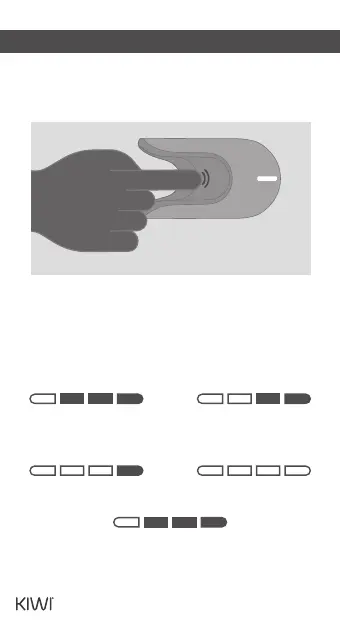
Press the So Touch button on the top of the
Powerbank (or remove the Pen). The power
indicator will gradually illuminate and then
turn o.
1 LED lights up
0-25%
2 LED lights up
26-50%
3 LED lights up
51-75%
4 LED lights up
76-100%
When the power level is below 10%, the rst bar of
the power indicator will ash quickly for 10 times,
serving as a reminder to charge the device.
08


 To Next Page