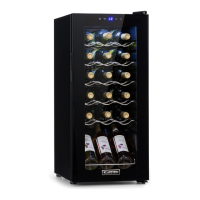
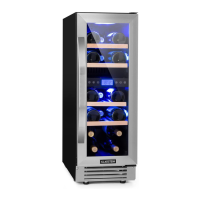
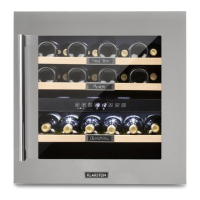
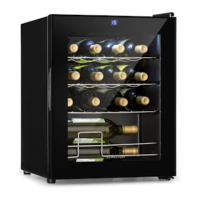
Use and Control - BIWC460
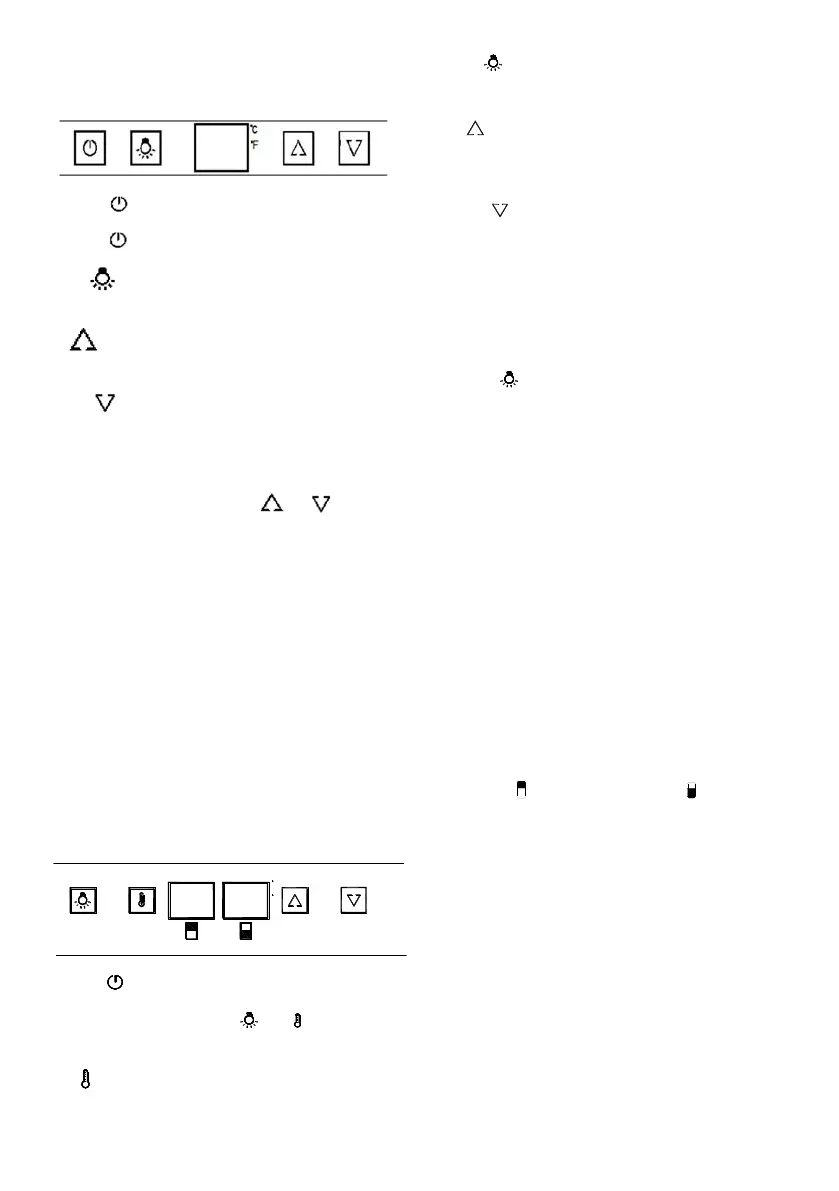
The Controls of Your Wine Cooler
POWER
T
o control this appliance turn on/off. To turn OFF the appliance,
press the
button and hold 5 seconds.
LIGHT
T
o control the inner light turn on/off.
UP
Used to increase (warm) the set temperature by 1°C/1ºF
.
DOWN
Used to lower (cool) the set temperature by 1°C/1ºF
.
ºF/ºC Selector
Select the temperature display setting in Fahrenheit or Celsius
degree. To change the temperature from Fahrenheit to Celsius or
from Celsius to Fahrenheit, press the
and buttons at the
same time for 5 seconds.
Setting the T
emperature Control
• You can set the temperature as required by pressing the UP or
DOWN button. When you press the two buttons for the rst time,
the LED readout will show the original temperature set previously
(the temperature preset at the factory is 12°C/54 ºF).
• The temperature will increase 1°C/1ºF if you press the UP but-
ton once, or the temperature will decrease 1°C/1ºF if you press
the DOWN button once.
• To view the “set” temperature at any time, press the UP or
DOWN button, the “set” temperature will temporarily “ash” in he
LED display for 5 seconds.
• The internal storage temperature will appear in
blue color in the temperature display window.
USE
AND CONTROL – V41B
T
he Controls of Your Wine Cooler
T
o control this appliance turn on/off.
touch and hold the and
marks at
s
et or view the internal temperature setting for
T
o control the inner light turn on/off.
UP
Used
to raise (warm) the set temperature by 1°C or
1ºF.
DOWN
U
sed to lower (cool) the set temperature by 1°C or
1ºF.
ºF/ºC
S
elector
S
elect the temperature display setting in Fahrenheit
or Celsius degree. To change the temperature from
Fahrenheit to Celsius or from Celsius to Fahrenheit,
press the
but
ton for 5 seconds.
S
etting the Temperature Control
T
he wine cooler has two temperature zones. The
temperature settings of LOWER ZONE and UPPER
ZONE are adjustable with the range 5º-22ºC/40º-
72ºF. It is recommended to set the LOWER ZONE
to 13-22ºC / 55-72ºF which is ideal for storing white
and red wines and the UPPER ZONE to 5-13ºC /
40-55ºF which is ideal for storing sparkling and
white wines.
NOTE: The temperature set for the LOWER
ZONE must always be the same or higher than
t
hat in the UPPER ZONE. For optimal
performance, the set temperature of the two
zones should differ by at least 4°C.
You can touch SET mark to set the internal
temperature for each zone. The degrees
indicators will appear in the display window
marked
f
or UPPER ZONE and
f
or
LOWER ZONE.
When you touch the SET mark for the first time,
the LED readouts will show the original
temperature sets previously (the preset
temperature at the factory for UPPER ZONE is
10ºC / 50ºF and for LOWER ZONE is 16ºC /
60ºF).
Touch the SET mark once. The left LED
indicator for UPPER ZONE will flash. Then
touch the UP or DOWN marks to set the desired
temperature.
When you touch the SET mark again, the right
LED indicator for LOWER ZONE will flash. Then
proceed to touch the UP or DOWN marks to set
the desired temperature for the LOWER ZONE.
T
he temperature will increase 1°C or 1ºF if you
touch the UP mark once, or the temperature will
decrease 1°C or 1ºF
if you touch the DOWN
mark once.
To view the “set” temperature in either zone at
any time, touch the UP or DOWN mark, the “set”
temperature will temporarily “flash” in the LED
display for 5 seconds. You can touch the SET
mark to view the temperature setting from one
zone to the second zone.
T
emperature Display
During normal operation, the temperature display on
the control panel shows the temperature inside the
appliance. The temperature display will flash if
- A different temperature is being set,
- The temperature in the zone deviates by more
than 5°C from the set temperature. The
temperature display flashing ensures that the
temperature can not rise or fall un-noticed and
impair the wine.
USE
AND CONTROL – V41B
T
he Controls of Your Wine Cooler
P
OWER
T
o control this appliance turn on/off. To turn OFF the
appliance, touch and hold the
a
nd
m
arks at
the same time for 5 seconds.
SET
T
o set or view the internal temperature setting for
each zone.
LI
GHT
T
o control the inner light turn on/off.
UP
Used to raise (warm) the set temperature by 1°C or
1ºF.
DOWN
U
sed to lower (cool) the set temperature by 1°C or
1ºF.
ºF/ºC
S
elector
S
elect the temperature display setting in Fahrenheit
or Celsius degree. To change the temperature from
Fahrenheit to Celsius or from Celsius to Fahrenheit,
press the
but
ton for 5 seconds.
S
etting the Temperature Control
The wine cooler has two temperature zones. The
temperature settings of LOWER ZONE and UPPER
ZONE are adjustable with the range 5º-22ºC/40º-
72ºF. It is recommended to set the LOWER ZONE
to 13-22ºC / 55-72ºF which is ideal for storing white
and red wines and the UPPER ZONE to 5-13ºC /
40-55ºF which is ideal for storing sparkling and
white wines.
NOTE: The temperature set for the LOWER
ZONE must always be the same or higher than
t
hat in the UPPER ZONE. For optimal
performance, the set temperature of the two
zones should differ by at least 4°C.
You can touch SET mark to set the internal
temperature for each zone. The degrees
indicators will appear in the display window
marked for UPPER ZONE and
for
LOWER ZONE.
When you touch the SET mark for the first time,
the LED readouts will show the original
temperature sets previously (the preset
temperature at the factory for UPPER ZONE is
10ºC / 50ºF and for LOWER ZONE is 16ºC /
60ºF).
Touch the SET mark once. The left LED
indicator for UPPER ZONE will flash. Then
touch the UP or DOWN marks to set the desired
temperature.
When you touch the SET mark again, the right
LED indicator for LOWER ZONE will flash. Then
proceed to touch the UP or DOWN marks to set
the desired temperature for the LOWER ZONE.
The temperature will increase 1°C or 1ºF if you
touch the UP mark once, or the temperature will
decrease 1°C or 1ºF
i
f you touch the DOWN
mark once.
To view the “set” temperature in either zone at
any time, touch the UP or DOWN mark, the “set”
temperature will temporarily “flash” in the LED
display for 5 seconds. You can touch the SET
mark to view the temperature setting from one
zone to the second zone.
T
emperature Display
Dur
ing normal operation, the temperature display on
the control panel shows the temperature inside the
appliance. The temperature display will flash if
- A different temperature is being set,
- The temperature in the zone deviates by more
than 5°C from the set temperature. The
temperature display flashing ensures that the
temperature can not rise or fall un-noticed and
impair the wine.
–
T
he Controls of Your Wine Cooler
POWER
T
o control this appliance turn on/off.
T
o turn OFF the
appl
iance,
t
ouch
and
hold
t
he
a
nd
m
arks at
t
he same time
fo
r
5
seconds.
SET
s
et or view the internal temperature setting for
each zone.
LIGHT
T
o control the inner light turn on/off.
UP
Used
to raise (warm) the set temperature by 1°C or
1ºF.
DOWN
U
sed to lower (cool) the set temperature by 1°C or
1ºF.
ºF/ºC
S
elector
S
elect the temperature display setting in Fahrenheit
or Celsius degree. To change the temperature from
Fahrenheit to Celsius or from Celsius to Fahrenheit,
press the
but
ton for 5 seconds.
S
etting the Temperature Control
The wine cooler has two temperature zones. The
temperature settings of LOWER ZONE and UPPER
ZONE are adjustable with the range 5º-22ºC/40º-
72ºF. It is recommended to set the LOWER ZONE
to 13-22ºC / 55-72ºF which is ideal for storing white
and red wines and the UPPER ZONE to 5-13ºC /
40-55ºF which is ideal for storing sparkling and
white wines.
NOTE: The temperature set for the LOWER
ZONE must always be the same or higher than
that in the UPPER ZONE. For optimal
performance, the set temperature of the two
zones should differ by at least 4°C.
You can touch SET mark to set the internal
temperature for each zone. The degrees
indicators will appear in the display window
marked
f
or UPPER ZONE and
f
or
LOWER ZONE.
When you touch the SET mark for the first time,
the LED readouts will show the original
temperature sets previously (the preset
temperature at the factory for UPPER ZONE is
10ºC / 50ºF and for LOWER ZONE is 16ºC /
60ºF).
Touch the SET mark once. The left LED
indicator for UPPER ZONE will flash. Then
touch the UP or DOWN marks to set the desired
temperature.
When you touch the SET mark again, the right
LED indicator for LOWER ZONE will flash. Then
proceed to touch the UP or DOWN marks to set
the desired temperature for the LOWER ZONE.
The temperature will increase 1°C or 1ºF if you
touch the UP mark once, or the temperature will
decrease 1°C or 1ºF
i
f you touch the DOWN
mark once.
To view the “set” temperature in either zone at
any time, touch the UP or DOWN mark, the “set”
temperature will temporarily “flash” in the LED
display for 5 seconds. You can touch the SET
mark to view the temperature setting from one
zone to the second zone.
T
emperature Display
Dur
ing normal operation, the temperature display on
the control panel shows the temperature inside the
appliance. The temperature display will flash if
- A different temperature is being set,
- The temperature in the zone deviates by more
than 5°C from the set temperature. The
temperature display flashing ensures that the
temperature can not rise or fall un-noticed and
impair the wine.
c
F
T
he Controls of Your Wine C
P
OWER
T
o control this appliance turn on/off. To turn OFF the
appliance, touch and hold the and
marks at
the same time for 5 seconds.
SET
T
o set or view the internal temperature setting for
each zone.
LIGHT
To control the inner light turn on/off.
UP
Used
to raise (warm) the set temperature by 1°C or
1ºF.
DOWN
U
sed to lower (cool) the set temperature by 1°C or
1ºF.
ºF/ºC
S
elector
Select the temperature display setting in Fahrenheit
or Celsius degree. To change the temperature from
Fahrenheit to Celsius or from Celsius to Fahrenheit,
press the
but
ton for 5 seconds.
Setting the Temperature Control
T
he wine cooler has two temperature zones. The
temperature settings of LOWER ZONE and UPPER
ZONE are adjustable with the range 5º-22ºC/40º-
72ºF. It is recommended to set the LOWER ZONE
to 13-22ºC / 55-72ºF which is ideal for storing white
and red wines and the UPPER ZONE to 5-13ºC /
40-55ºF which is ideal for storing sparkling and
white wines.
NOTE: The temperature set for the LOWER
ZONE must always be the same or higher than
that in the UPPER ZONE. For optimal
performance, the set temperature of the two
zones should differ by at least 4°C.
You can touch SET mark to set the internal
temperature for each zone. The degrees
indicators will appear in the display window
marked
f
or UPPER ZONE and
f
or
LOWER ZONE.
When you touch the SET mark for the first time,
the LED readouts will show the original
temperature sets previously (the preset
temperature at the factory for UPPER ZONE is
10ºC / 50ºF and for LOWER ZONE is 16ºC /
60ºF).
Touch the SET mark once. The left LED
indicator for UPPER ZONE will flash. Then
touch the UP or DOWN marks to set the desired
temperature.
When you touch the SET mark again, the right
LED indicator for LOWER ZONE will flash. Then
proceed to touch the UP or DOWN marks to set
the desired temperature for the LOWER ZONE.
The temperature will increase 1°C or 1ºF if you
touch the UP mark once, or the temperature will
decrease 1°C or 1ºF
i
f you touch the DOWN
mark once.
To view the “set” temperature in either zone at
any time, touch the UP or DOWN mark, the “set”
temperature will temporarily “flash” in the LED
display for 5 seconds. You can touch the SET
mark to view the temperature setting from one
zone to the second zone.
Temperature Display
Dur
ing normal operation, the temperature display on
the control panel shows the temperature inside the
appliance. The temperature display will flash if
- A different temperature is being set,
- The temperature in the zone deviates by more
than 5°C from the set temperature. The
temperature display flashing ensures that the
temperature can not rise or fall un-noticed and
impair the wine.
BIWC885
USE AND CONTROL



 To Next Page
 Loading...