26
EN
4. Turn on/off and Reboil Function
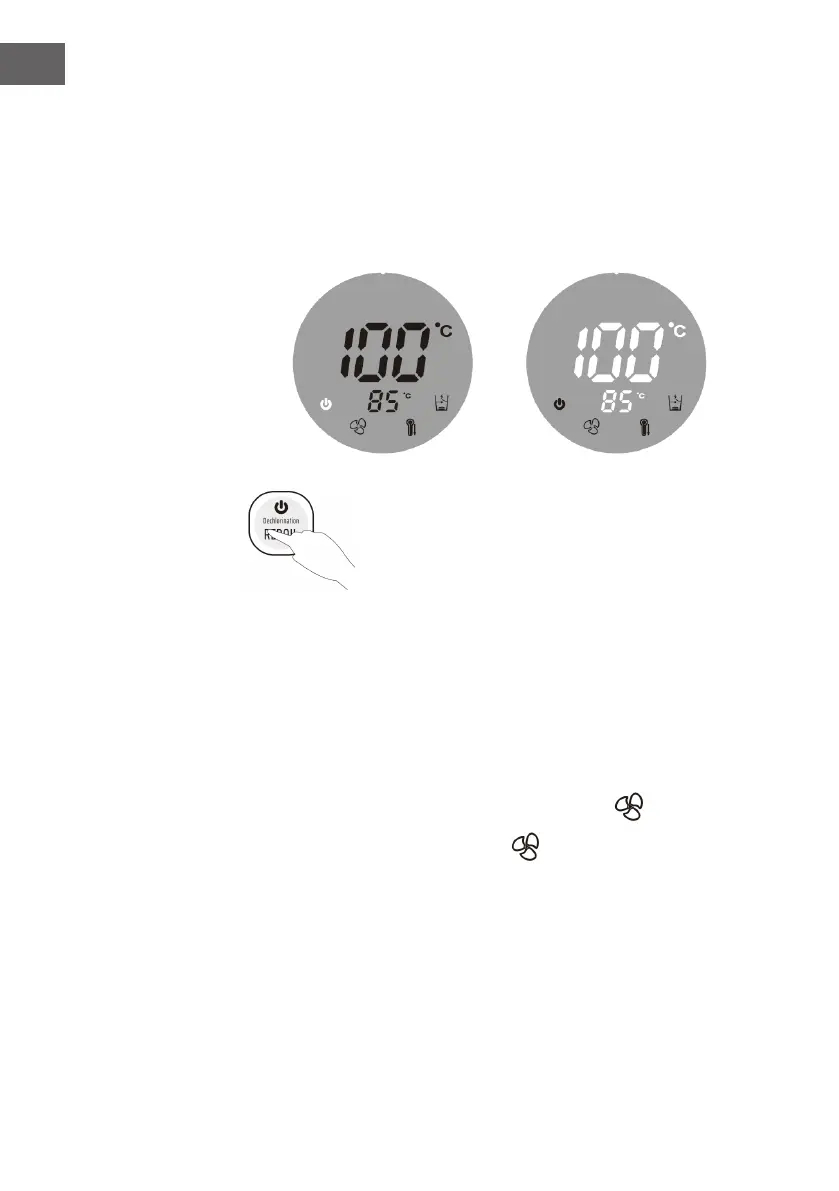
To turn off the appliance:
• Press and hold the “Reboil“ button for 5 seconds to turn off the hot water dispenser.
The power indicator will keep ashing on the screen.
• Press the “Reboil” button, the power indicator light will go out and the appliance
resumes operation.
To enter standby mode / operating mode:
• Press and hold the “Reboil“ button for 5 seconds to enter
standby mode.
• Press the “Reboil” button again to return to the operating
mode.
To use the reboil function:
• Press the “Reboil“ button to start boiling the water to 100°C.
• Press the “Reboil“ button to activate the reboil function, press again to cancel the
reboil function.
5. Fast Cooling
• Press and hold the “Puried Water“ button 5 seconds. The indicator will start
ashing on the display screen.
• When the set temperature is reached, the indicator will light up on the display
screen.
6. Tap Water Mode / Puried Water Mode
Tap water mode:
• By default, the appliance runs in tap water mode when it starts operation.
• After the water has been boiled to 100 °C, the chlorine content can also be
reduced.


 To Next Page