Quickstart
In case you preselected the M or H support rate, then the
maximum speed of the vehicle is too high to be able to
walk comfortably and safely alongside the X Speed.
Charging the battery:
Caution! The battery should only be charged with the
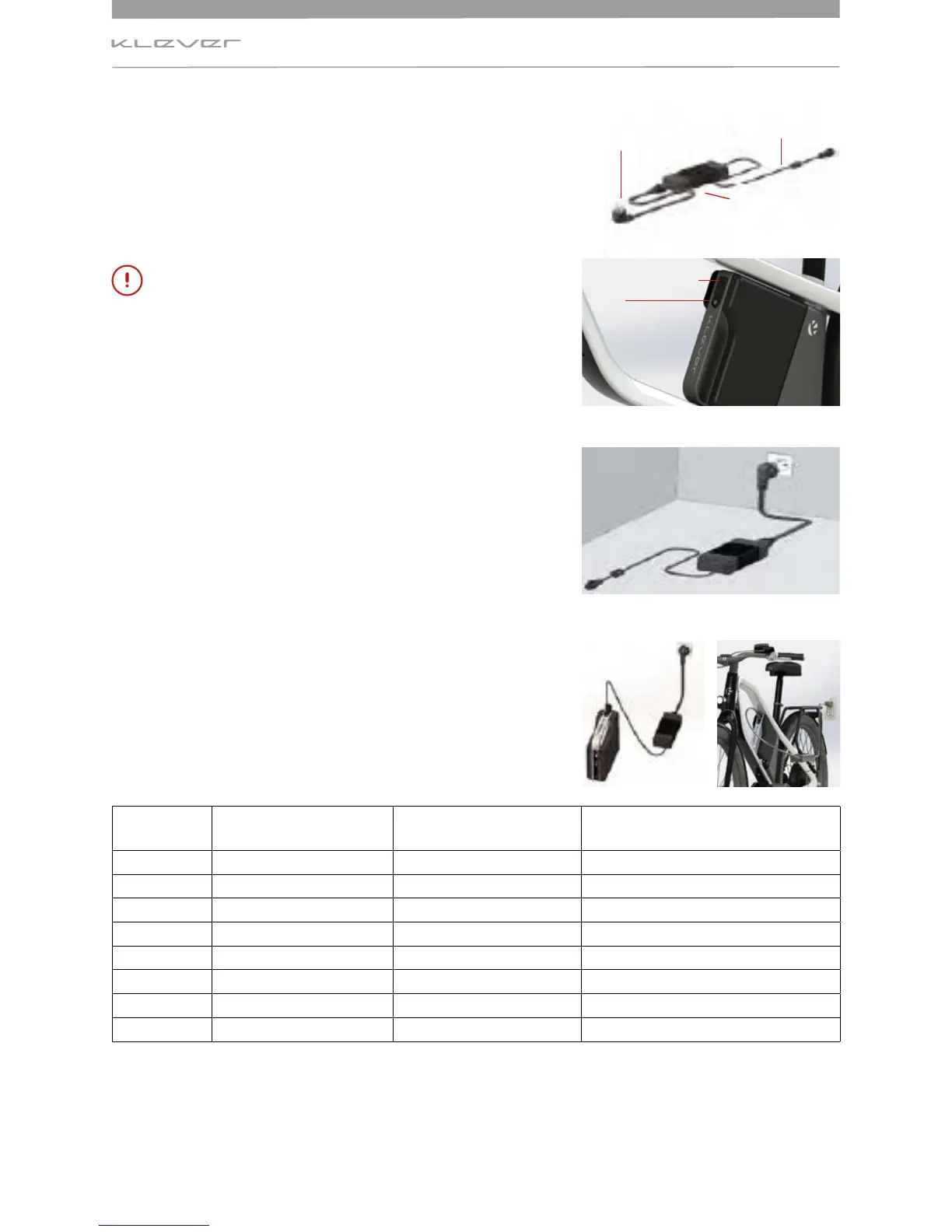
appropriate, supplied charger (Image 4).
The battery can be charged on (image 7a) and o bike (image
7b). For removal of the battery see section 6.3.3.
Connect the charger with the power cable and the power
plug to the wall socket. If the LED on the charger shows
constant red light, the charger is ready for use (image 6).
Connect the charger plug from the charger to the charging
socket on the battery (images 5 + 6 + 7a/7b).
The charging process starts automatically. Once the LED on
the charger constantly lights green the operation is complete
and the battery is charged. Unplug from wall first, then
remove the charger lead from the battery charger.
Charging
status
Indicator LED Charger Indicator LED Battery Remark
Flashing red Error Check connections
Steady red Charger is ready
0% Flashing yellow Flashing red Capacity very low; charging starts
<35% Steady yellow Flashing red Normal charging
35 – 75% Steady yellow Flashing yellow Normal charging
75 – 90% Steady yellow Flashing green Normal charging
>90% Flashing green Flashing green Final charging
100 % Steady green No LED colour
Fully charged
The charging of an empty rechargeable battery of 570 Wh (from 0% to 96%) will take about 2.3
hours with a quick charger. For an 850 Wh battery the process will take about 3.5 hours.
Charging socket
LED
Power
cable
Power plug
Charger
Image 4
Image 5
Image 6
Image 7AImage 7B


 To Next Page