
 To Next Page
D
David WilliamsJul 28, 2025
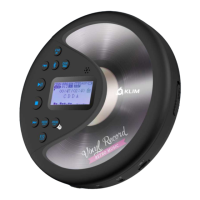
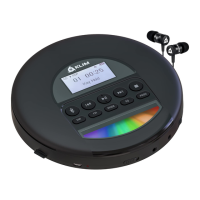
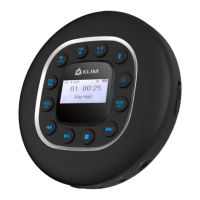
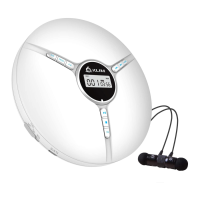
Why my KLIM Discman CD Player won't turn on?
- MMelissa HallJul 28, 2025
If your KLIM CD Player isn't turning on, make sure the OFF/ON button on the side is switched to the ON position.

Why my KLIM Discman CD Player won't turn on?
If your KLIM CD Player isn't turning on, make sure the OFF/ON button on the side is switched to the ON position.
What to do if my KLIM Discman discs cannot be read?
If your KLIM CD Player is having trouble reading discs, here are a few things to check: 1. Make sure the labeled side of the disc is facing up and that it is placed securely in the player. 2. Inspect the disc for heavy scratches or damage. If it's dirty, gently wipe it from the center to the outer edge with a clean, soft cloth. You can also try another disc to see if the original one is faulty. 3. Ensure that the lens is clean. Gently wipe the lens with an alcohol cotton swab. 4. Check that the power outlet is working and that the power cord is properly connected.
Guidelines for safe operation, storage, and handling of the CD player device.
Instructions for safe handling, charging, and precautions regarding the built-in battery.
Advice on adjusting volume to prevent hearing damage during prolonged use.
Detailed specifications including size, weight, power, and supported formats.
Information on how to get support and resolve common issues with the device.
Step-by-step instructions for managing CDs within the player.
Guidance on turning the player on, off, and entering standby mode.
Information on compatible earphones and achieving optimal sound quality.
Explanation of different track playback modes like Repeat 1, All, Shuffle, and Intro.
Adjusting volume and using the key lock function to prevent accidental changes.
Details on the automatic screen turn-off after inactivity.
Information on selecting from 5 different sound effect modes.
 General
| Brand | KLIM |
|---|---|
| Model | Discman |
| Category | CD Player |
| Connectivity | 3.5mm headphone jack |
| Playback Modes | Repeat, Shuffle, Program |
| Playback Formats | CD-DA, MP3, WMA |
| Power Source | Battery |
| Battery Type | AA |
| Features | Anti-skip protection, LCD display |
| Disc Compatibility | CD, CD-R, CD-RW |
| Output | Headphone |