MICROPHONE SETTINGS
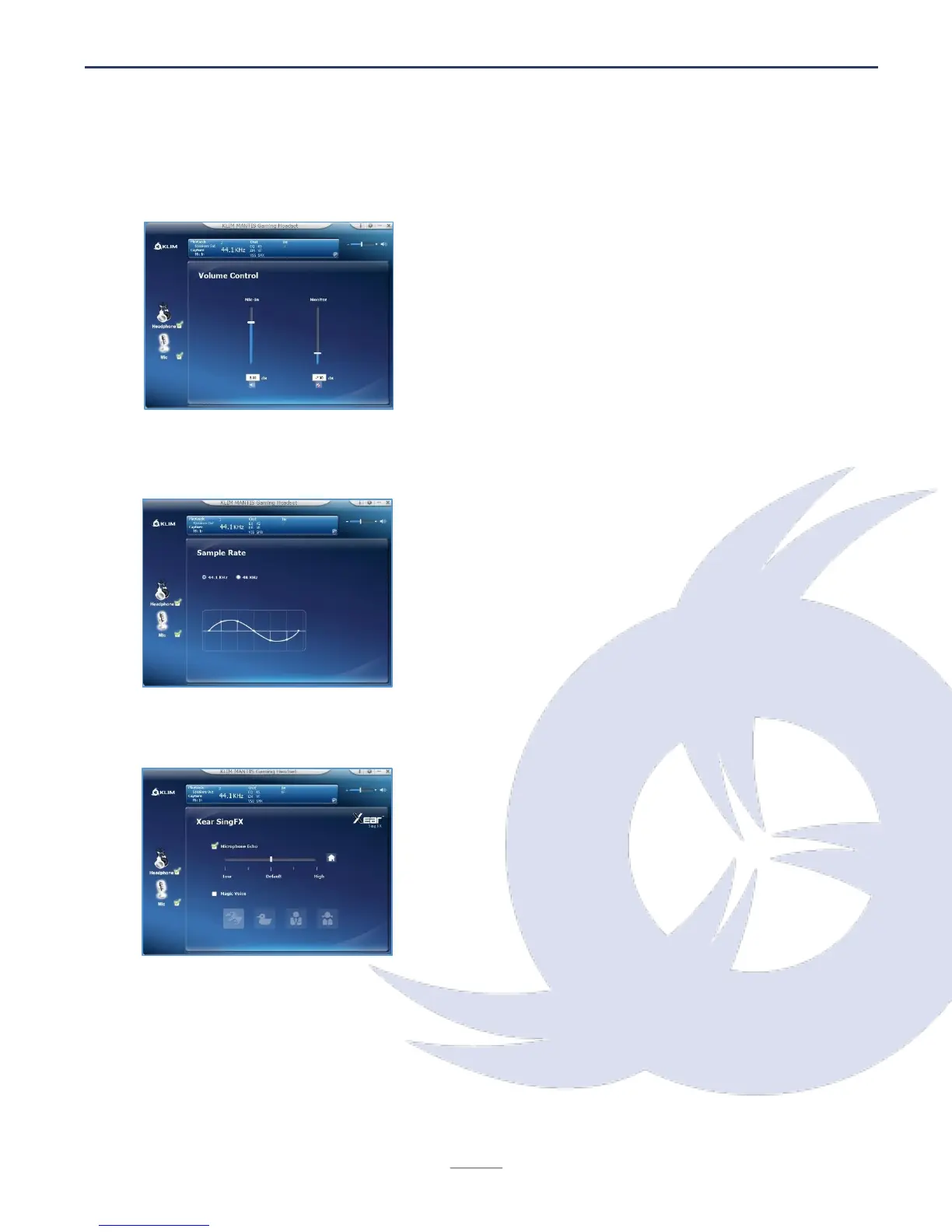
Volume control
Select the microphone volume by moving the Mic In
slider.
You can also access the Microphone Boost screen
by right clicking on the microphone icon to add even
more volume to your recordings.
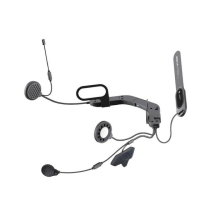
Sample rate
Select whether you prefer 44.1 KHz or 48 KHz. We
recommend leaving the default value.
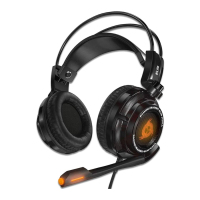
Vocal effects (SingFX)
This screen lets you add several effects to your
voice recordings.
You can add echo via the Microphone Echo option
then adjust it using the slider.
The icons at the bottom (Monster, Cartoon, Male,
Female) add different effects to your voice.


 To Next Page