EN - 17
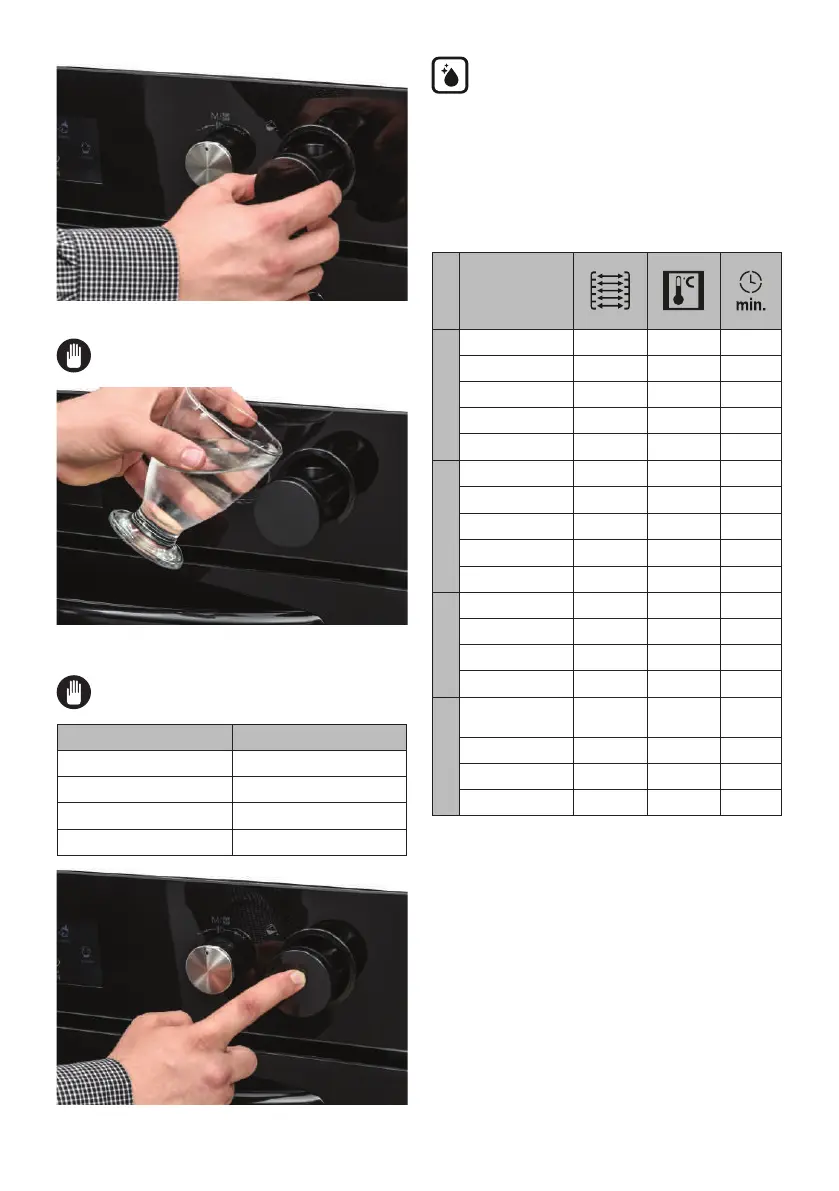
• Pull the water tank out slightly.
The tank must not be taken out
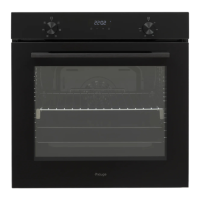
• Add the minimum 100 ml water into the
tank before usage.
The maximum water level is indicated
as “MAX” on the tank.
Steam Density Water Amounts
1 steam injection Add 100 ml water
2 steam injection Add 200 ml water
3 steam injection Add 300 ml water
Auto steam injection Add 100 ml water
• Push on the tank cover to close.
Vap clean+ function:
Vapclean+ function provides easy
cleaning. You will find this function
under ‘Cleaning’ menu. Before running this
function please add 300 ml water into the
tank. For adding water please follow the
instruction given under title ‘Filling Water
Tank’.
4.2 cOOking table
Function
Dishes
Static
Puff Pastry 2-3-4 170-190 35-45
Cake 2-3-4 170-190 30-40
Cookie 2-3-4 170-190 30-40
Stew 2 175-200 40-50
Chicken 2-3-4 200 45-60
Fan
Puff Pastry 2-3-4 170-190 25-35
Cake 2-3-4 150-170 25-35
Cookie 2-3-4 150-170 25-35
Stew 2 175-200 40-50
Chicken 2-3-4 200 45-60
Turbo
Puff Pastry 2-3-4 170-190 35-45
Cake 2-3-4 150-170 30-40
Cookie 2-3-4 150-170 25-35
Stew 2 175-200 40-50
Grilling
Grilled
meatballs
7 200 10-15
Chicken * 190 50-60
Chop 6-7 200 15-25
Beefsteak 6-7 200 15-25
*If available cook with roast chicken skewer.
4.3 use Of the smart lcd cOntr Ol unit
Ready Cook is designed to help home
users to implement professional cooking
recipes easily using the built-in auto
cooking functions.
The Ready Cook menus, such as Manual
Cooking, Auto Cooking, Favourites,
Cleaning, and Settings, are described
below.
Manual cooking
You can adjust every cooking setting in


 To Next Page